Ims Mode Setting With Scan Tool
- You can turn ON/OFF of IMS tilt & telescope control option with the user option program.
- Select model and "body control module" menu.
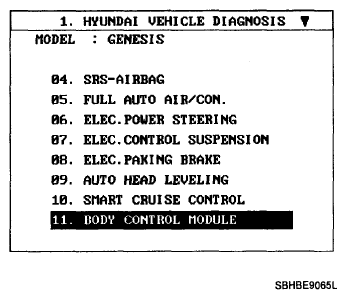 Courtesy of HYUNDAI MOTOR CO.
- Select the "user option".
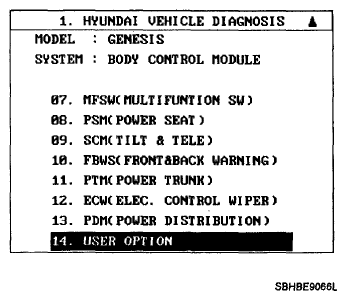 Courtesy of HYUNDAI MOTOR CO.
- Select the "Tilt steering & seat linkage".
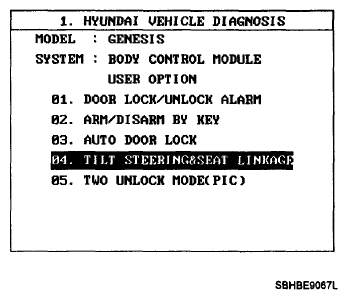 Courtesy of HYUNDAI MOTOR CO.
- Select the On/Off option of IMS tilt & telescope control.
- Seat installation state ON/OFF
- Seat riding & getting off gearing ON/OFF
- Column installation state ON/OFF
- Column riding & getting off gearing ON/OFF