Procedure of Variant Coding
- Install a PCM (ECM & TCM)/ESC normally.
- Connect the scan tool to the data link connector located underneath the dash panel.
- Select vehicle name.
- Select ANTI-LOCK BRAKE SYSTEM.
- Select the variant coding.
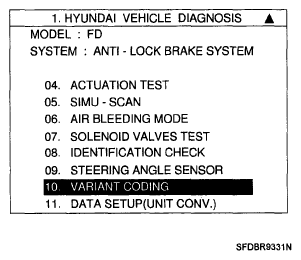 Courtesy of HYUNDAI MOTOR CO.
- Follow the next procedure according to the comment
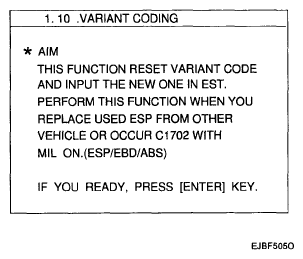 Courtesy of HYUNDAI MOTOR CO.
- Confirm the condition, and then push the "REST".
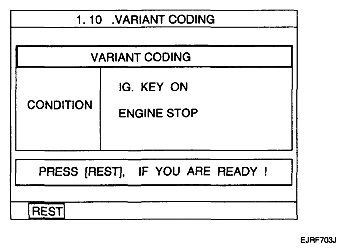 Courtesy of HYUNDAI MOTOR CO.
- If the procedure is finished, the screen is displayed as shown below.
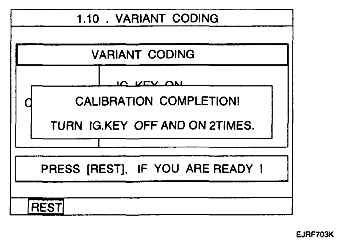 Courtesy of HYUNDAI MOTOR CO.
- IGN off.
- IGN on.
- The variant coding is completed.
CAUTION:
- If the warning lamp (ESC, EBD, ABS) is illuminated, follow the "Variant coding" again.
- For the vehicle equipped 4WD, delete the DTC (s) memorized in 4WD ECU when variant coding is completed.