Charging System: Alternator: Disassembly: 2.7
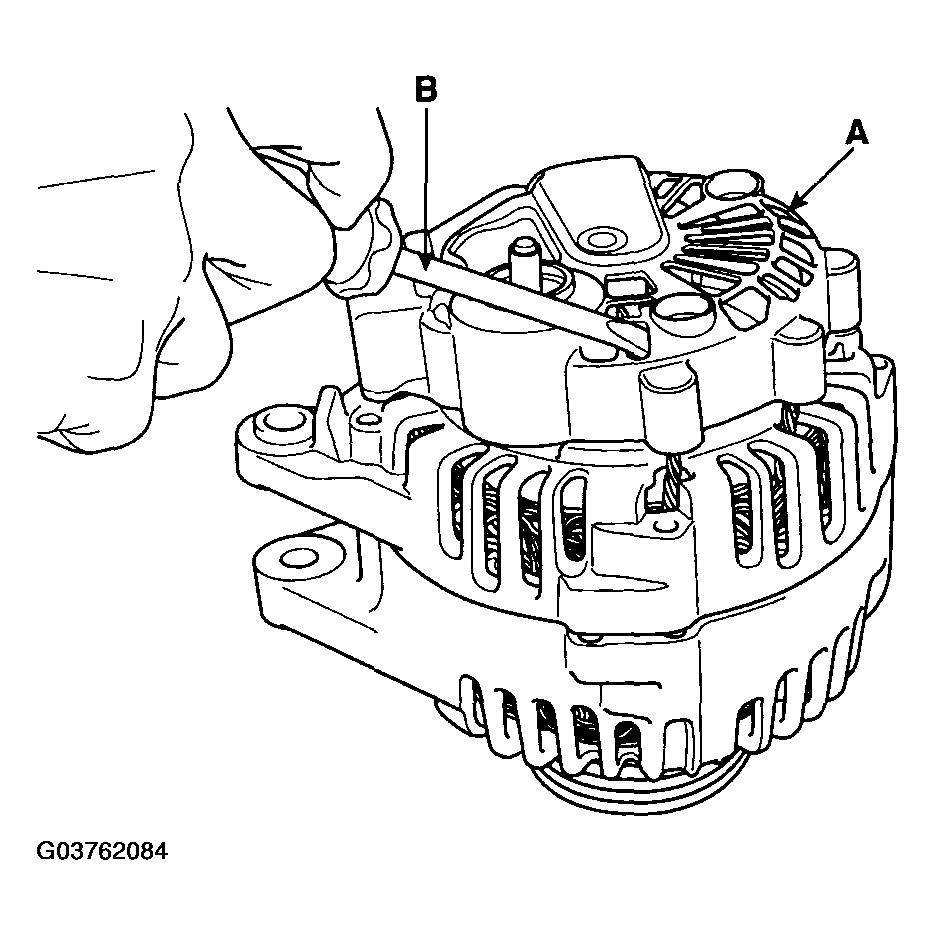
- Remove the alternator cover (A) using a screw driver (B).
 Courtesy of HYUNDAI MOTOR CO.
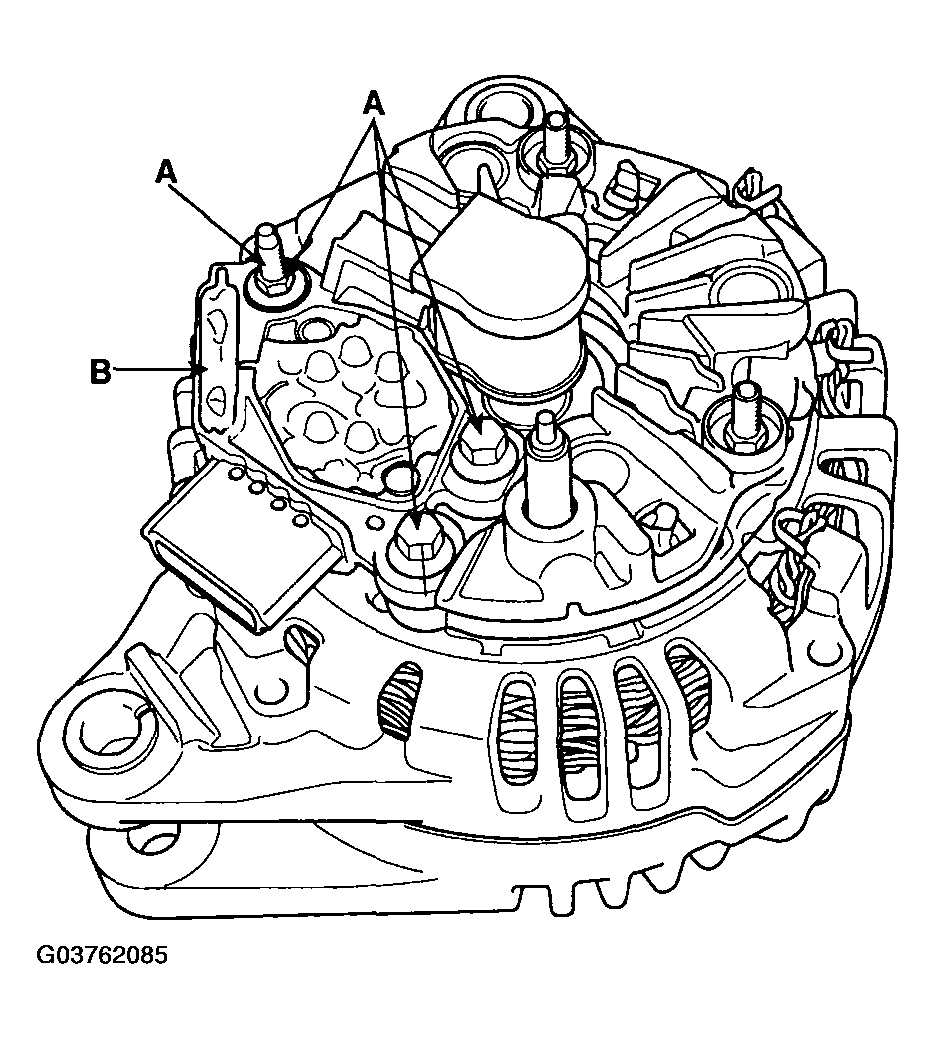
- Loosen the mounting bolts (A) and disconnect the brush holder assembly (B).
 Courtesy of HYUNDAI MOTOR CO.
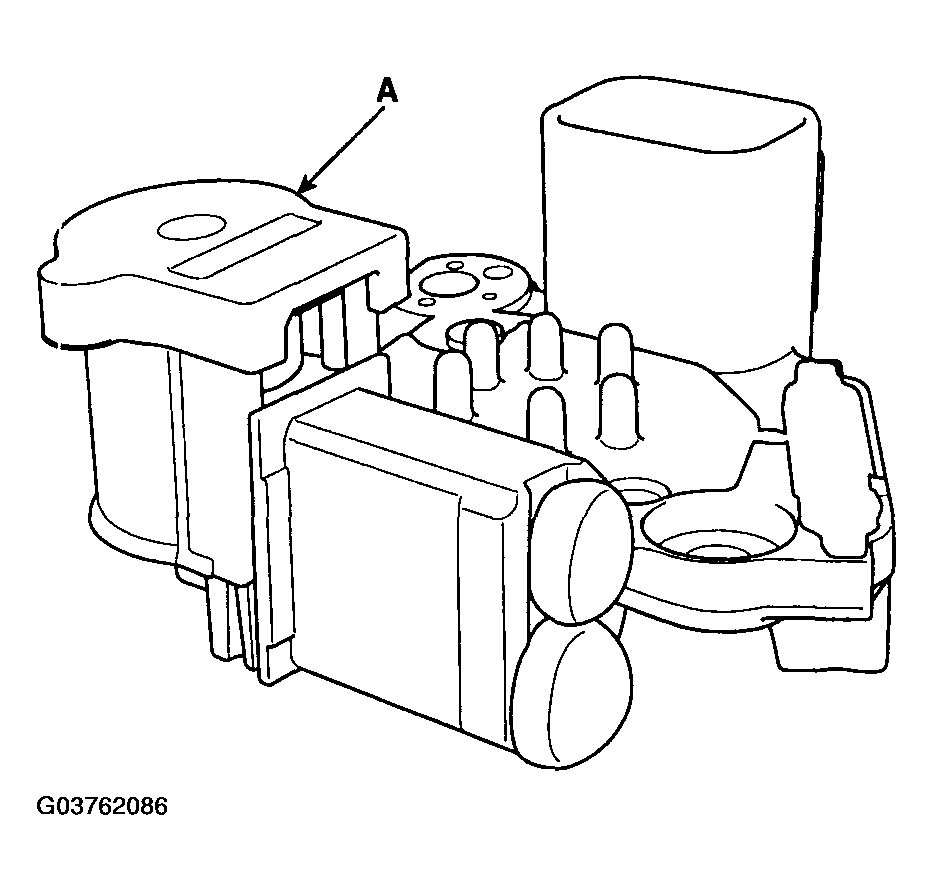
- Remove the slip ring guide (A).
 Courtesy of HYUNDAI MOTOR CO.
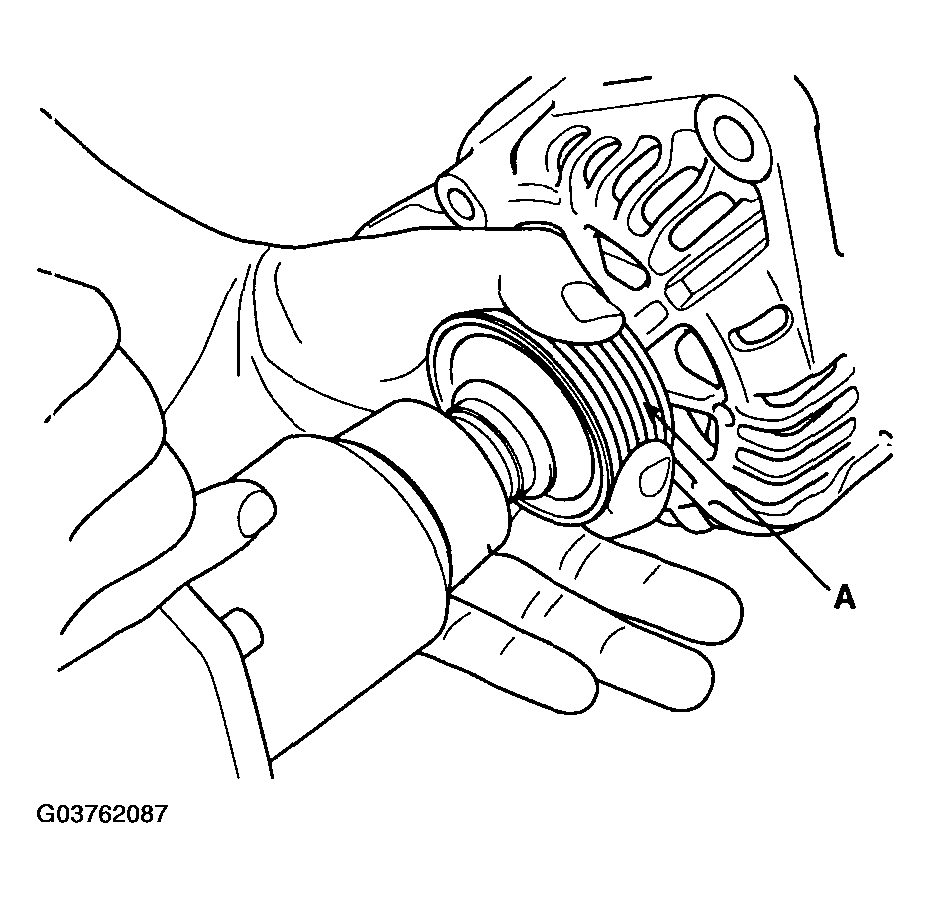
- Remove the nut, pulley (A) and spacer.
 Courtesy of HYUNDAI MOTOR CO.
- Loosen the 4 through bolts (A).
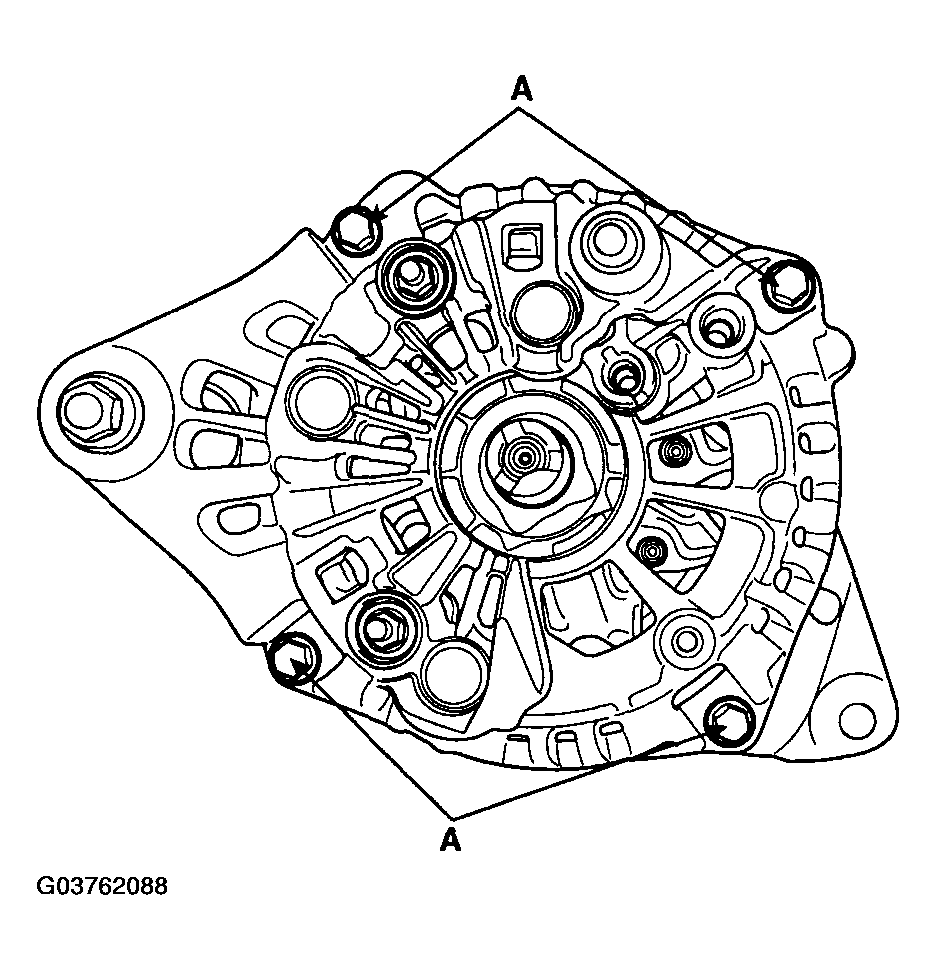 Courtesy of HYUNDAI MOTOR CO.
- Disconnect the rotor (A) and cover (B).
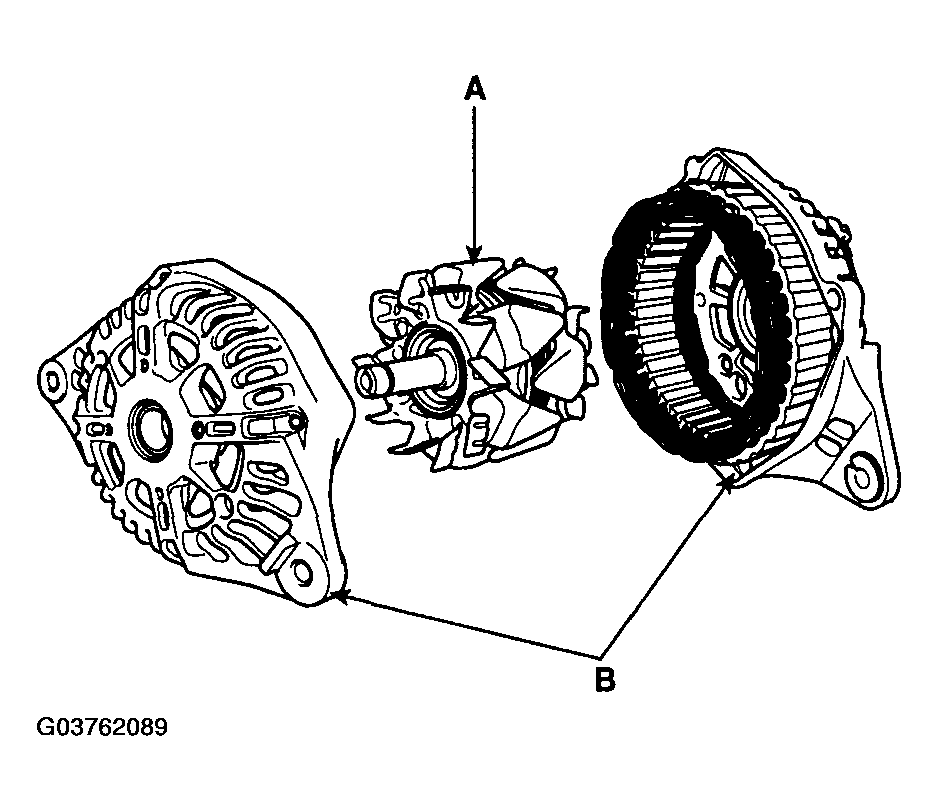 Courtesy of HYUNDAI MOTOR CO.
- Reassembly is the reverse of disassembly.