Steering Wheel Installation
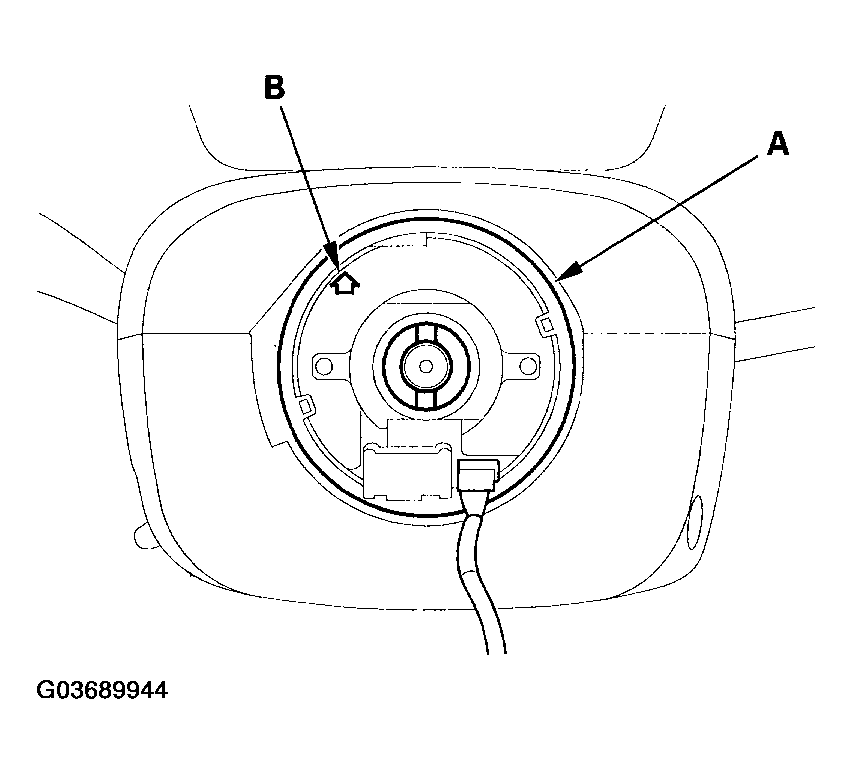
- Before installing the steering wheel, make sure the front wheels are aligned straight ahead, then center the cable reel (A). Do this by first rotating the cable reel clockwise until it stops. Then rotate it counterclockwise about three full turns. The arrow mark (B) on the cable reel label should point straight up.
 Courtesy of AMERICAN HONDA MOTOR CO., INC.
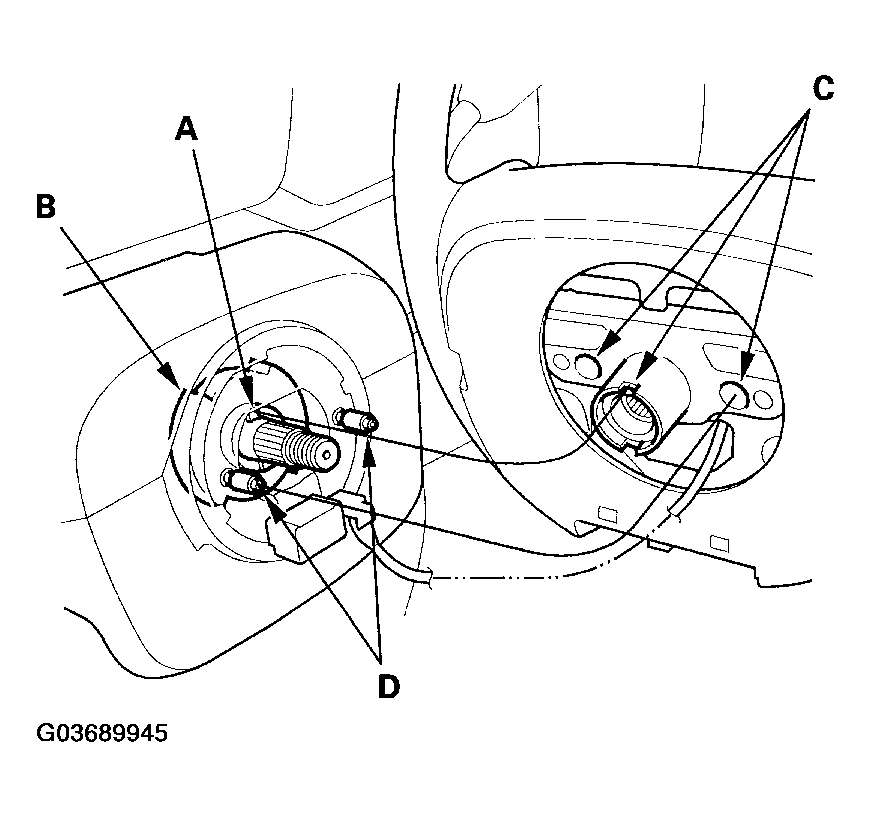
- Position the two tabs (A) of the turn signal cancelling sleeve (B) as shown. Install the steering wheel on to the steering column shaft, making sure the steering wheel hub (C) engages the pins (D) of the cable reel and tabs of the canceling sleeve. Do not tap on the steering wheel or steering column shaft when installing the steering wheel.
 Courtesy of AMERICAN HONDA MOTOR CO., INC.
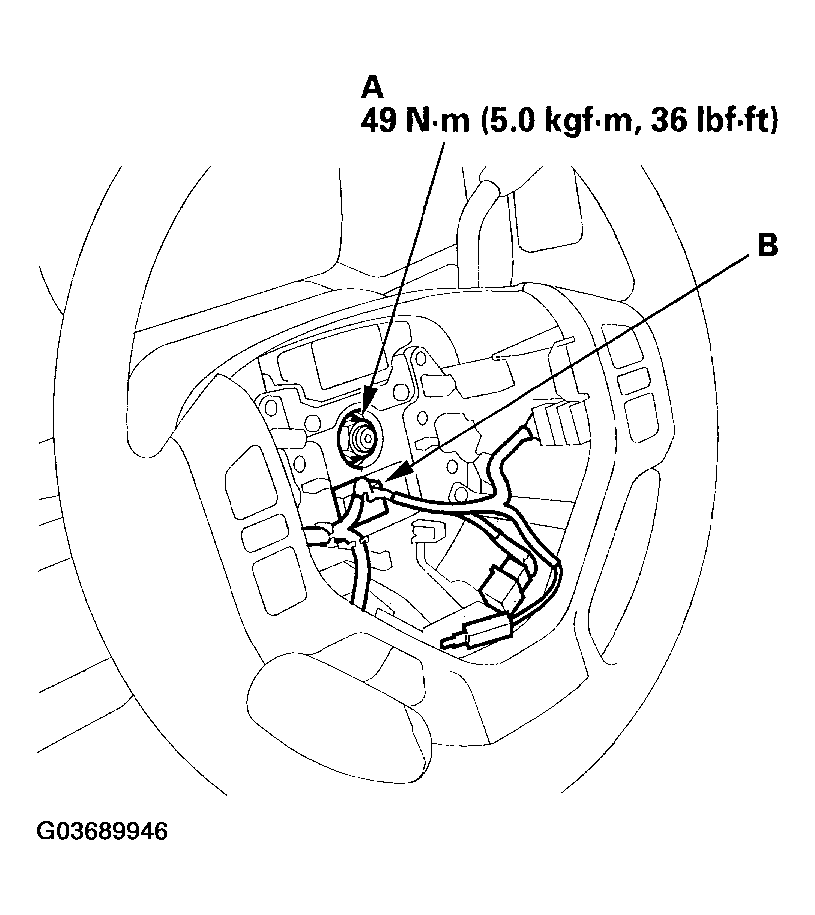
- Install the steering wheel nut (A) and tighten it to the specified torque. Connect the cable reel sub-harness connector (B). Make sure the wire harness is routed and fastened properly.
 Courtesy of AMERICAN HONDA MOTOR CO., INC.
- Install the driver's airbag, and confirm that the system is operating properly (see DRIVER'S AIRBAG REPLACEMENT
).
- Reconnect the negative cable to the battery and do the following items:
- Turn the ignition switch ON (II); the SRS indicator should come on for about 6 seconds and then go off.
- Enter the anti-theft codes for the audio system and the navigation system (if equipped).
- Set the clock (for vehicles without navigation).
- Verify cruse control, audio remote, voice control and turn signal switch operation.
- Make sure the steering wheel is centered.