Removal & Installation: Auto-TENSIONER: Inspection
- Check the position of the auto-tensioner indicator's pointer "A", with the engine is not running. Start the engine and check the position of the pointer again. See Figure (1999-2001 models) or Figure (2002-04 models). If the position changes, replace the auto-tensioner.
- Check for abnormal noise from the tensioner pulley. If you hear abnormal noise, replace the auto tensioner pulley. See REPLACEMENT .
- Remove the alternator/compressor belt. See REPLACEMENT under ALTERNATOR/COMPRESSOR BELT.
- Move the auto-tensioner back and forth within its limit with the wrench. Check that the tensioner moves smoothly and without any abnormal noise. If the tensioner does not move smoothly or there is abnormal noise, replace the auto-tensioner. See Fig 1 (1999-2001 models) or Fig 2 (2002-04 models).
- Remove the auto-tensioner. See Fig 3.
- Clamp the auto-tensioner "A" by using two 6-mm bolts "B" and a vise "C". Do not clamp the auto-tensioner itself. See Fig 4.
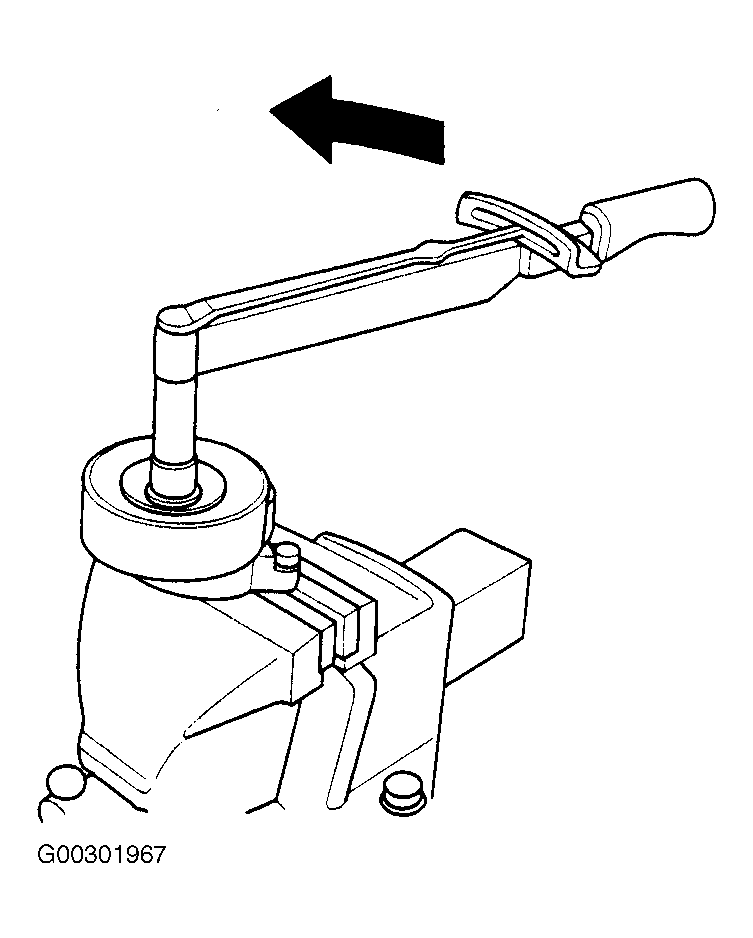
- Attach a torque wrench "A" to the pulley bolt. Measure the torque when the tensioner is turned counterclockwise. If the torque is less than the 17 ft.lbs (23 N.m), replace the auto-tensioner. See Fig 5.
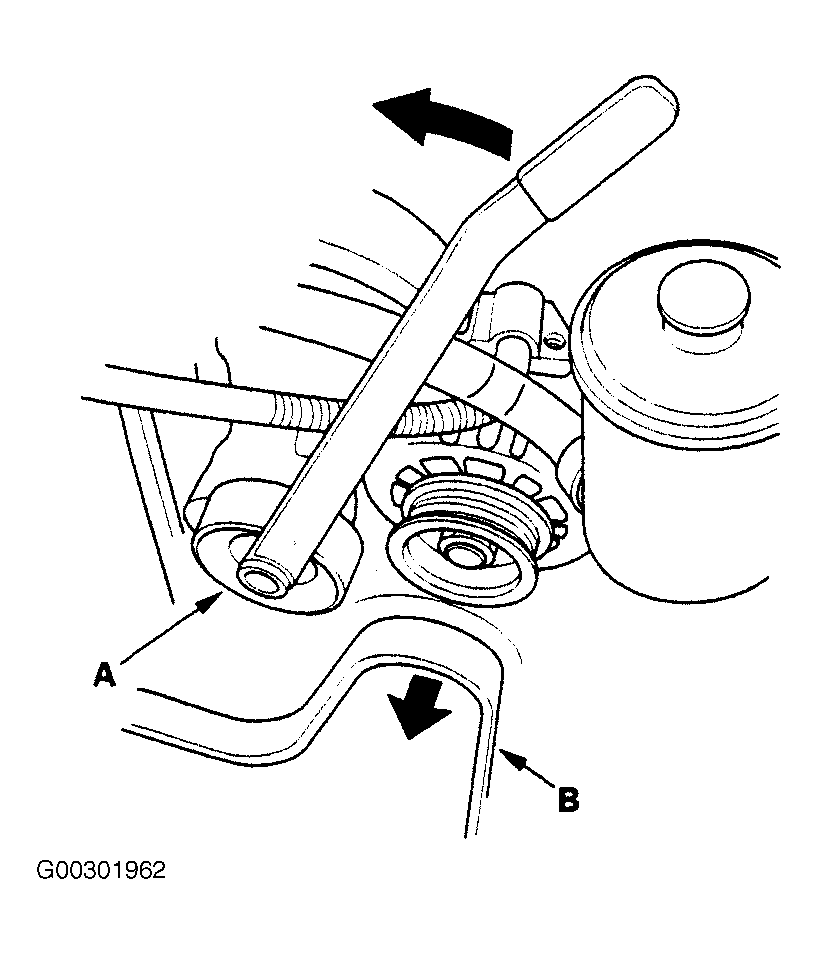 Courtesy of AMERICAN HONDA MOTOR CO., INC.
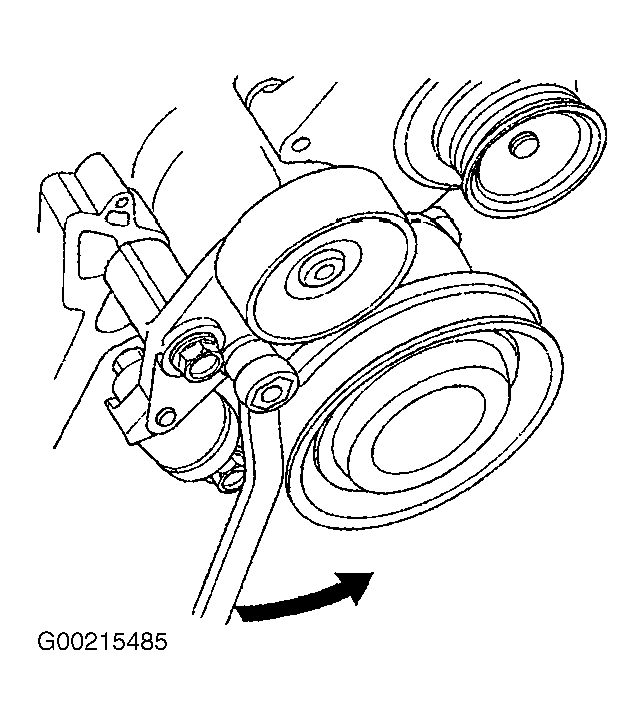 Courtesy of AMERICAN HONDA MOTOR CO., INC.
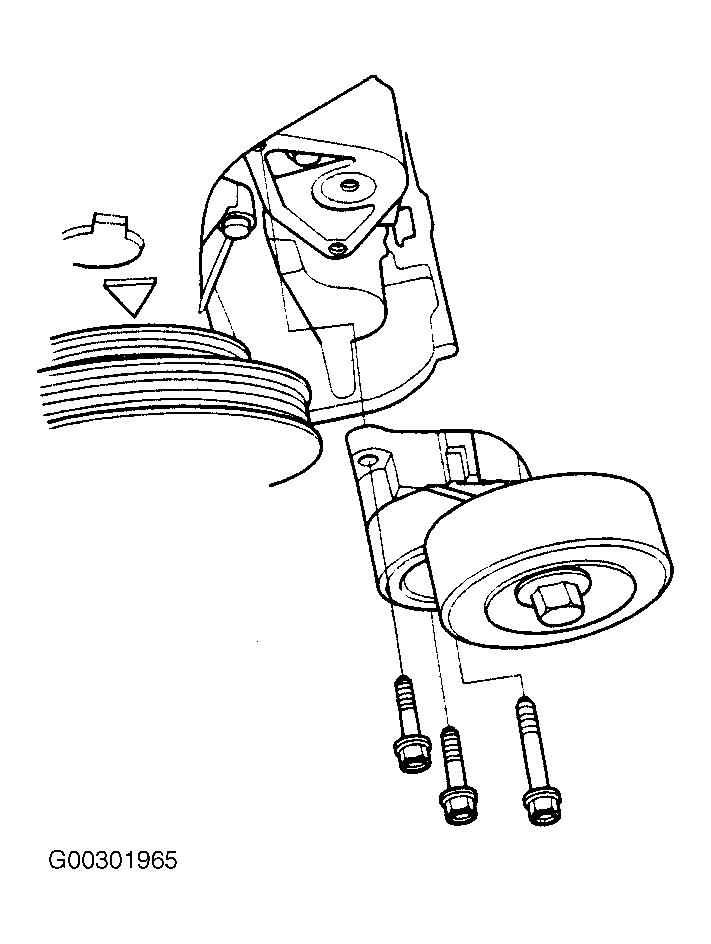 Courtesy of AMERICAN HONDA MOTOR CO., INC.
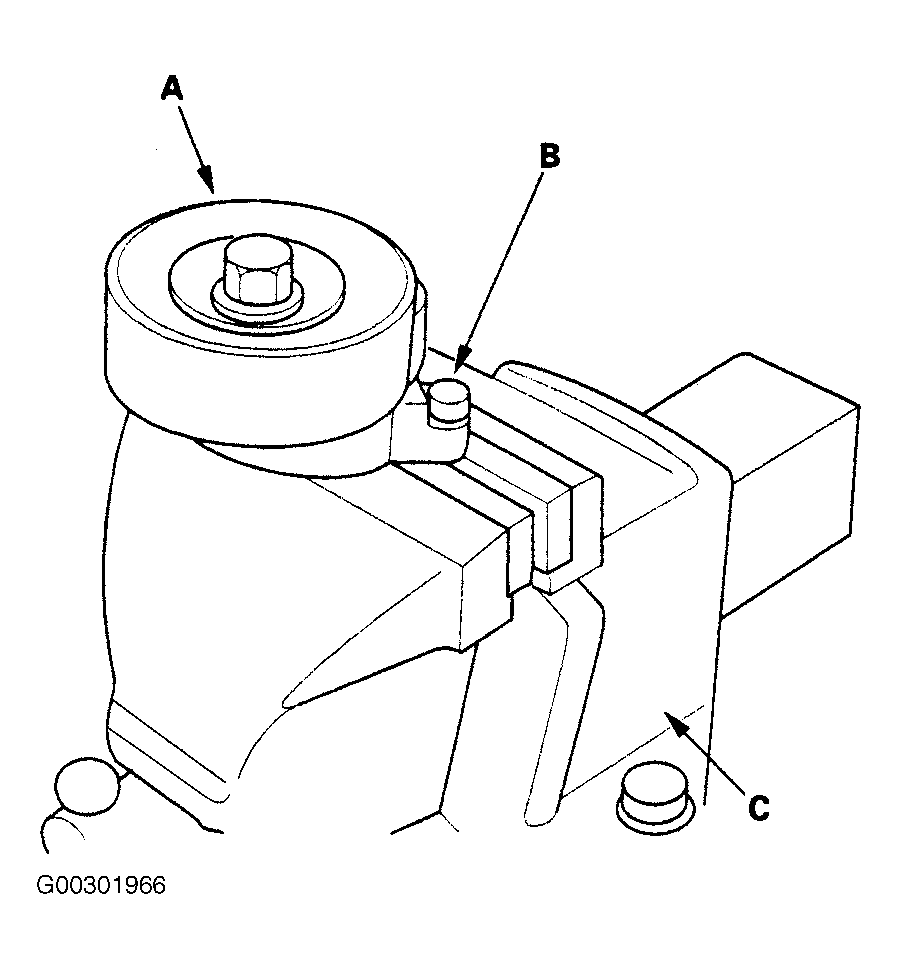 Courtesy of AMERICAN HONDA MOTOR CO., INC.
 Courtesy of AMERICAN HONDA MOTOR CO., INC.