Driver's Multiplex Control Unit
- Remove underdash fuse/relay box. See UNDERDASH FUSE/RELAY BOX
under REMOVAL & INSTALLATION. Remove driver's multiplex control unit from underdash fuse/relay box. See Fig 1
. Check driver's multiplex control unit connectors for loose, damaged or corroded terminals. If problem exists, repair as necessary. If problem does not exist, go to next step.
- Turn headlights on. Measure voltage between ground and underdash fuse/relay box connector terminal A2. See Fig 1
. If battery voltage exists, go to next step. If battery voltage does not exist, check fuse No. 10 (15-amp) in underdash fuse/relay box. Check for faulty combination switch. Check for open in Red/Green wire between underhood fuse/relay box and combination switch or Red/Black wire between combination switch and underdash fuse/relay box. See WIRING DIAGRAMS
. Repair as necessary.
- Check continuity between ground and driver's multiplex control unit connector terminal A7 with headlights on and off. If continuity exists under each condition, dash lights brightness control system inputs to driver's multiplex control unit are okay. If continuity does not exist under each condition, repair open in Black wire between underdash fuse relay box and ground (G401). See COMPONENT LOCATIONS
.
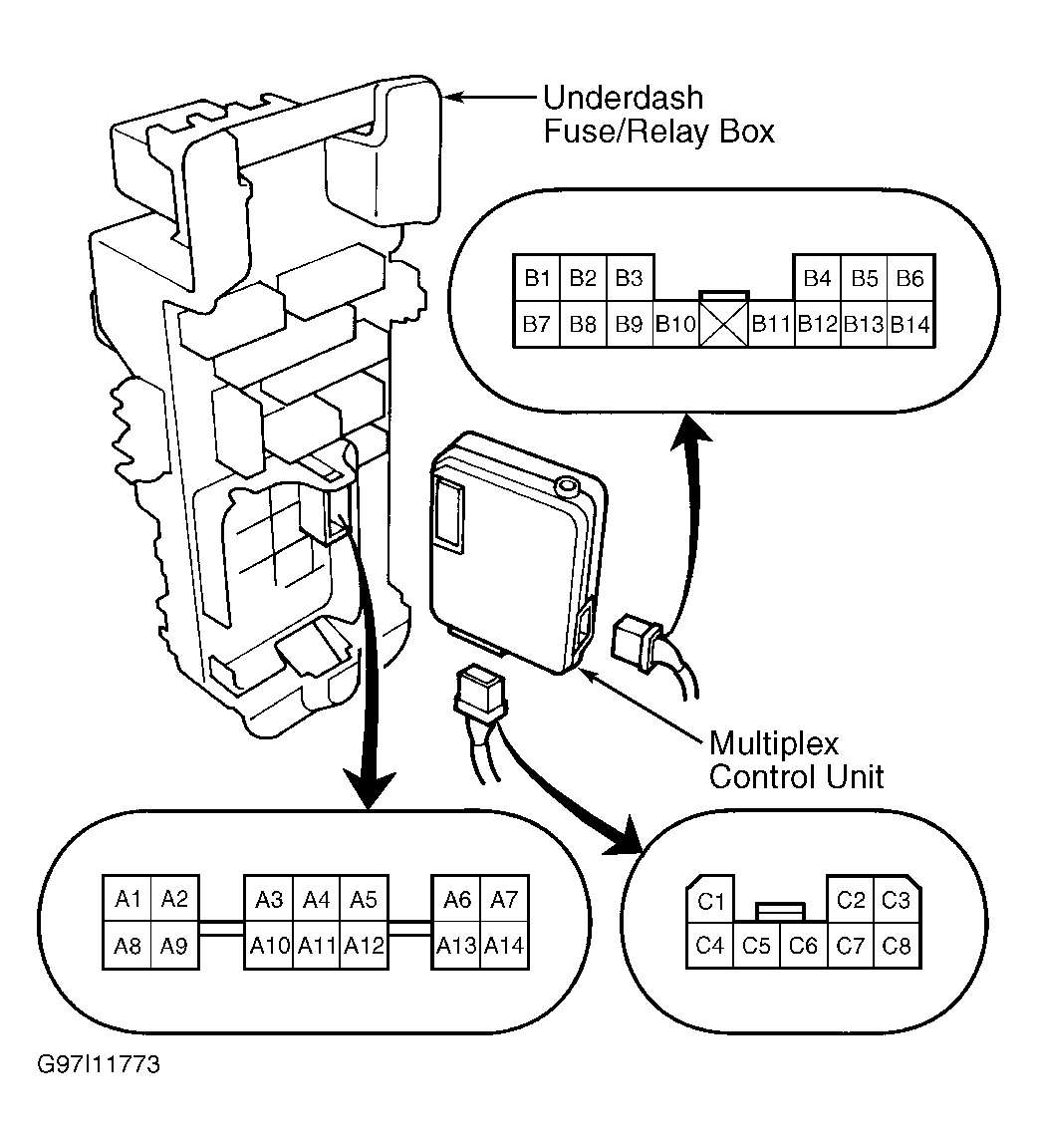 Courtesy of AMERICAN HONDA MOTOR CO., INC.