Flywheel Replacement
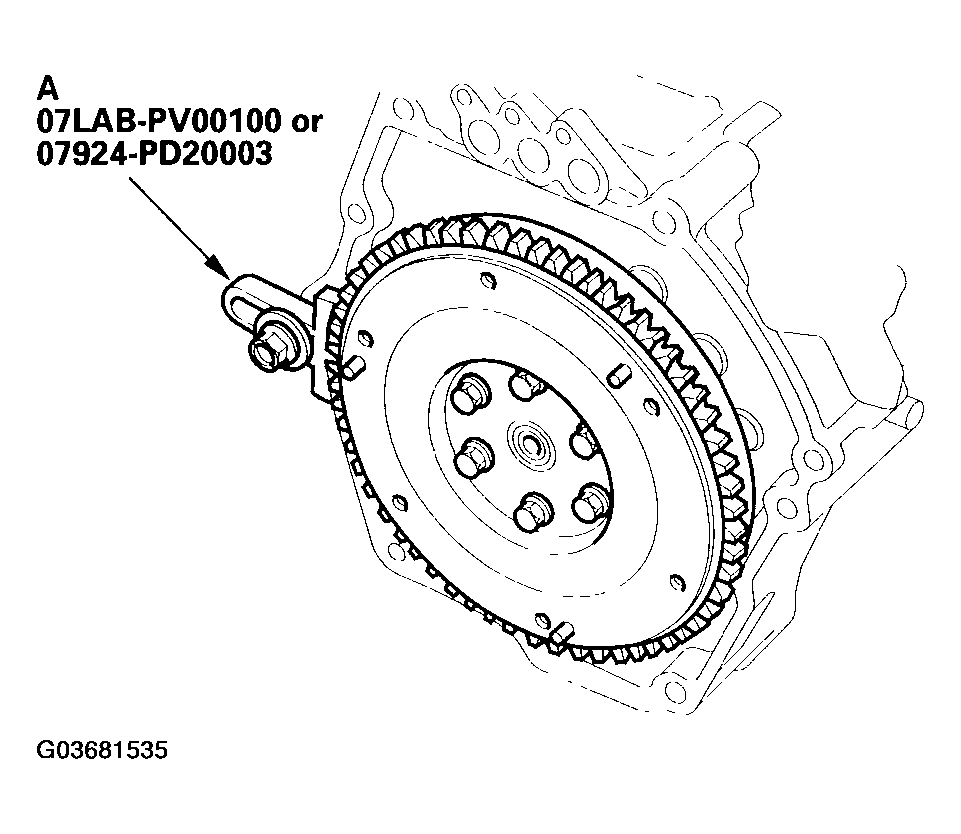
- Install the special tool (A).
 Courtesy of AMERICAN HONDA MOTOR CO., INC.
- Remove the flywheel mounting bolts in a crisscross pattern in several steps, then remove the flywheel.
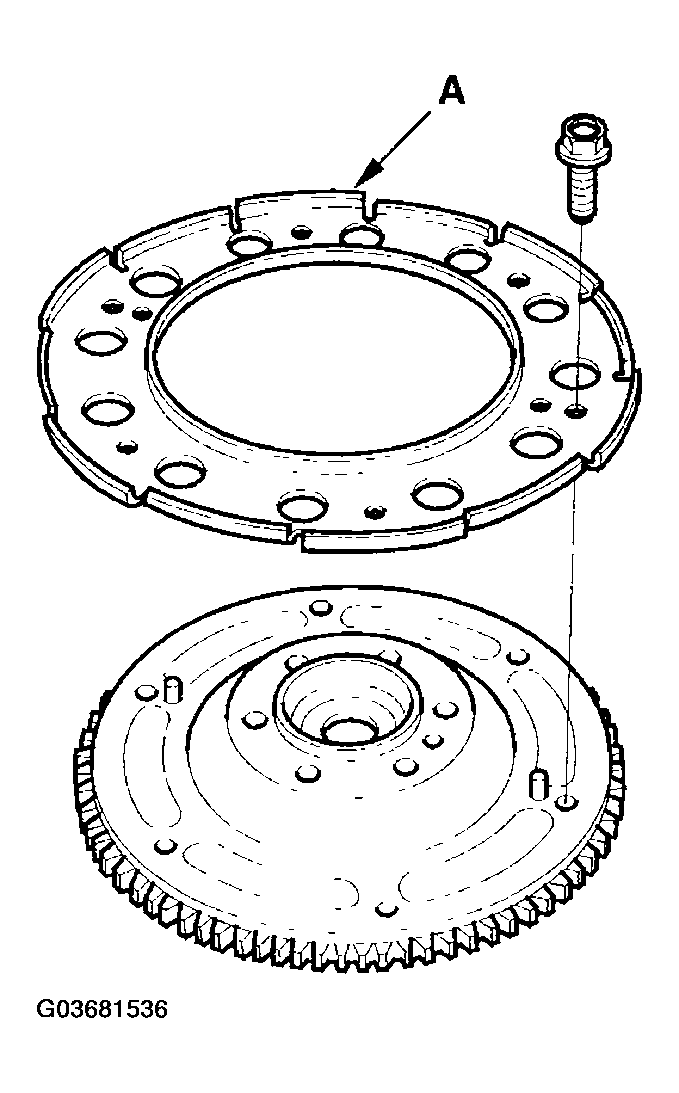
- Remove the sensor disc (A).
 Courtesy of AMERICAN HONDA MOTOR CO., INC.
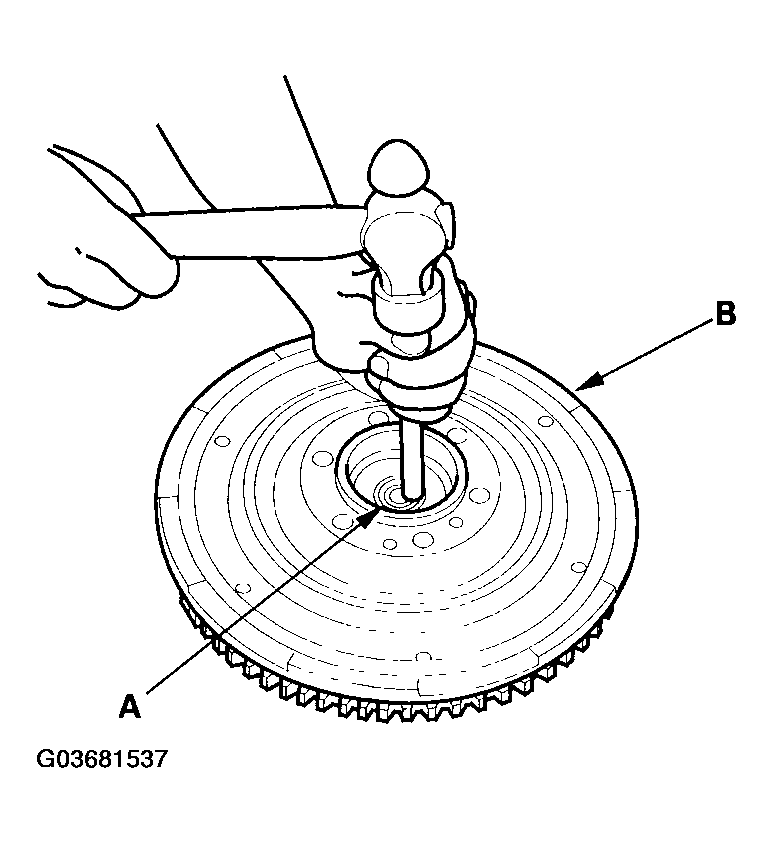
- Remove the ball bearing (A) from the flywheel (B).
 Courtesy of AMERICAN HONDA MOTOR CO., INC.
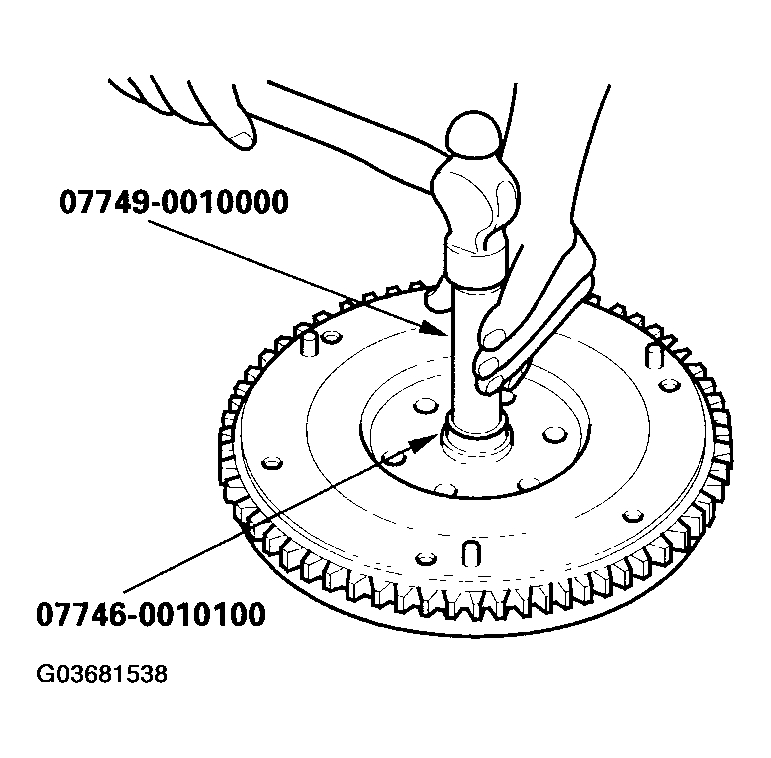
- Drive the new ball bearing into the flywheel using the special tools as shown. Apply a light coat of oil to the bearing surface.
 Courtesy of AMERICAN HONDA MOTOR CO., INC.
- Install the sensor disc (A).
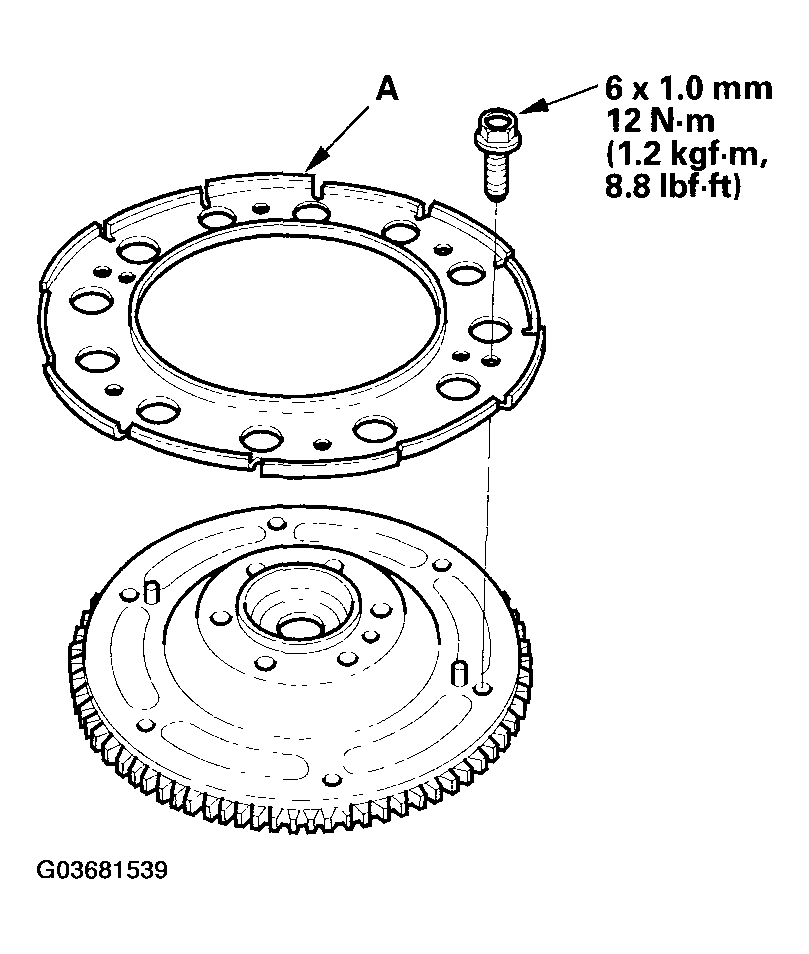 Courtesy of AMERICAN HONDA MOTOR CO., INC.
- Align the hole (A) in the flywheel with the crankshaft dowel pin (B), and install the flywheel (C). Install the mounting bolts, finger-tight.
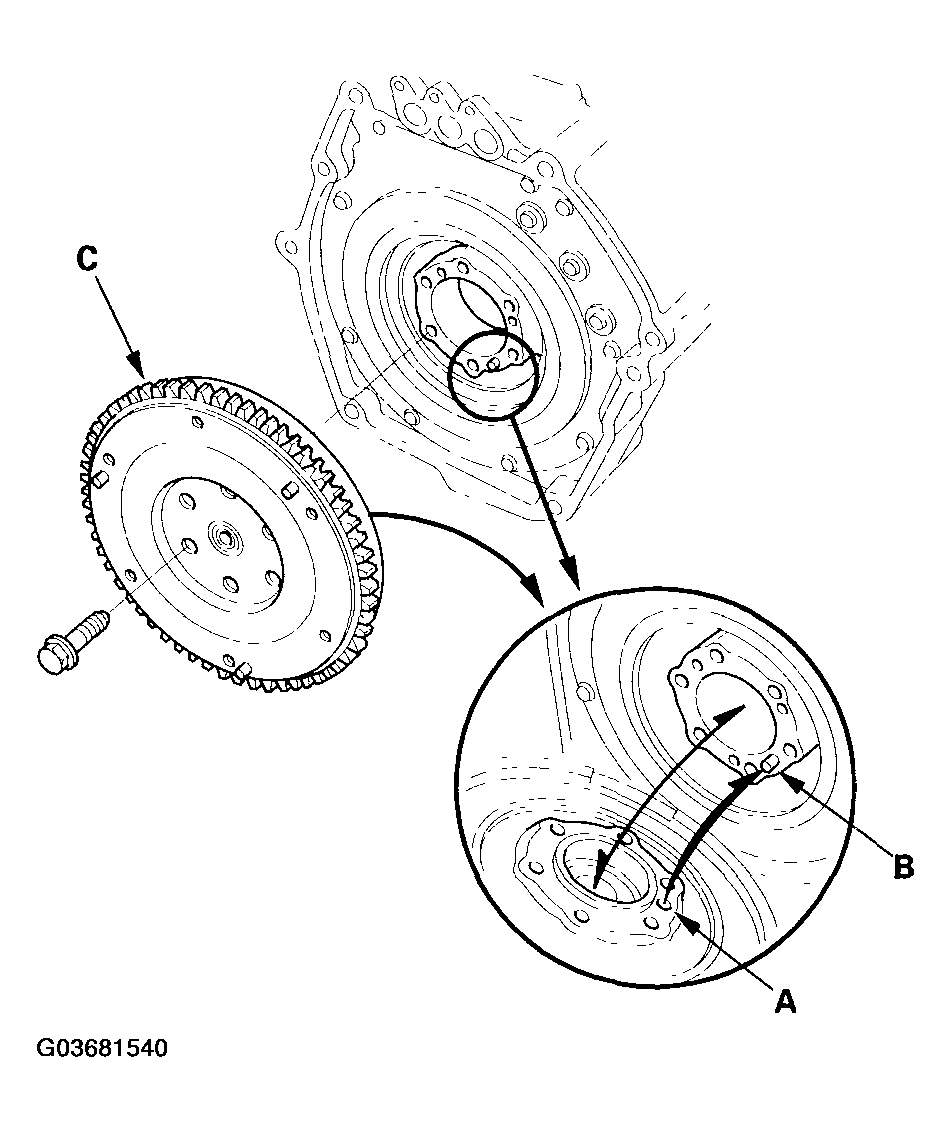 Courtesy of AMERICAN HONDA MOTOR CO., INC.
- Install the special tool (A), then torque the flywheel mounting bolts in a crisscross pattern in several steps.
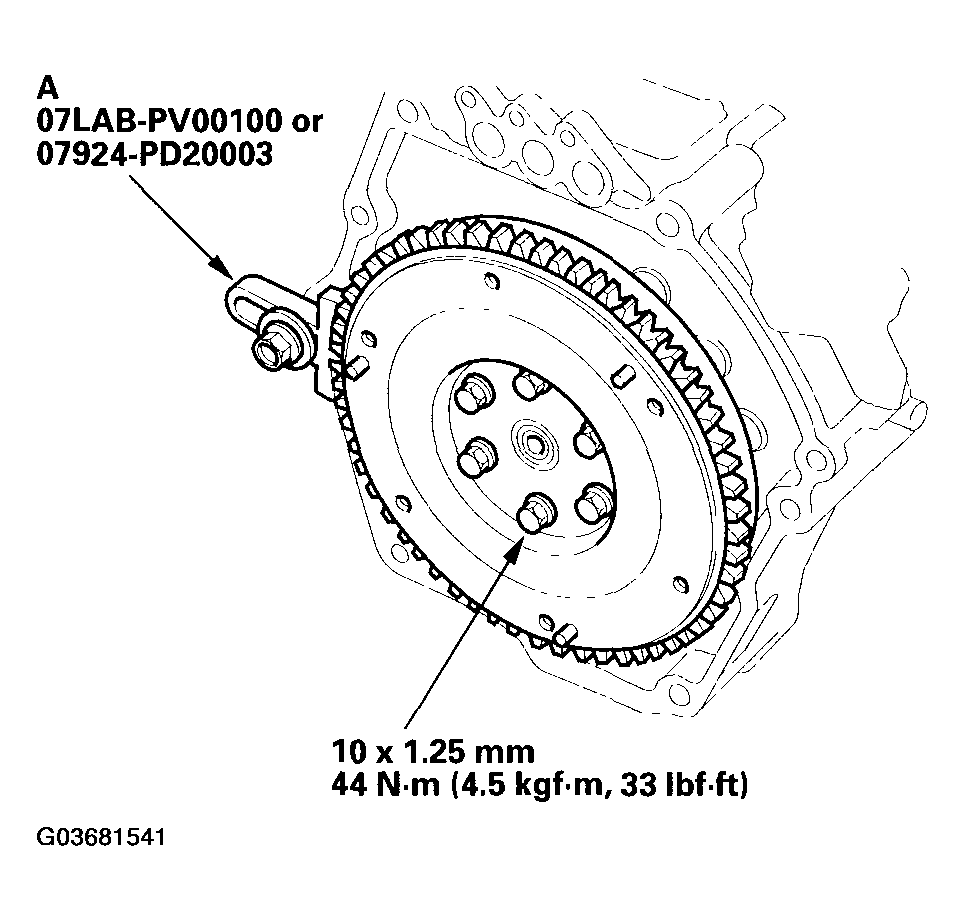 Courtesy of AMERICAN HONDA MOTOR CO., INC.