Communication Interface Module Replacement (with RPO SLT)
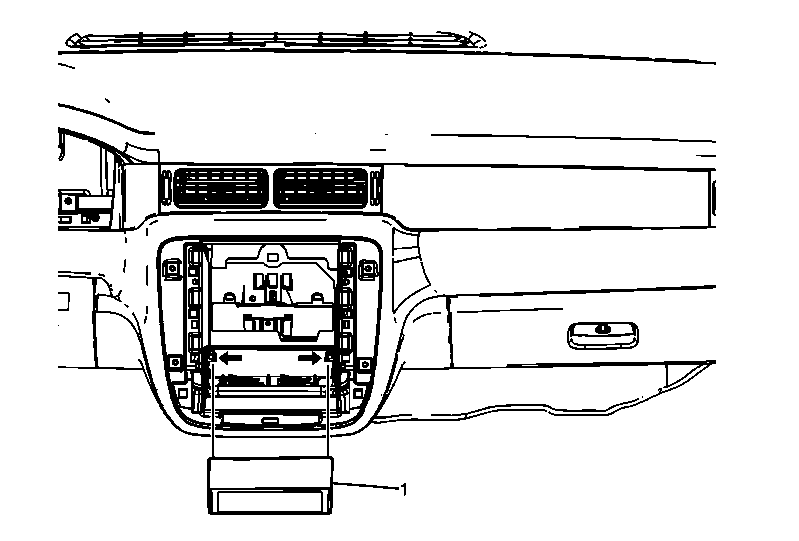 Courtesy of GENERAL MOTORS COMPANY
 Communication Interface Module Replacement (with RPO SLT)
| Callout |
Component Name |
|
Preliminary Procedures
- Remove the instrument panel accessory trim plate. Refer to Instrument Panel Accessory Trim Plate Replacement (with RPO SLT)
.
- Remove the HVAC control module. Refer to HVAC Control Module Replacement
, or HVAC Control Module Replacement
.
- Remove the radio. Refer to Radio Replacement (With RPO SLT) .
|
| 1 |
Communication Interface Module
NOTE:
- Remove the two screws retaining the module bracket.
- Push outward on the 2 tabs to release the communication interface module from the bracket.
- Depress the two metal bracket tabs to allow the module to pass.
- Disconnect the electrical connectors.
- Reprogram the communication interface module after replacement. Refer to Control Module References
.
- When replacing the communication interface module be sure to transfer Bluetooth Antenna, if equipped.
|