Removal Procedure
- Disconnect the negative battery cable (4). Refer to BATTERY NEGATIVE CABLE DISCONNECT/CONNECT PROCEDURE
.
- Loosen the positive battery cable bolt.
- Remove the positive battery cable (5) from the battery.
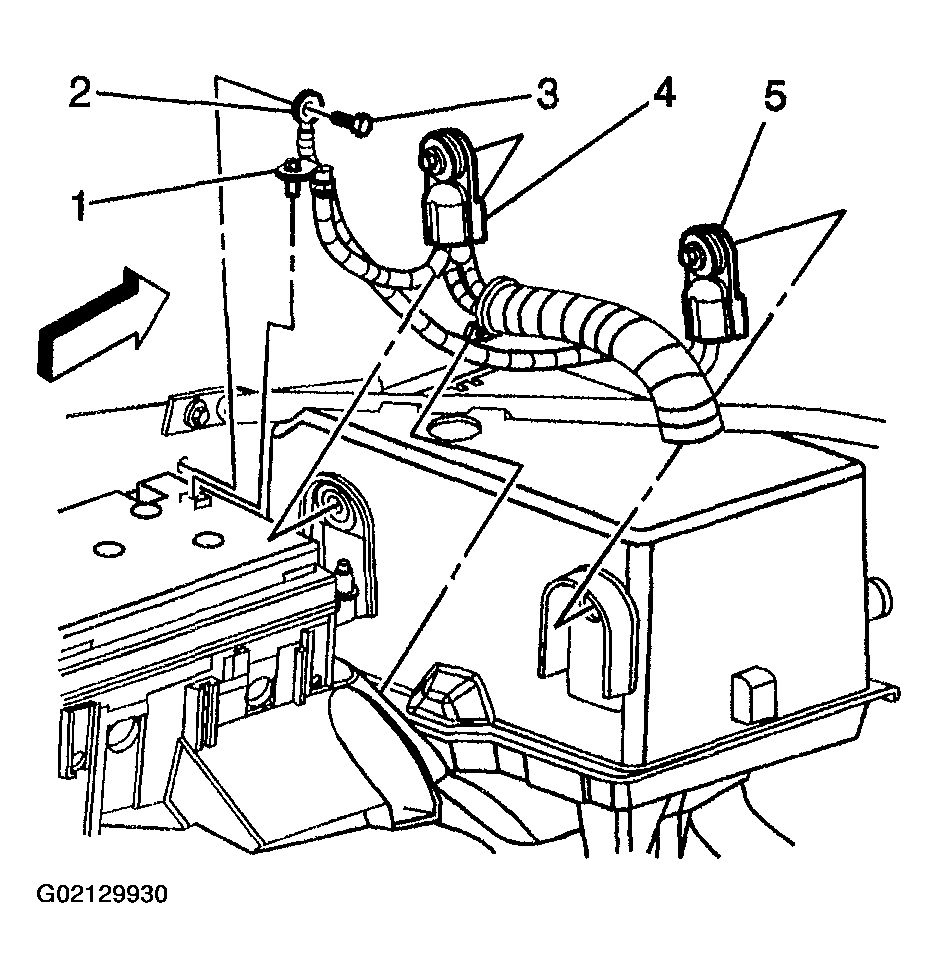 Courtesy of GENERAL MOTORS CORP.
- Remove the coolant heater cord retainers (1) from the battery cover, if equipped.
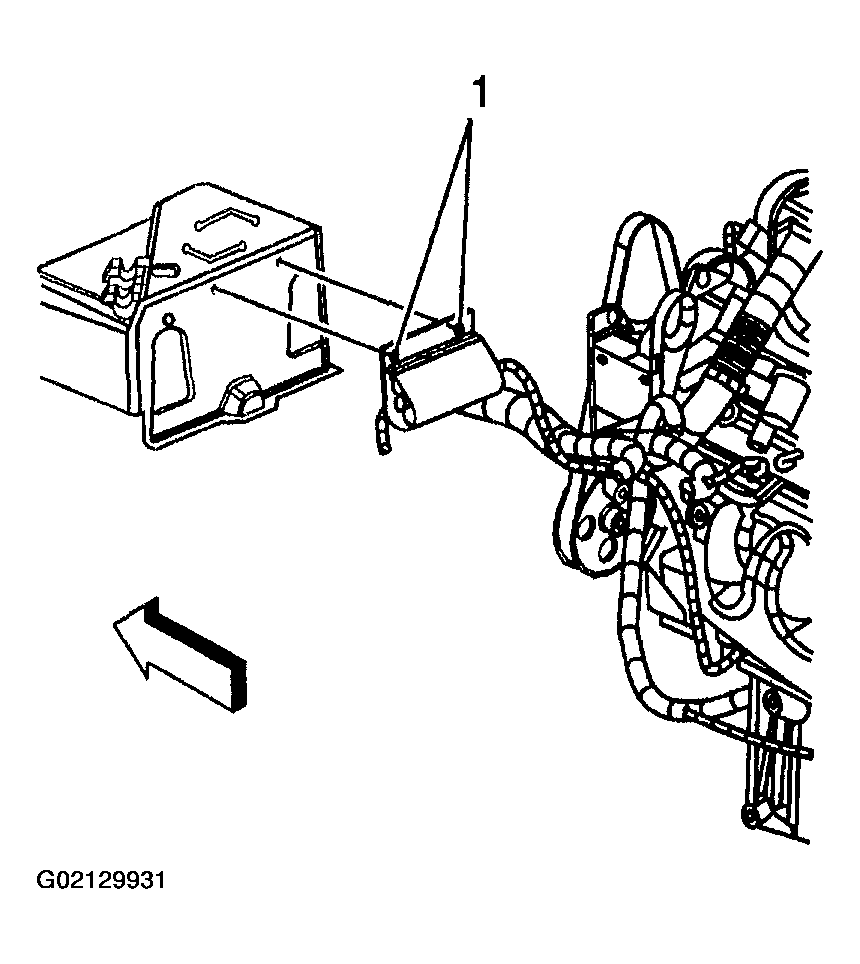 Courtesy of GENERAL MOTORS CORP.
- Remove the battery air duct from the battery cover.
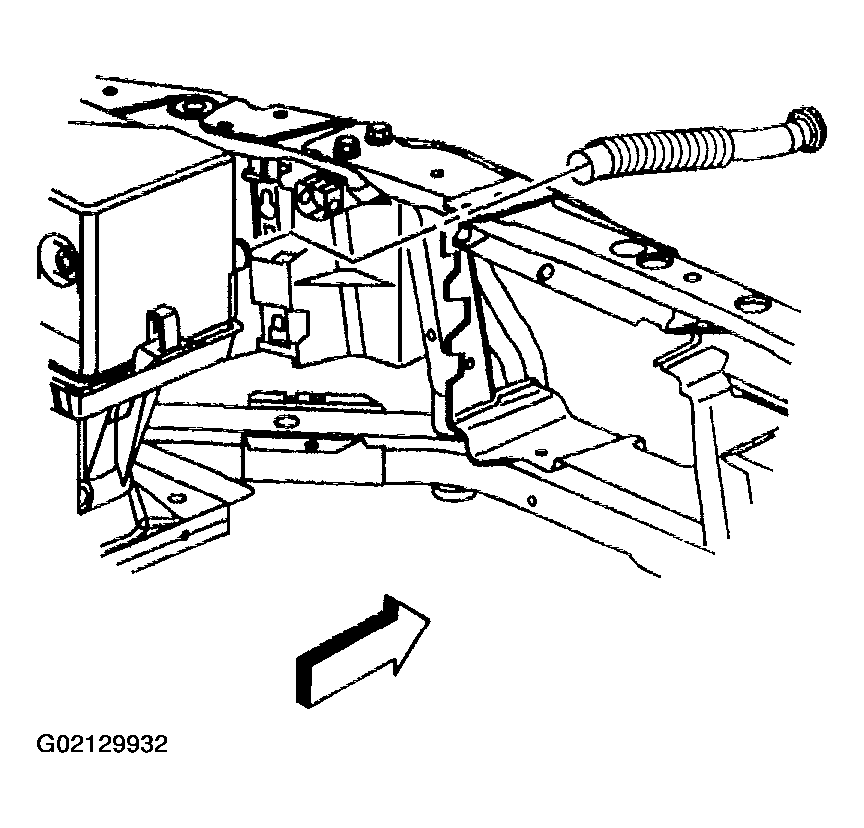 Courtesy of GENERAL MOTORS CORP.
- Remove the battery tray brace bolts/nut.
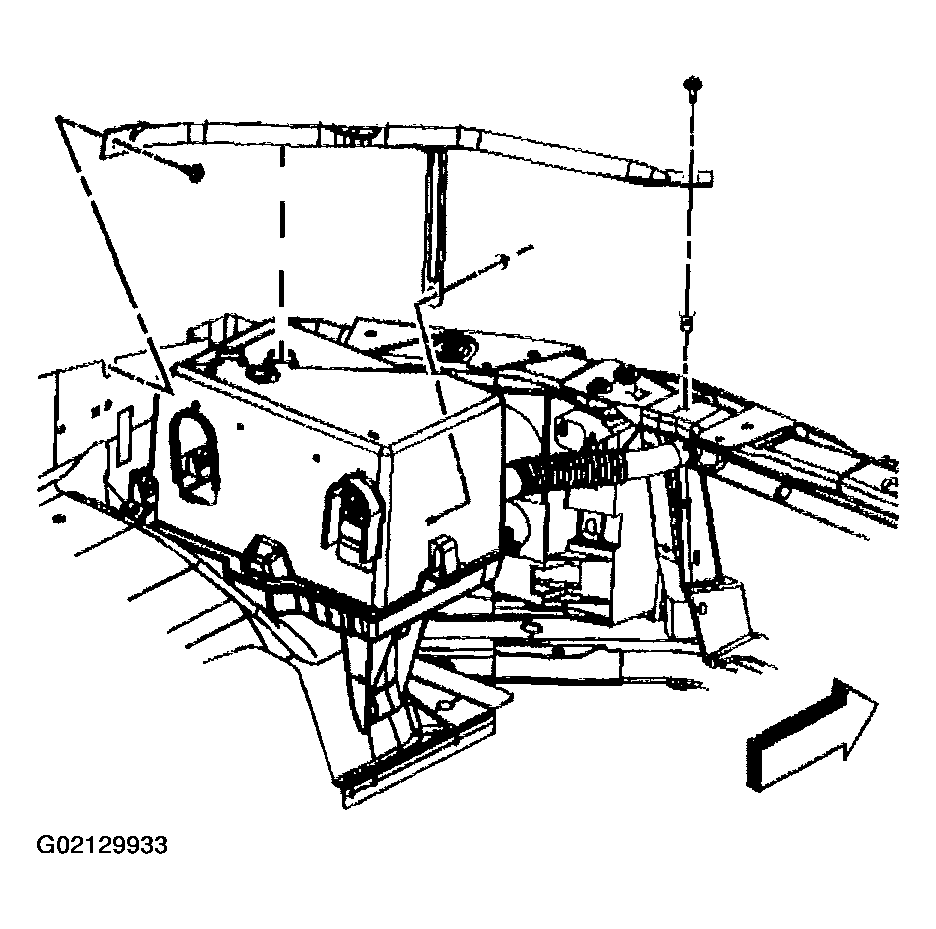 Courtesy of GENERAL MOTORS CORP.
- Remove the battery cover.
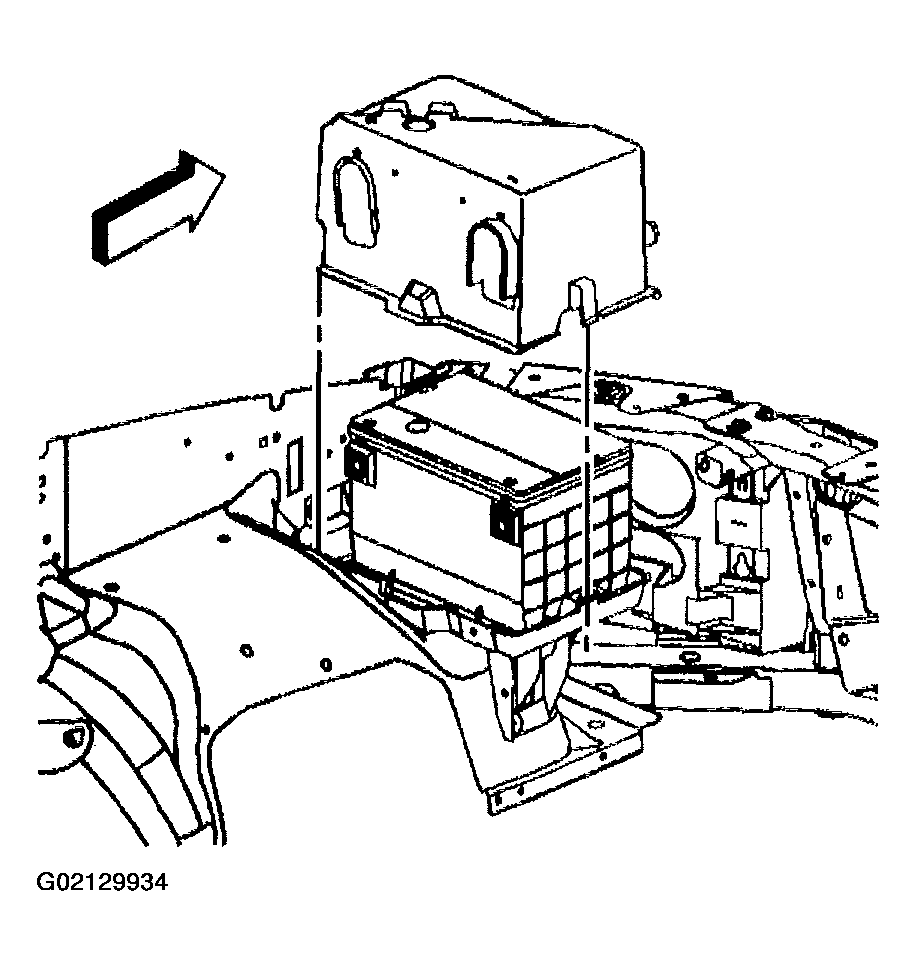 Courtesy of GENERAL MOTORS CORP.
- Remove the battery hold down nut (3), retainer (1), and washer.
- Remove the battery.
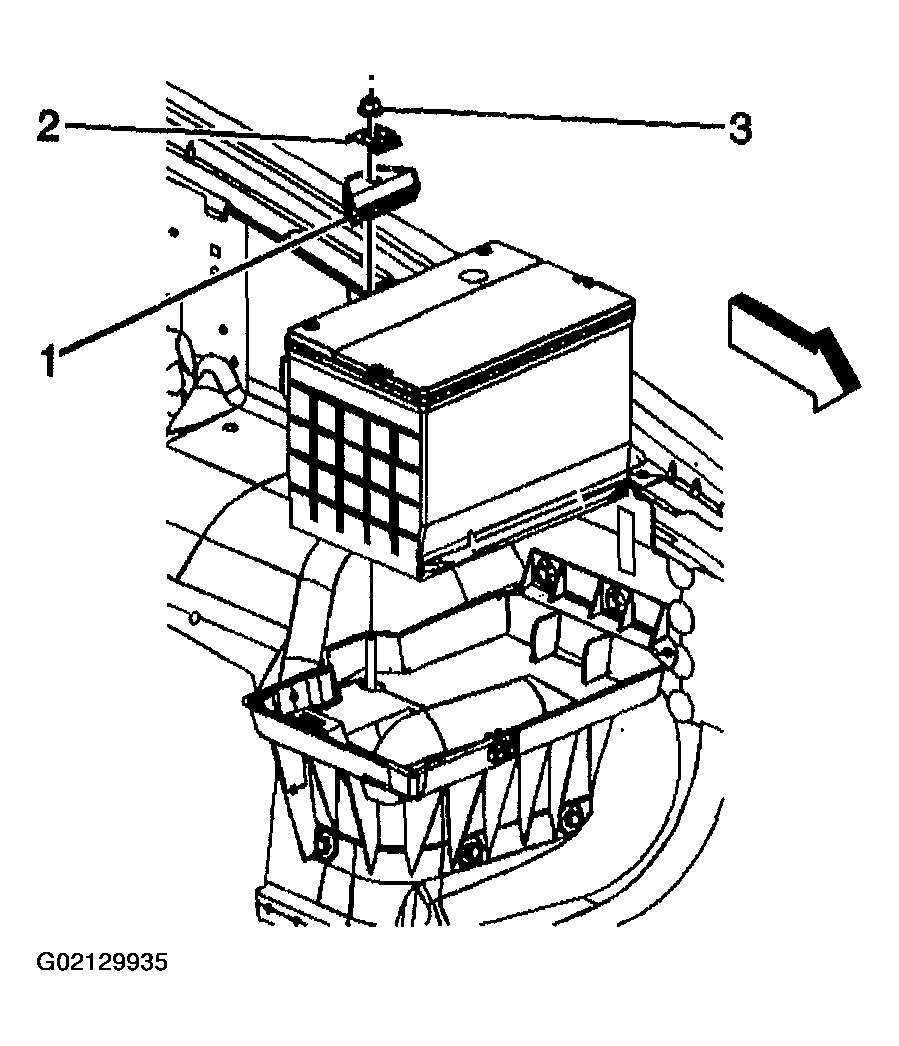 Courtesy of GENERAL MOTORS CORP.