Removal Procedure
- Remove the steering column shrouds. Refer to Steering Column Trim Covers Replacement - On Vehicle .
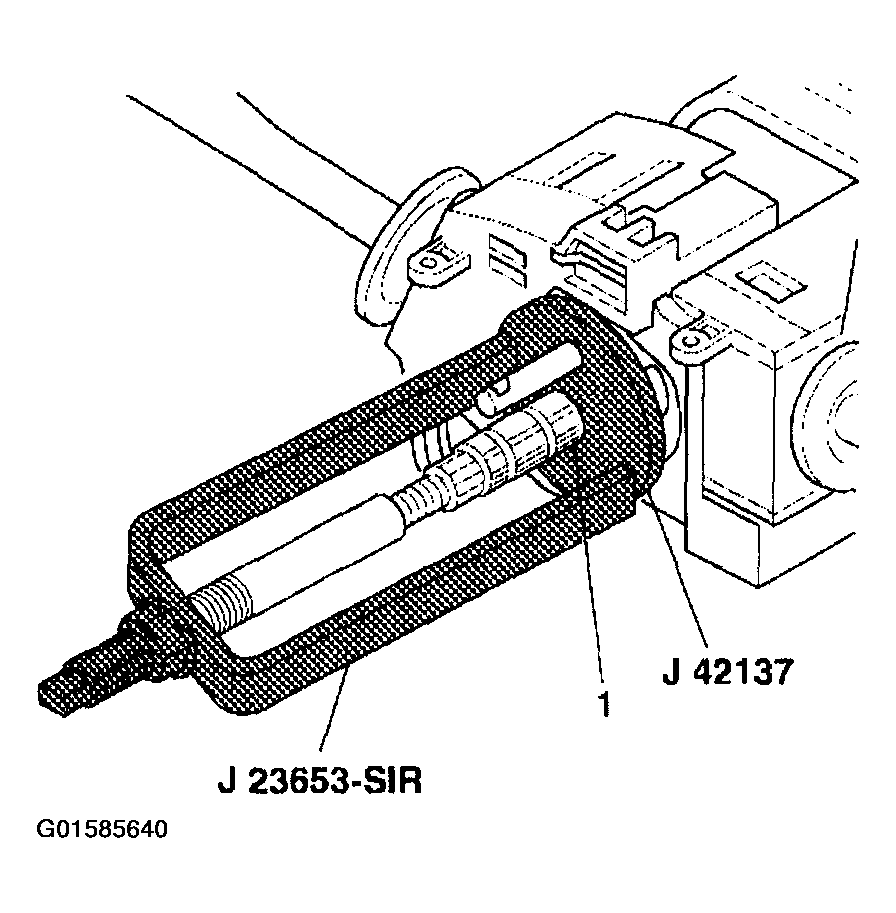
- Install the J 23653-SIR
to the steering shaft and compress the shaft lock shield.
- Remove the lock shield retainer from the steering column shaft.
- Remove the J 23653-SIR
from the steering shaft.
 Courtesy of GENERAL MOTORS CORP.
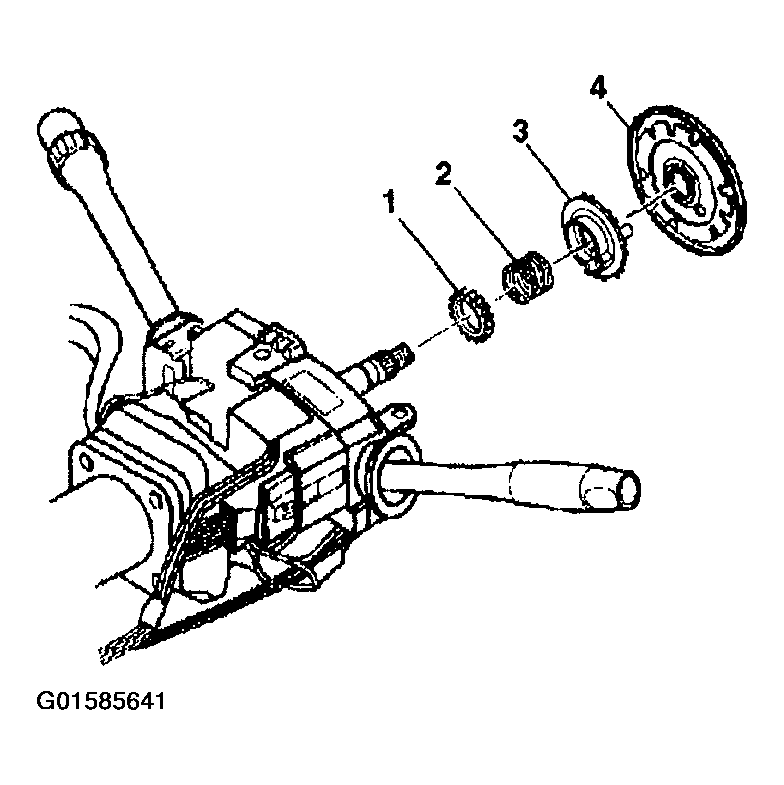
- Remove the following parts from the steering shaft:
- Shaft lock shield (4)
- Turn signal cancel cam (3)
- Rotate the steering column lock cylinder to the OFF-LOCK position.
 Courtesy of GENERAL MOTORS CORP.
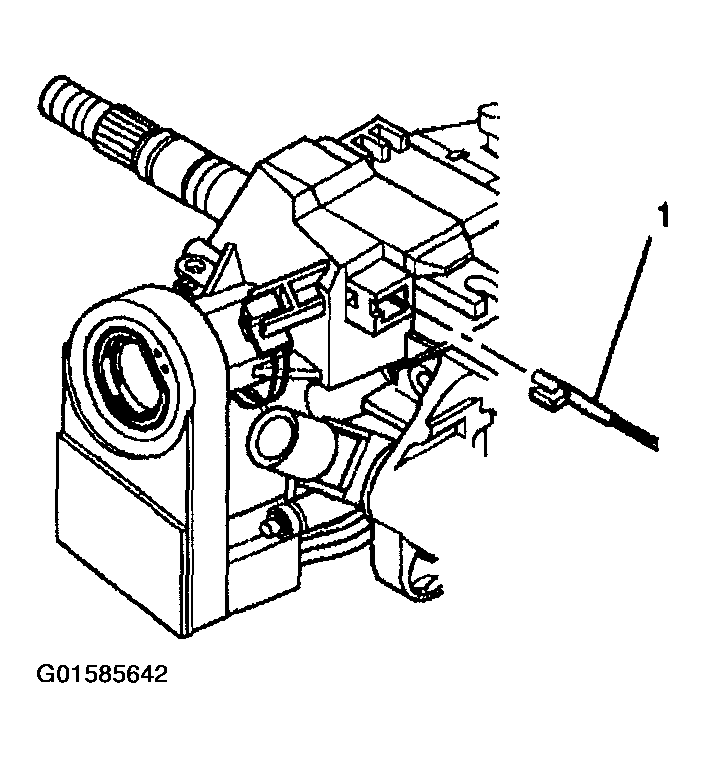
- Insert a small screwdriver into the slot on the electronic lock module and push down on the park lock cable locking tab and remove park lock cable (1) from the electronic lock module, column shift only.
 Courtesy of GENERAL MOTORS CORP.
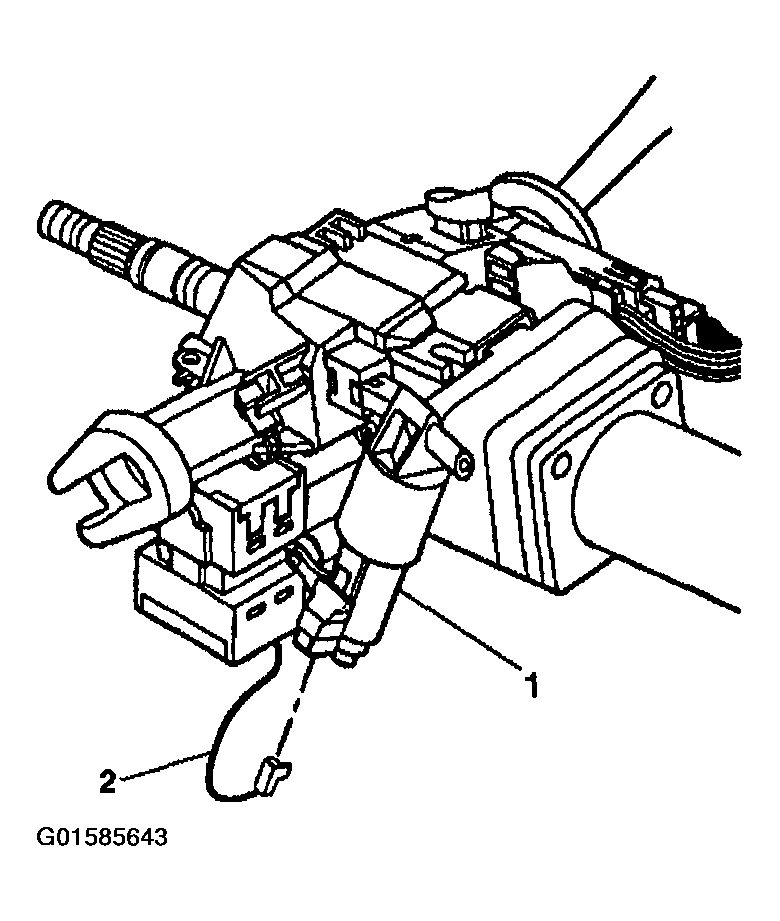
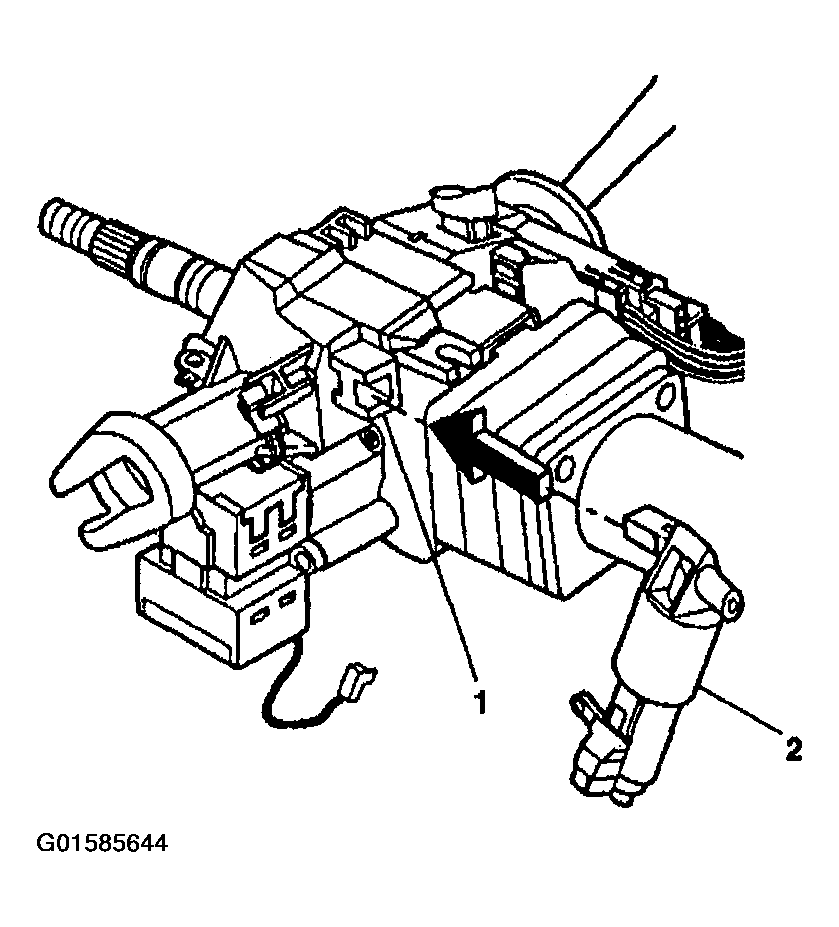
- Disconnect the electric park lock (1) electrical connector (2), floorshift only.
 Courtesy of GENERAL MOTORS CORP.
- Unsnap the electric park lock (2) off of the electronic lock module (1),floorshift only.
 Courtesy of GENERAL MOTORS CORP.
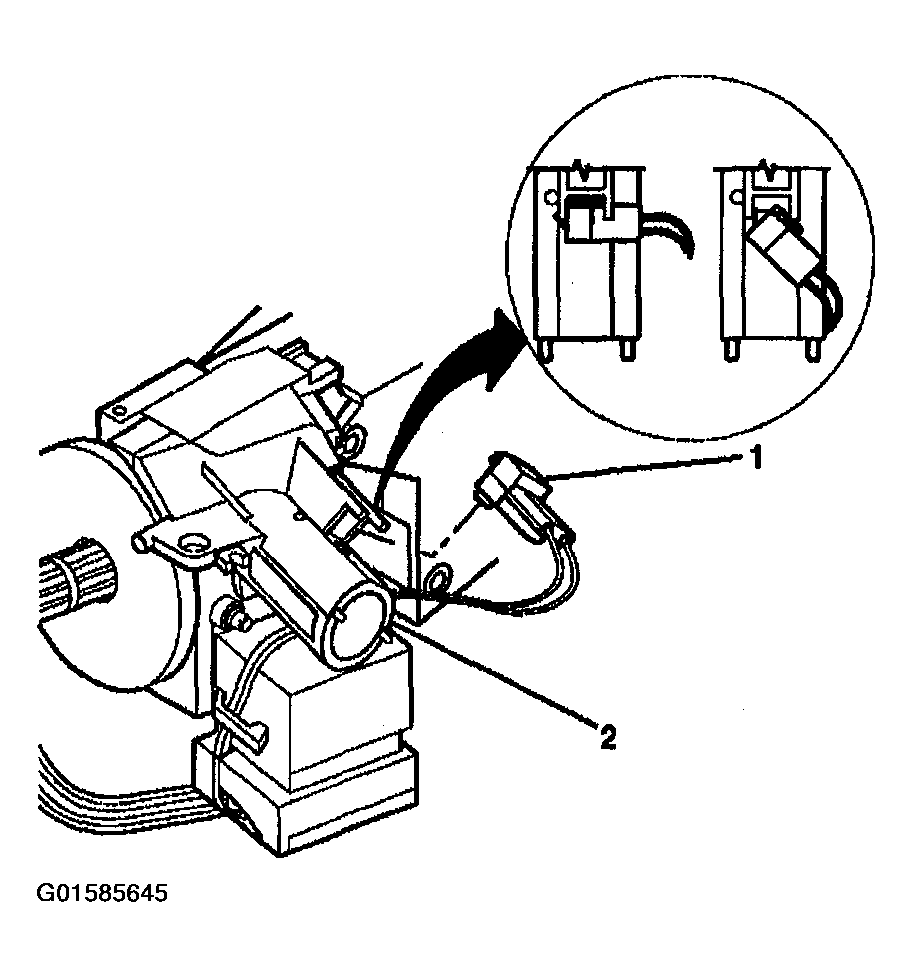
- Rotate the key alarm switch connector (1) from the electronic lock module.
- Disconnect the passlock electrical connector from the electronic lock module.
 Courtesy of GENERAL MOTORS CORP.
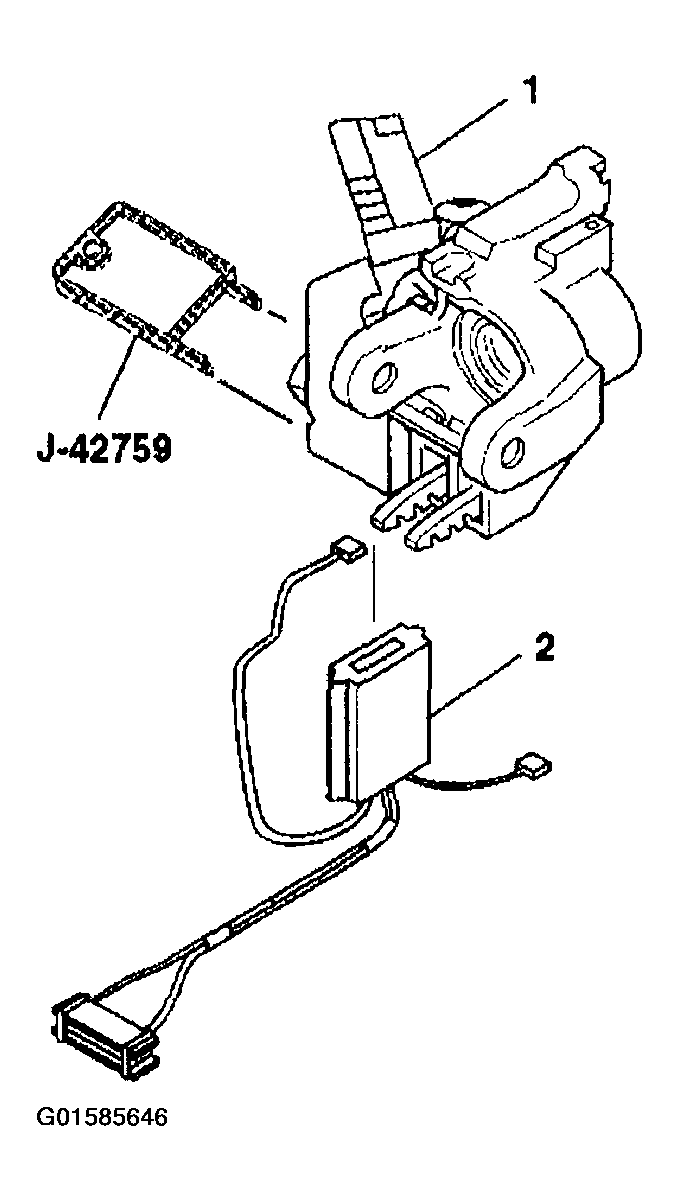
- Disconnect the ignition switch (2) from the electronic lock module using the J 42759.
- Remove the ignition switch (2) from the electronic lock module (2).
- Let the ignition switch (2) hang freely.
 Courtesy of GENERAL MOTORS CORP.
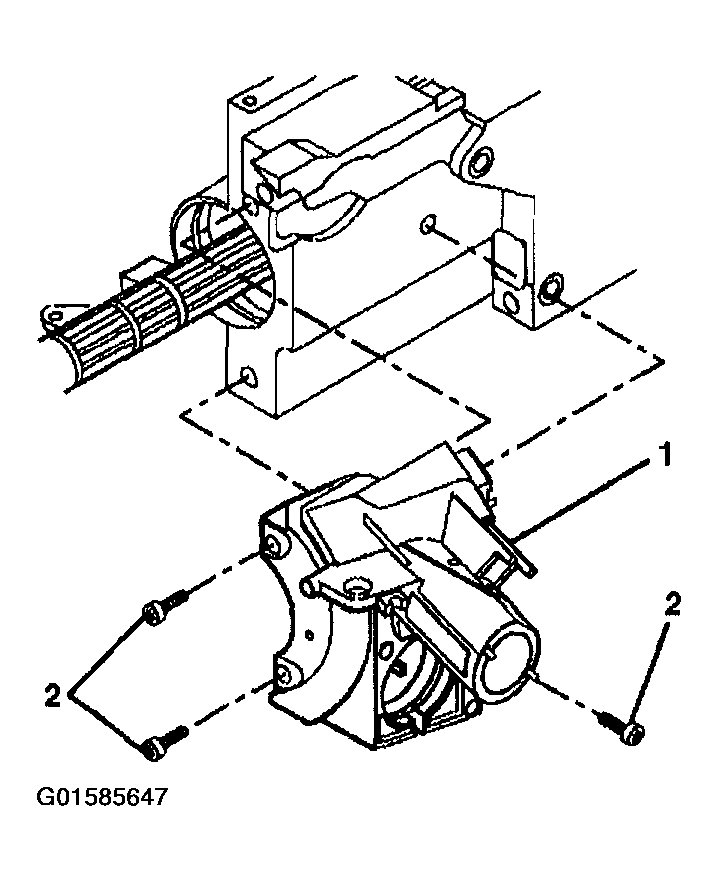
- Remove the electronic lock module (1) mounting screws (2).
- Remove the electronic lock module (1) from the steering column housing.
 Courtesy of GENERAL MOTORS CORP.