Park/Neutral Position Switch: Installation
- Install switch to transmission manual shaft by aligning switch hub flats with manual shaft flats. Slide switch onto transmission manual shaft until switch mounting bracket contacts mounting bosses on transmission. See Fig 1
.
- Install the switch to the transmission with 2 bolts finger tight. DO NOT tighten the bolts at this time. Position the adjustment tool onto the PNP switch. See Fig 2
. Ensure the 2 slots on the switch where the manual shaft is inserted are lined up with the lower 2 tabs on the tool. Rotate the tool until the upper locator pin on the tool is lined up with the slot on the top of the switch.
- Tighten the bolts securing the switch to specification. See TORQUE SPECIFICATIONS
. Remove the alignment tool from the switch. Connect the electrical connectors to the switch. Install the transmission control lever to the manual shaft with the nut. Tighten the control lever nut to specification. See TORQUE SPECIFICATIONS
.
- Lower the vehicle. Check the switch for proper operation. The engine must start in the PARK or NEUTRAL positions only. If proper operation of the switch cannot be obtained, replace the switch.
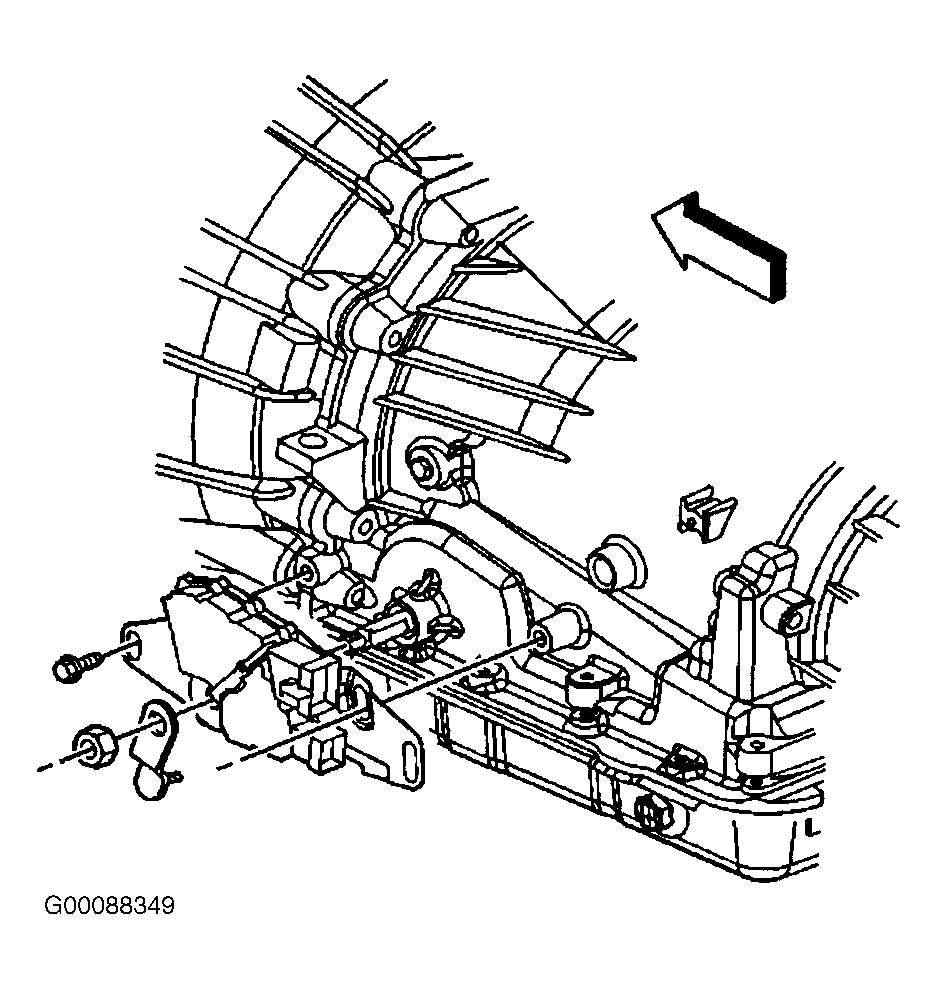 Courtesy of GENERAL MOTORS CORP.
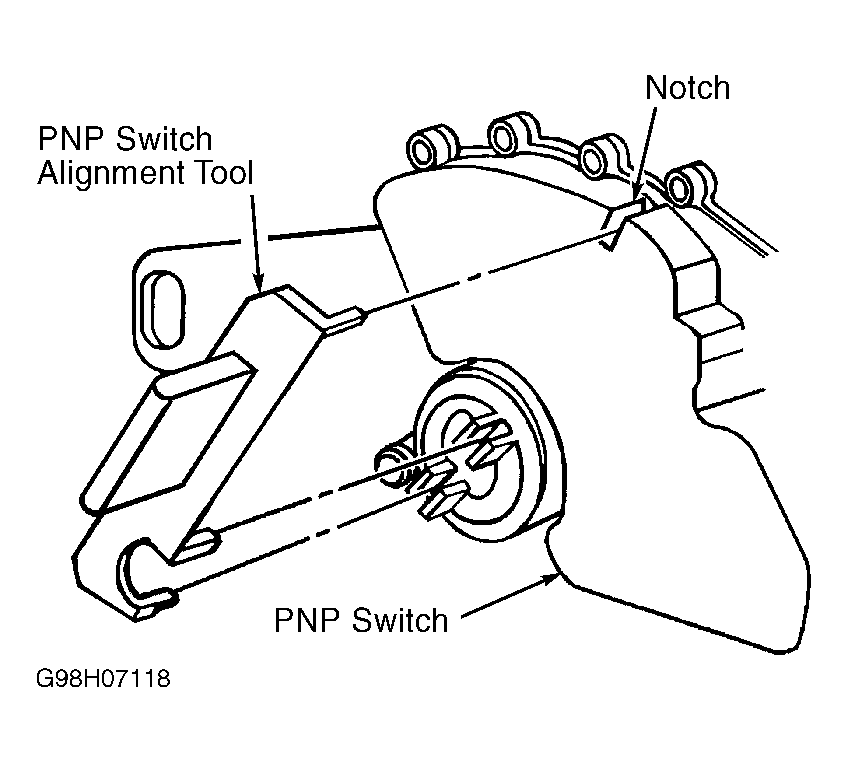 Courtesy of GENERAL MOTORS CORP.