Selector Lever Indicator Adjustment
- Remove the lower steering column opening finish panel.
- Remove the screw and position the parking brake release handle aside.
- Remove the screw from the lower steering column opening finish panel.
- Pull outward to release the retaining clips and remove the lower steering column opening finish panel.
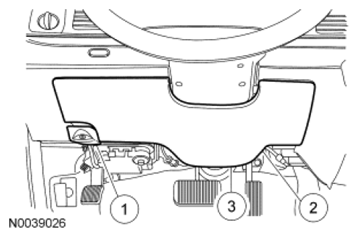 Courtesy of FORD MOTOR CO.
- Remove the 5 screws and the lower steering column opening finish panel reinforcement.
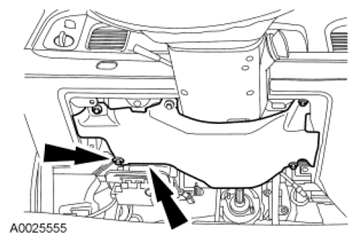 Courtesy of FORD MOTOR CO.
- Rotate the selector lever clockwise until it bottoms out (1st gear), then rotate it counterclockwise 2 detents ((D) position).
- Hang a 1.4 kg (3 lb) weight on the gearshift.
- Rotate the thumbwheel to center the selector lever indicator in the middle of the (D) position.
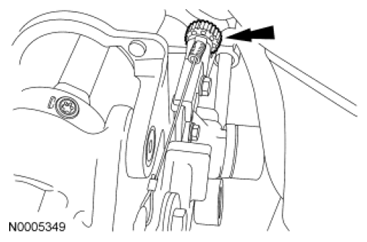 Courtesy of FORD MOTOR CO.
- Remove the 1.4 kg (3 lb) weight.
- Rotate the selector lever into each detent to verify that the selector lever indicator matches the selected range. Readjust, if necessary.
- Install the lower steering column opening finish panel reinforcement.
Courtesy of FORD MOTOR CO.
- Install the lower steering column opening finish panel and parking brake release handle.
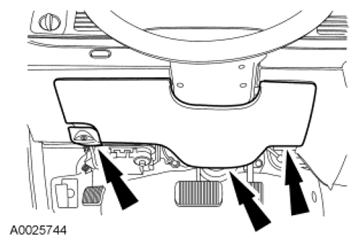 Courtesy of FORD MOTOR CO.