Selector Lever Indicator Adjustment
- Remove the upper instrument panel steering column cover. For additional information, refer to INSTRUMENT PANEL & CONSOLE
article.
- Place the selector lever in the Overdrive (Circle D) position.
- Rotate the selector lever clockwise until it bottoms out (1st gear), then rotate 2 detents counterclockwise (Overdrive (Circle D) position).
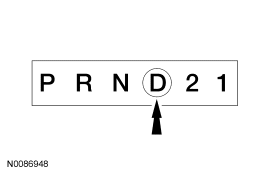 Courtesy of FORD MOTOR CO.
- Hang the 1.4 kg (3 lb) weight on the selector lever.
- Center the indicator in the middle of the Overdrive (Circle D) position.
- Rotate the thumbwheel located on the bottom of the steering column to adjust the indicator.
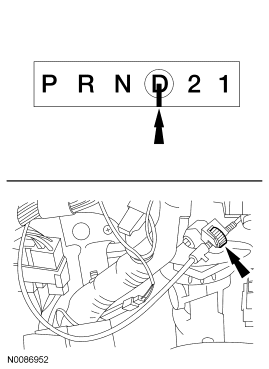 Courtesy of FORD MOTOR CO.
- Remove the 1.4 kg (3 lb) weight.
- Carefully move the selector lever into each detent and compare with the transmission settings.
- Acceptable indicator position when the selector lever is in the PARK position.
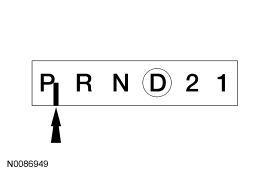 Courtesy of FORD MOTOR CO.
- Install the upper instrument panel steering column cover. For additional information, refer to INSTRUMENT PANEL & CONSOLE
article.