Removal and Installation
 Courtesy of FORD MOTOR CO.
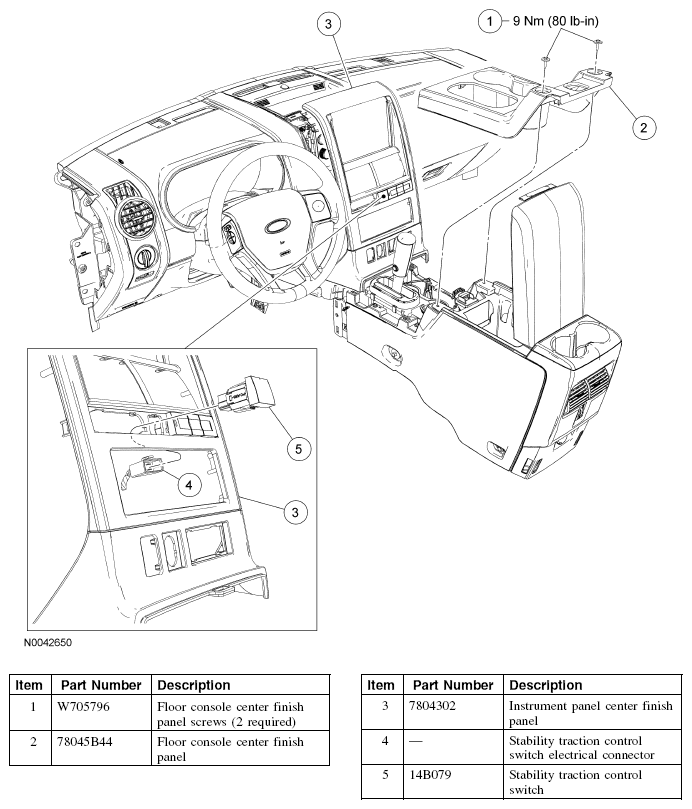
- Remove the 2 floor console center finish panel screws and the floor console center finish panel.
- To install, tighten to 9 Nm (80 lb-in).
- Apply the parking brake.
- Move the gear selector lever to the D1 position.
- Position the instrument panel center finish panel away from the instrument panel.
- Disconnect the stability traction control switch electrical connector and remove the stability traction control switch from the instrument panel center finish panel.
- To install, reverse the removal procedure.