Test J: Panic Feature Does Not Operate Properly
- Connect NGS tester to DLC located below instrument panel. Enter GEM, FUNCTION TESTS, TRANSMITTER TIC/DATA through diagnostic tool menus. Press and release PANIC button on available remote transmitters. If TRANSMITTER TIC/DATA displays PANIC after pressing the panic button on each transmitter and only the horn does not operate properly with remote transmitters, go to next step. If TRANSMITTER TIC/DATA displays PANIC after pressing the panic button on each transmitter and only parking lights do not operate properly with remote transmitter, repair parking light circuits as necessary. See appropriate
EXTERIOR LIGHTS article. If TRANSMITTER TIC/DATA does not display PANIC after pressing the panic button on each transmitter, reprogram transmitters. See REMOTE TRANSMITTER
under PROGRAMMING. Recheck system operation. If concern still exists, replace keyless entry transmitter(s). Program new transmitters. Inform customer any transmitters not present will need to be programmed.
- Press horn switch. If horn switch operates properly, go to next step. If horn does not operate properly, repair horn circuits as necessary. See
WIRING DIAGRAMS in STEERING COLUMN SWITCHES - ESCAPE article.
- Turn ignition switch to RUN position. Using NGS tester, trigger GEM active command HORN ON and OFF. If horn does not sound as commanded, go to next step. If horn sounds as commanded, go to step 5
.
- Remove horn relay from Central Junction Box (CJB). Disconnect GEM 22-pin harness connector C201a. Measure resistance of Yellow/Light Green wire between GEM harness connector C201a terminal No. 9 and horn relay socket terminal No. 2. See Figure
and Fig 1
. If resistance is less than 5 ohms, go to next step. If resistance is 5 ohms or more, repair open or high resistance in Yellow/Light Green wire.
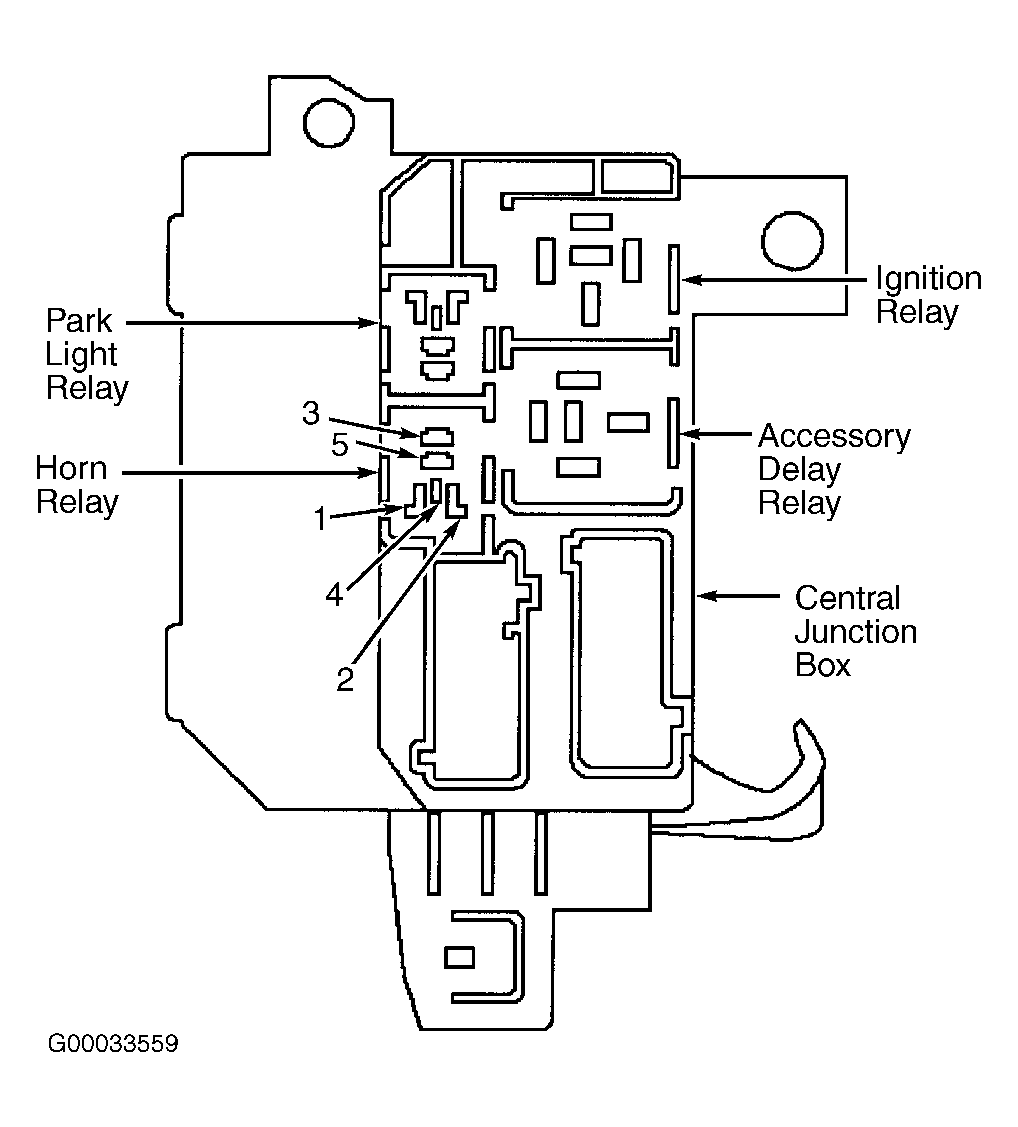 Courtesy of FORD MOTOR CO.
- Disconnect all GEM harness connectors. Check for corrosion, damaged or pushed out pins. Repair as necessary. Reconnect all GEM connectors. Ensure all connectors are seated correctly. Recheck system operation. If concern still exists, replace GEM. See GENERIC ELECTRONIC MODULE
under REMOVAL & INSTALLATION. If concern does not exist, system is okay at this time.