Foglights Will Not Turn Off
- Disconnect Black 14-pin headlight switch connector. See Figure
. Connect a fused jumper wire between ground and Black 14-pin headlight switch connector terminal No. 5 (White/Tan wire). See Fig 1
. If foglights turn off, go to next step. If foglights do not turn off, repair open in White/Tan wire between Black 14-pin headlight switch connector terminal No. 5 and Central Timer Module (CTM) connector C1 terminal No. 22. See Figure
.
- Reconnect Black 14-pin headlight switch connector. Ensure headlight switch is in OFF position. Connect scan tool to Data Link Connector (DLC), under lower left side of instrument panel. Turn ignition on. Using scan tool, select HEADLIGHT SWITCH VOLTAGE. If scan tool displays 4.3-4.8 volts, go to next step. If scan tool does not display 4.3-4.8 volts, replace headlight switch. See HEADLIGHT SWITCH
under REMOVAL & INSTALLATION.
- Remove foglight relay from power distribution center, located in left side of engine compartment, near battery. See Figure
. If foglights turn off, go to next step. If foglights do not turn off, repair short to voltage in Light Blue wire between foglight relay cavity No. 87 and Black 14-pin headlight switch connector terminal No. 7. See HEADLIGHT SYSTEMS article.
- Reinstall foglight relay. Using scan tool, command foglight relay on, then off. If foglight relay clicks during actuation, replace Central Timer Module (CTM). See CENTRAL TIMER MODULE
under REMOVAL & INSTALLATION. If foglight relay does not click during actuation, replace foglight relay.
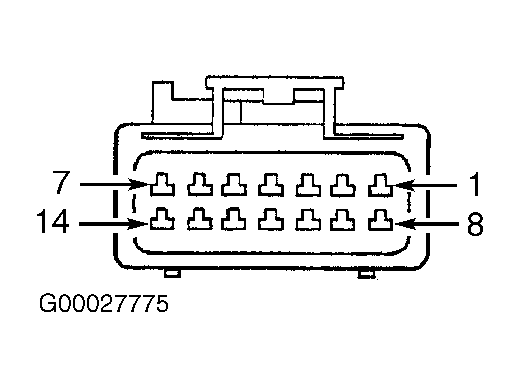 Courtesy of DAIMLERCHRYSLER CORPORATION