Module-Police/Taxi Interface
 Courtesy of CHRYSLER LLC
- Disconnect the battery negative cable.
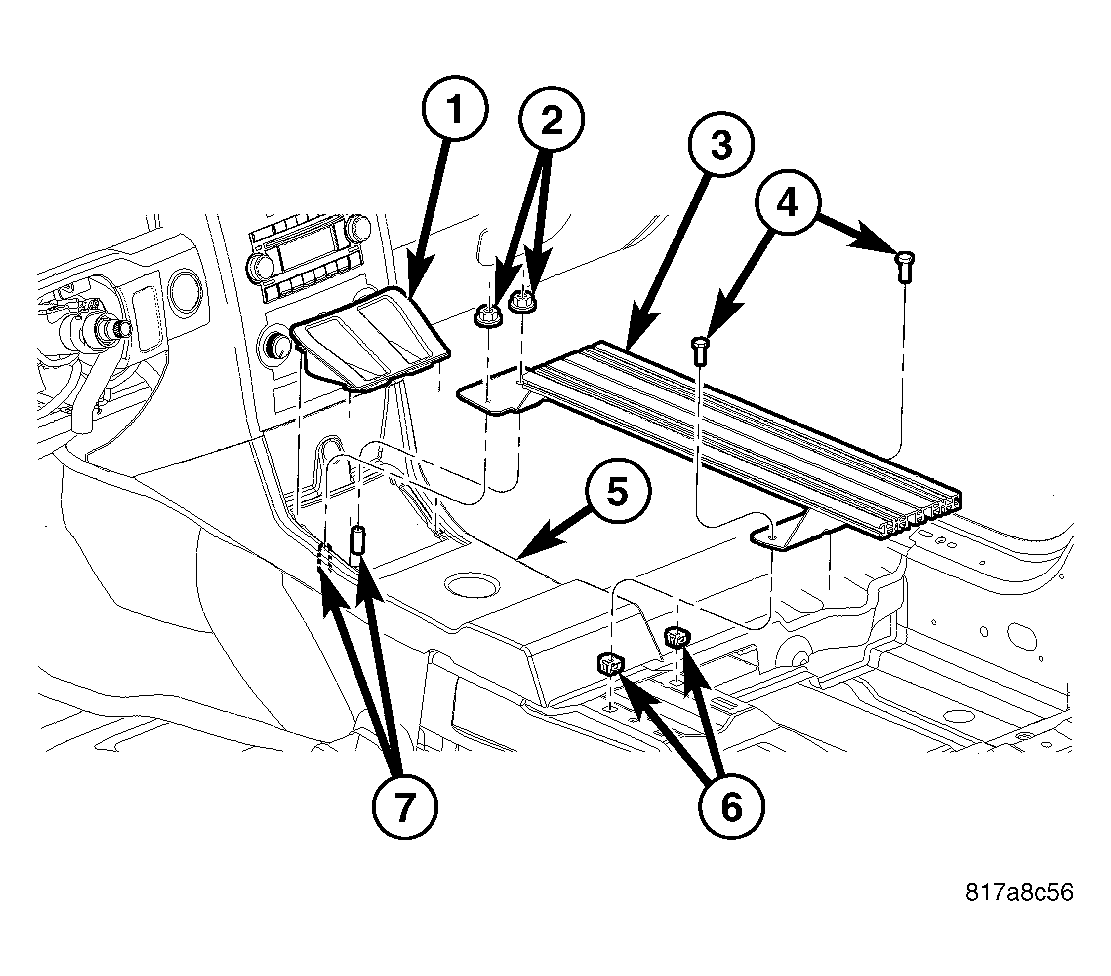
- Using an appropriate flat bladed tool, remove the console cubby bin (1).
- Remove the nuts (2) and screws (4) that secure the accessory mounting bracket (3). Remove the accessory mounting bracket (3) from the vehicle.
 Courtesy of CHRYSLER LLC
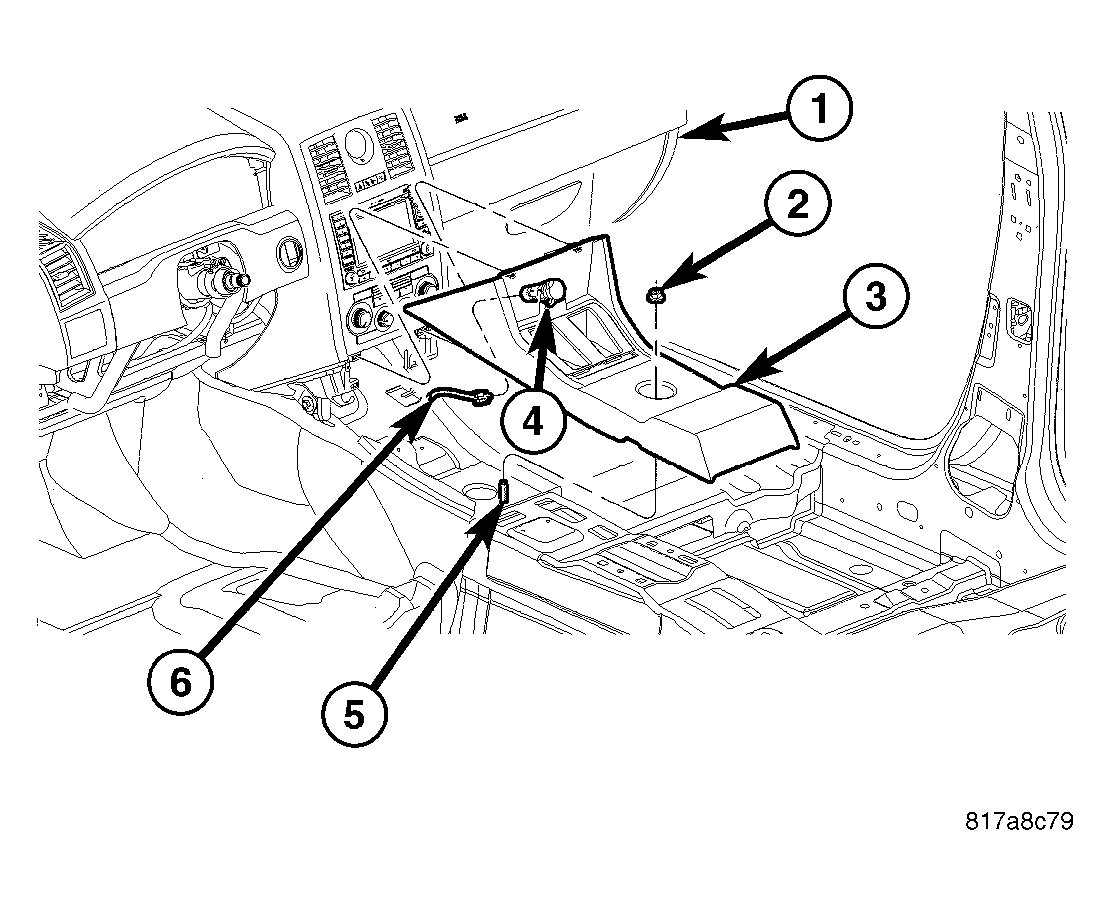
- Remove the nut (2) securing the console (3) to the mounting stud (5).
- Lift the console (3) off the mounting stud (5) and pull rearward to release the console mounting clips from the instrument panel (1).
- Disconnect the power outlet (4) electrical connector (6) and remove the console (3) from the vehicle.
 Courtesy of CHRYSLER LLC
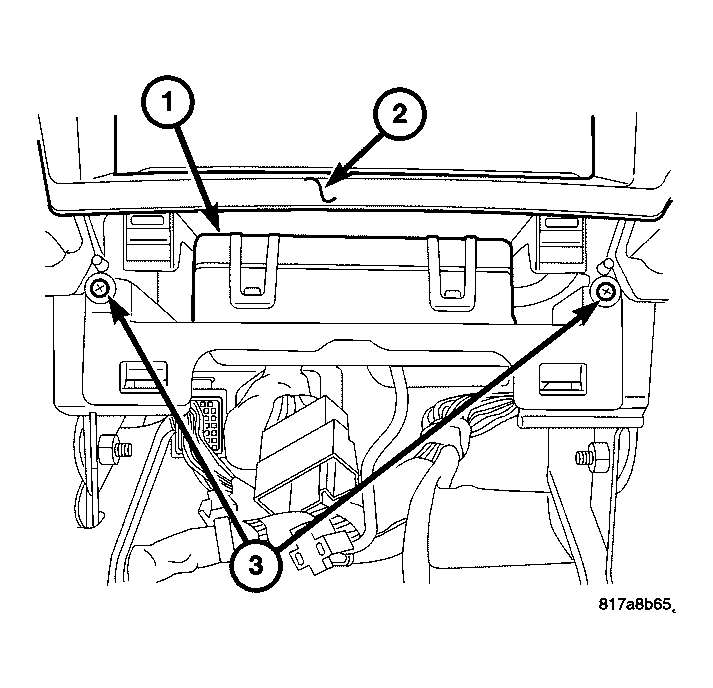
- Remove the Police/Taxi Interface Module (PTIM) retaining screws (3).
- Pull the PTIM (1) rearward to release the PTIM mounting bracket from the instrument panel center stack (2).
 Courtesy of CHRYSLER LLC
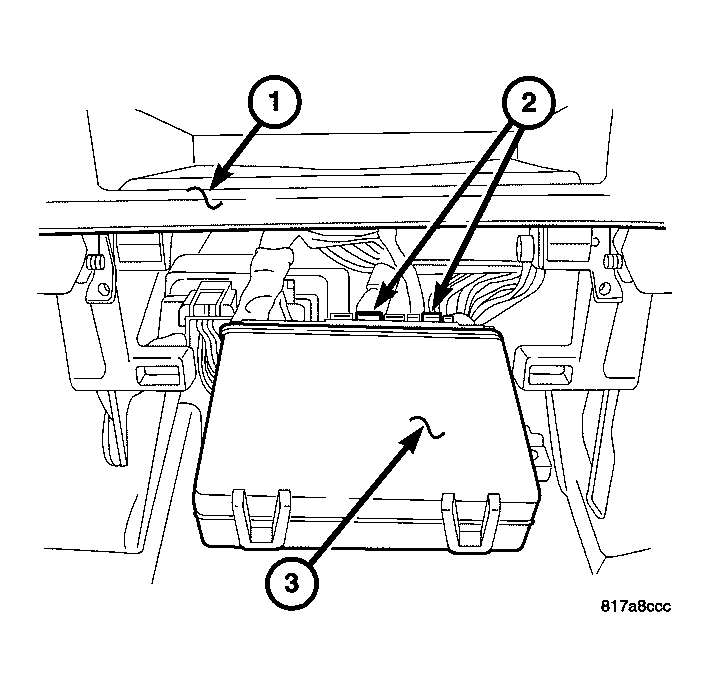
- Disconnect the electrical connectors (2) from the PTIM (3) and remove it from the vehicle.
 Courtesy of CHRYSLER LLC
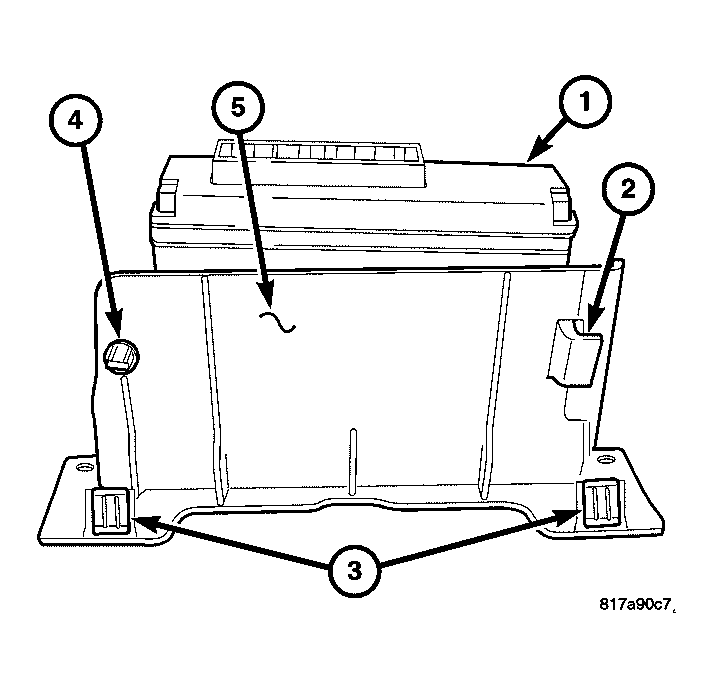
- Remove the PTIM (1) from the mounting bracket (5) by releasing the retaining clip (4) and rotating the PTIM upward releasing the locating tab (2) from the bracket.