Message Center (Service Information): Module: Installation
 Courtesy of DAIMLERCHRYSLER CORP.
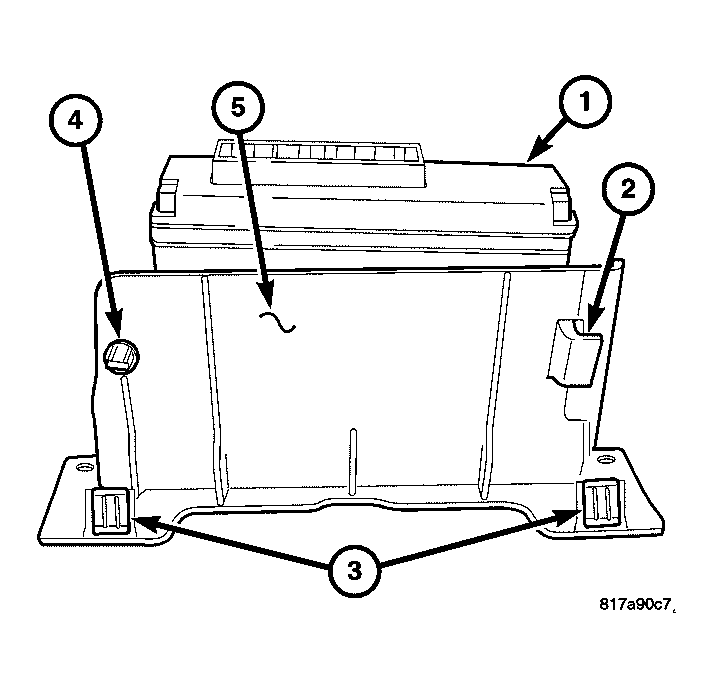
- Install the Police/Taxi Interface Module (PTIM) (1) onto the mounting bracket (5) by inserting the locating tab (2) and rotating the PTIM downward until the retaining clip (4) is securely snapped into place.
 Courtesy of DAIMLERCHRYSLER CORP.
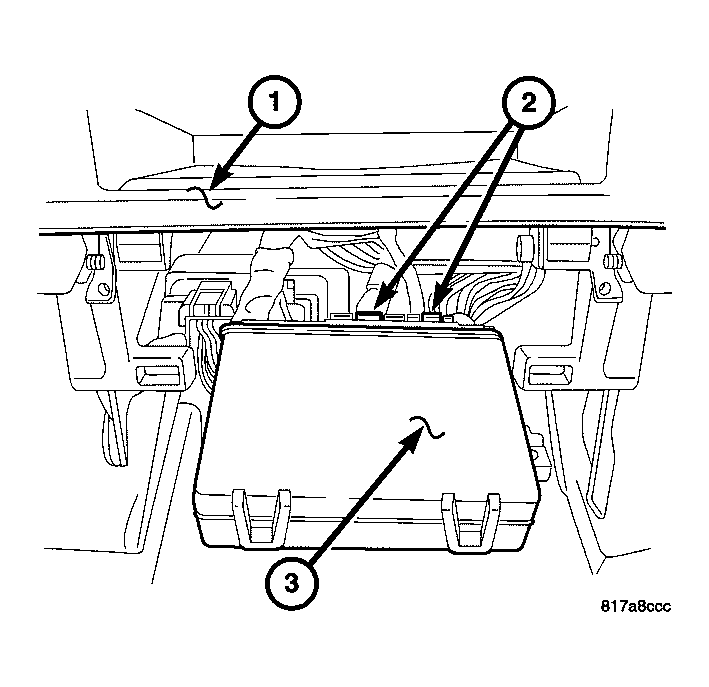
- Position the PTIM (3) into the vehicle and connect the electrical connectors (2).
 Courtesy of DAIMLERCHRYSLER CORP.
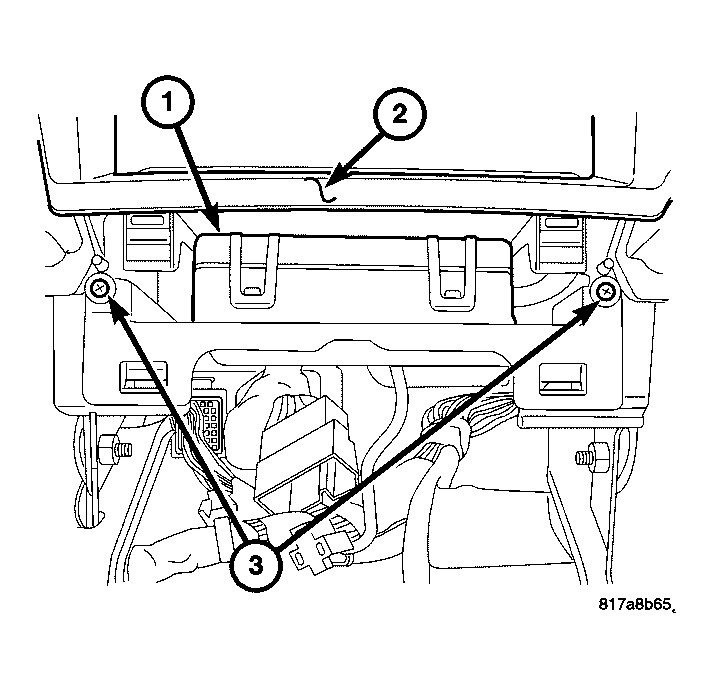
- Push the PTIM (1) forward to insert the PTIM mounting bracket clips into the instrument panel center stack (2).
- Install the retaining screws (3).
 Courtesy of DAIMLERCHRYSLER CORP.
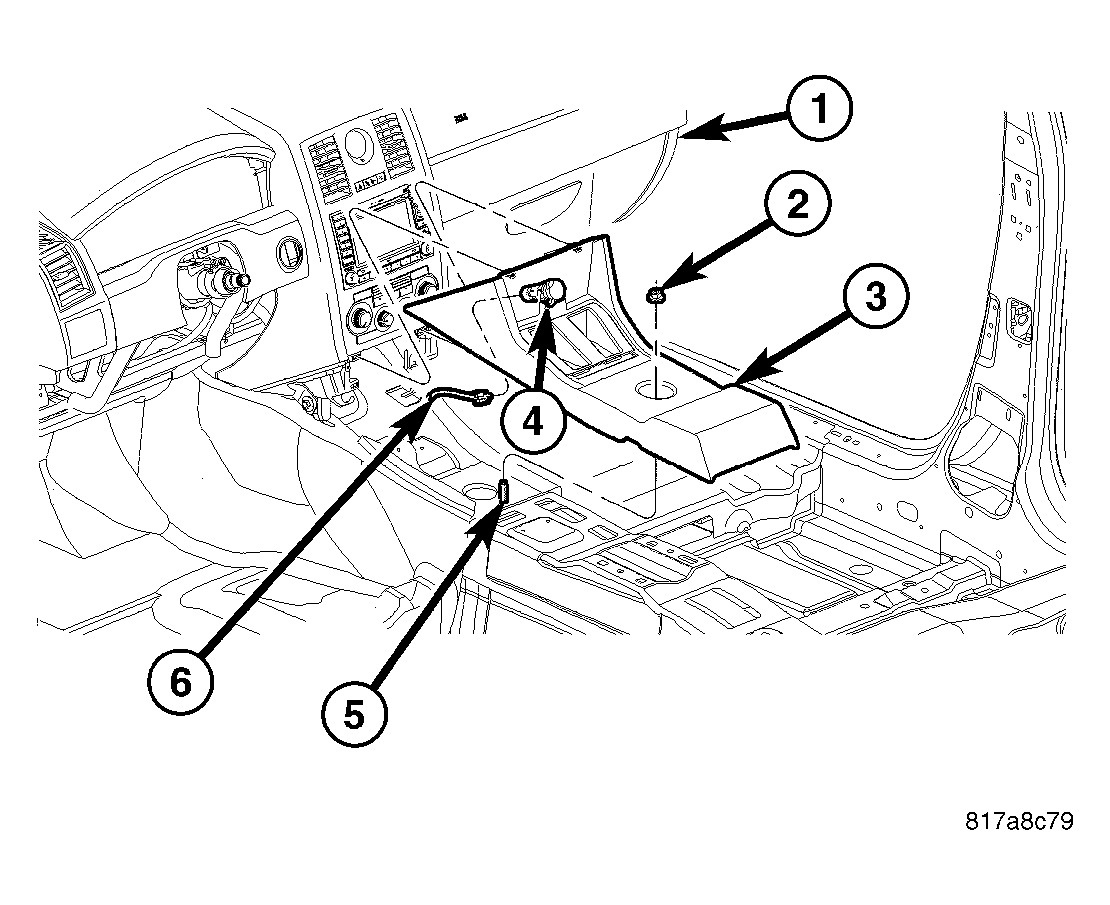
- Position the console into the vehicle.
- Connect the power outlet (4) electrical connector (6)
- Push forward to insert the console mounting clips into the instrument panel (1). Lower the console (3) onto the mounting stud (5) and install the retaining nut (2).
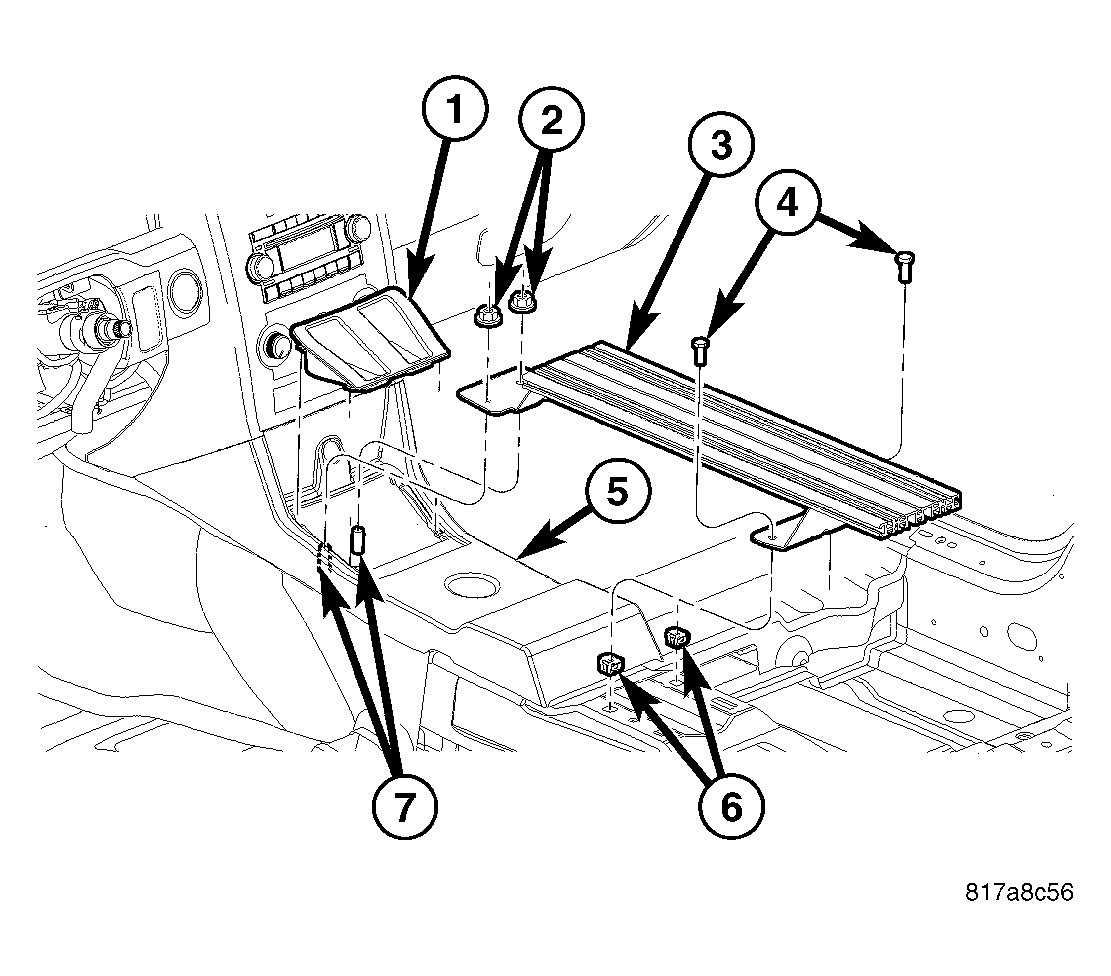 Courtesy of DAIMLERCHRYSLER CORP.
- Position the accessory mounting bracket (3) into the vehicle and onto the mounting studs (7).
- Install the nuts (2) and screws (4) that secure the accessory mounting bracket (3).
- Install the console cubby bin (1).
- Connect the battery negative cable.