Body - Interior: Headliner: Installation
- If installing DVD video screen bracket (Fig 3).
- Install u-nuts into roof bows.
- Place bracket into position.
- Install attaching screws and washers and push pins.
- Place headlining into vehicle through liftgate. opening.
- Raise headlining into position.
- Engage push in fasteners attaching headlining to roof panel (Fig 1) and (Fig 2).
- Disconnect rear view mirror wire connector from mirror.
- Connect wire harness connector and wire clips at the right A-pillar (Figure).
- Connect wire harness connectors at the left A-pillar (Figure).
- Install overhead DVD video screen, if equipped. (Refer to VIDEO SCREEN
).
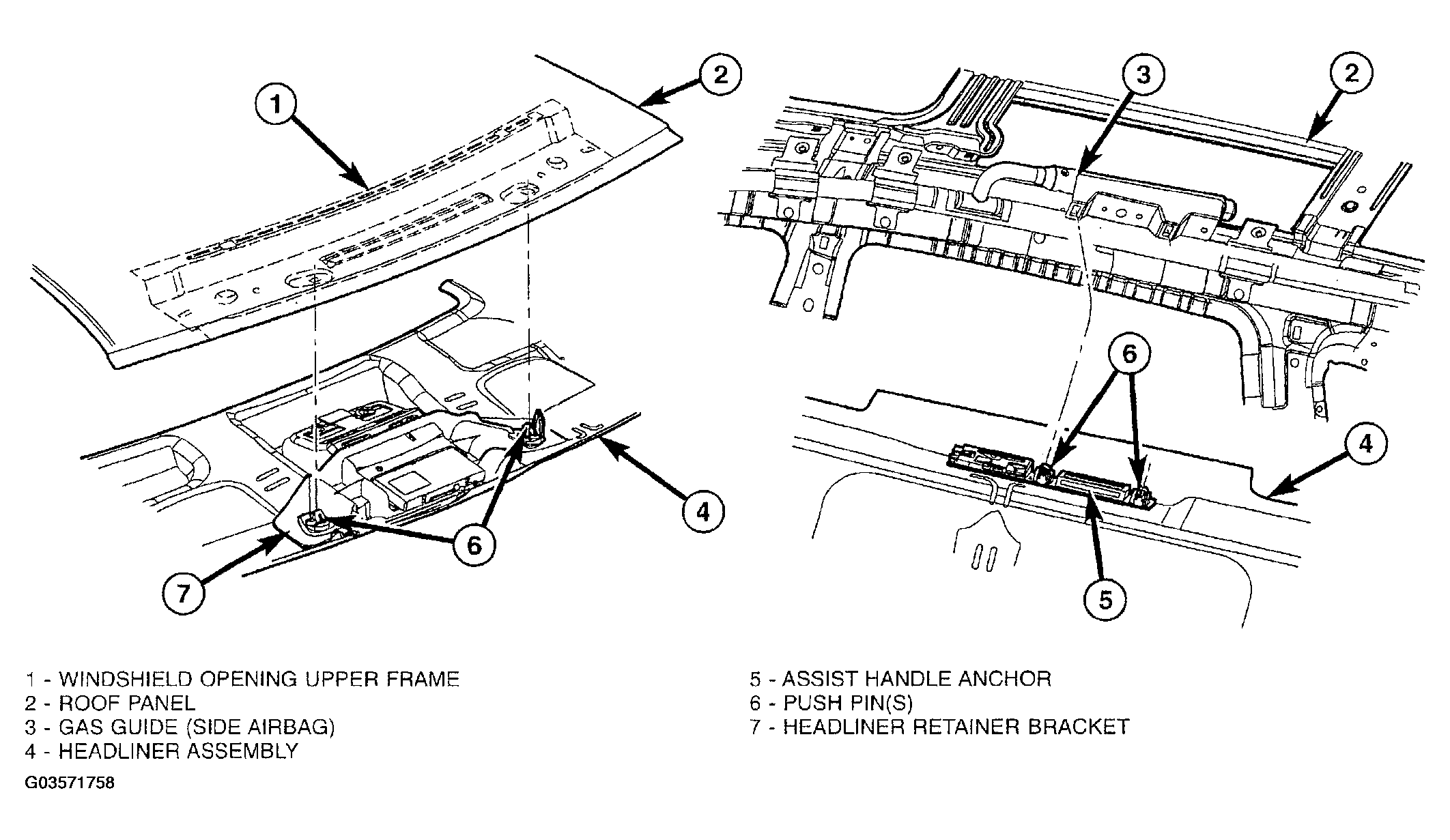 Courtesy of DAIMLERCHRYSLER CORP.
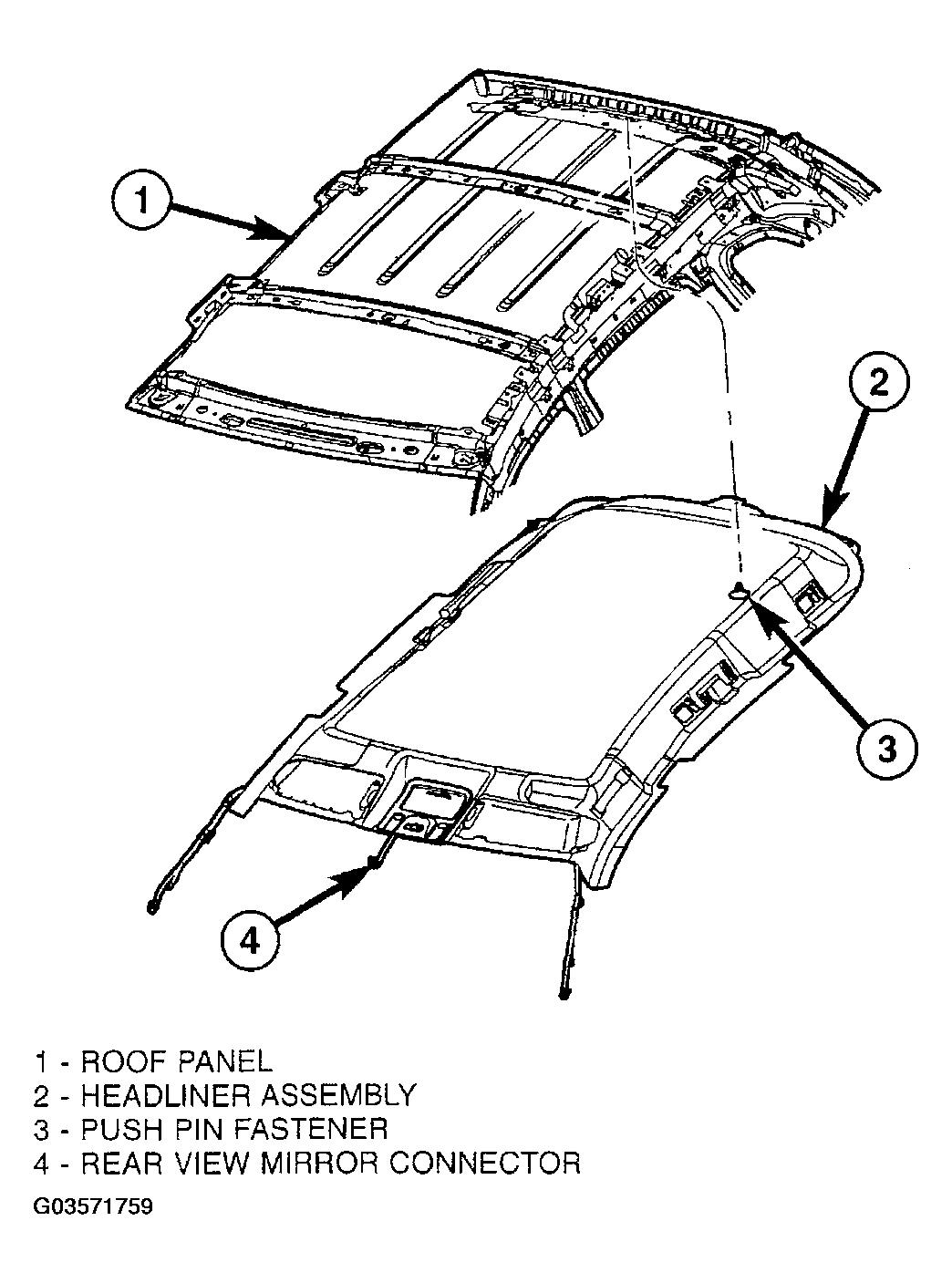 Courtesy of DAIMLERCHRYSLER CORP.
- Install overhead console, if equipped. (Refer to OVERHEAD CONSOLE
).
- Install C-pillar upper trim. (Refer to REMOVAL )
- Install D-pillar trim. (Refer to INSTALLATION ).
- Install liftgate header trim. (Refer to INSTALLATION ).
- Install B-pillar upper trim. (Refer to INSTALLATION ).
- Install A-pillar trim. (Refer to INSTALLATION ).
- Install second row dome lamp and coat hook attaching screws, if equipped.
- Install assist handles attaching screws, if equipped.
- Install sun visor center supports.
- Install sun visors and vanity mirrors.
- Connect negative battery cable.
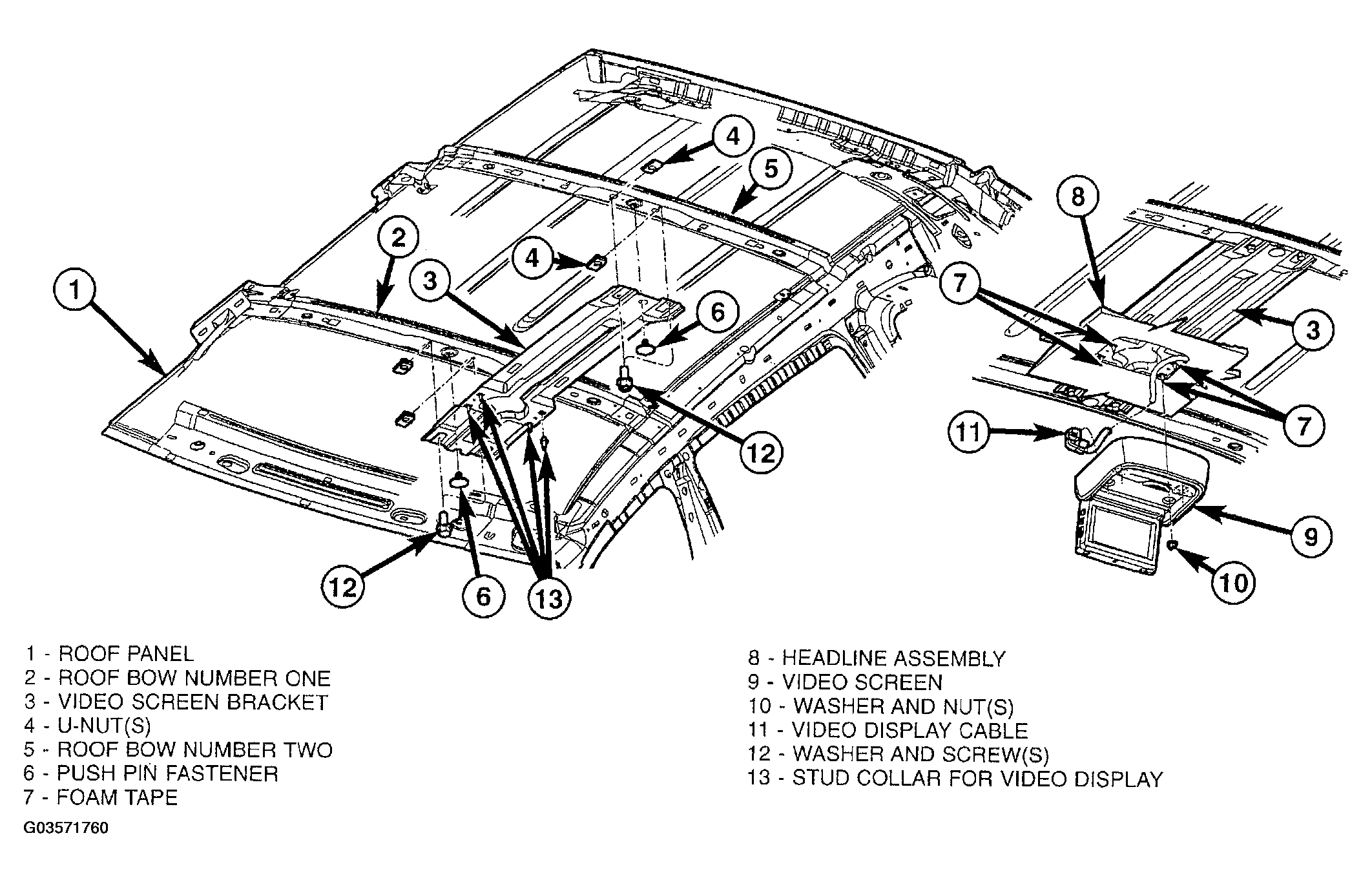 Courtesy of DAIMLERCHRYSLER CORP.