Installation Procedure
 Courtesy of GENERAL MOTORS COMPANY
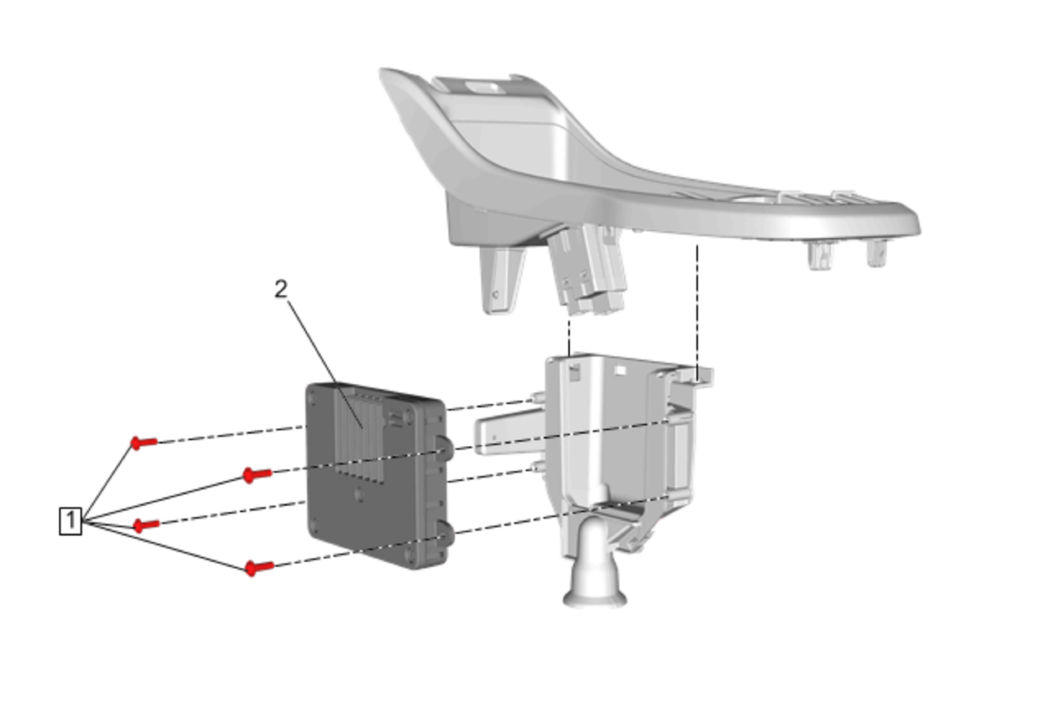
- Wireless Charging System Module (2) at Wireless Charging System Module Bracket - Install
- Wireless Charging System Module Bracket Screw (1) - Install and tighten to 1 N.m (9 lb in)
 Courtesy of GENERAL MOTORS COMPANY
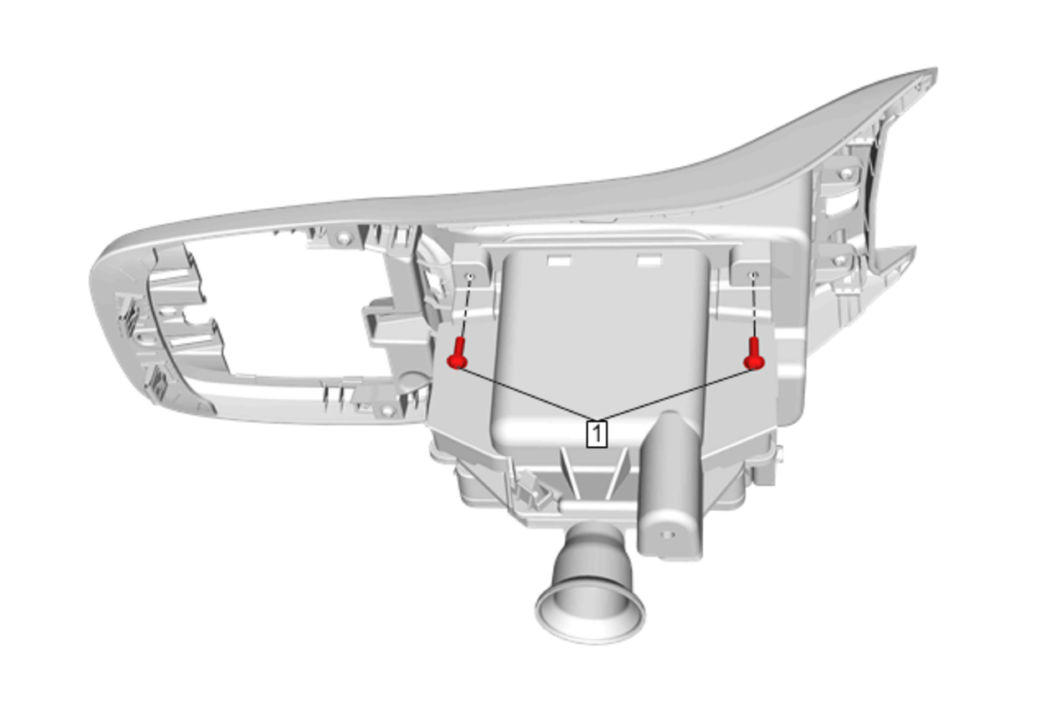
- Wireless Charging System Module Bracket Screw (1) - Install and tighten to 1 N.m (9 lb in)
 Courtesy of GENERAL MOTORS COMPANY
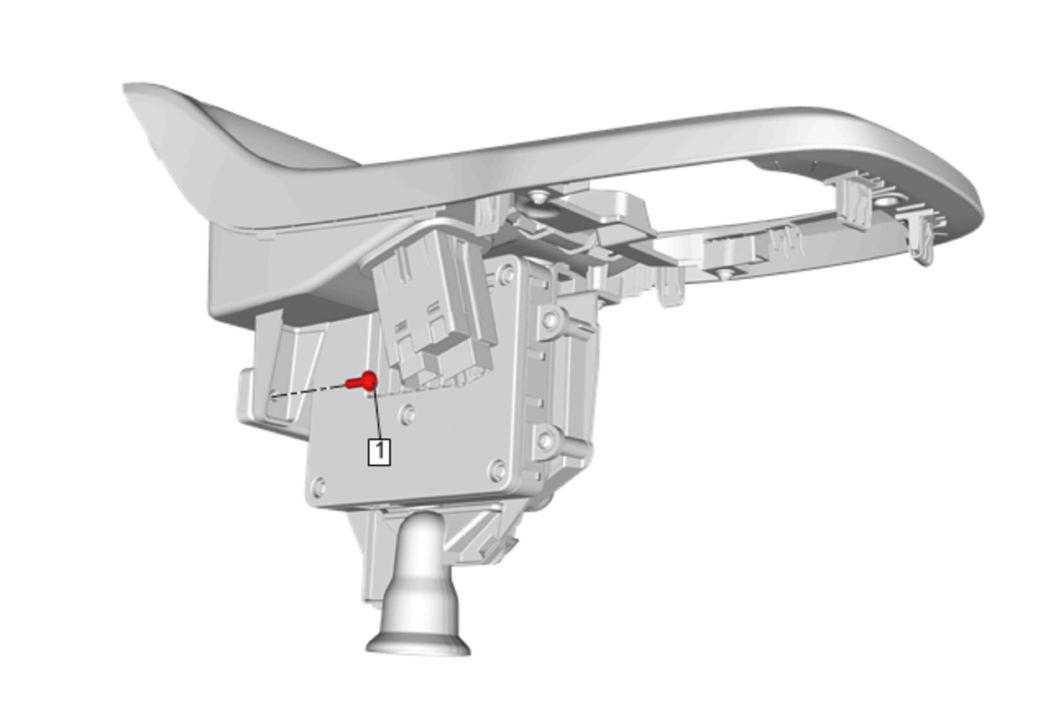
- Wireless Charging System Module Bracket Screw (1) - Install and tighten to 1 N.m (9 lb in)
 Courtesy of GENERAL MOTORS COMPANY
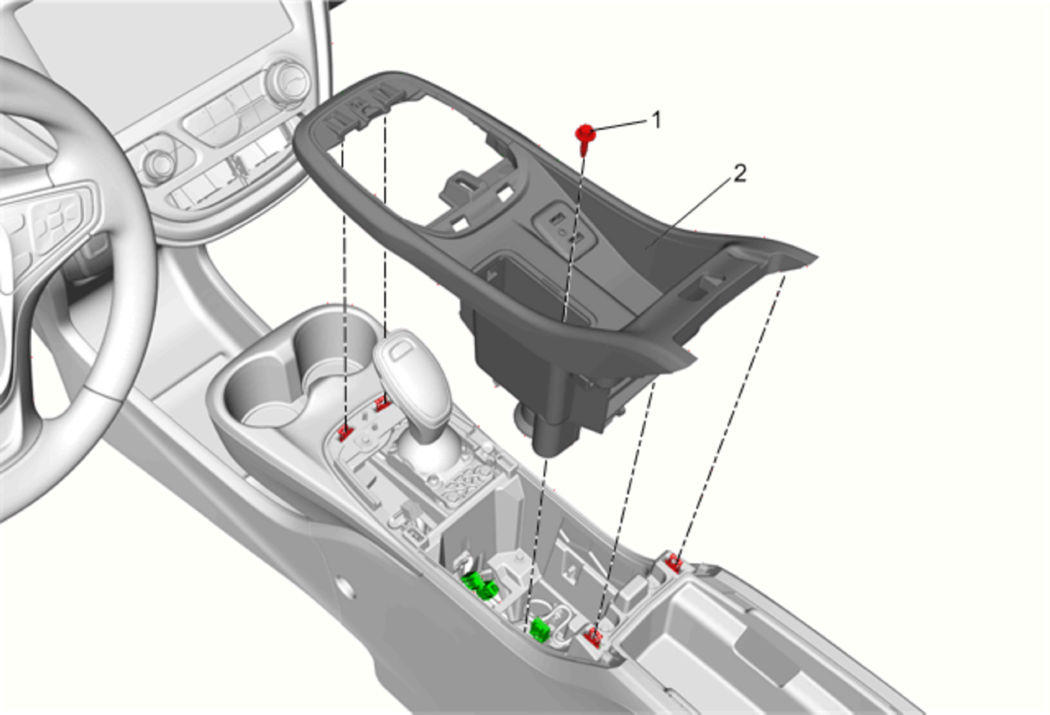
- Rear Floor Console Stowage Tray (2) - Install - Rear Floor Console Stowage Tray Replacement (without K4C)Rear Floor Console Stowage Tray Replacement (with K4C)