Park/Neutral Position Switch: Installation
- Install the PNP switch to the transaxle. Secure with 2 bolts. DO NOT tighten fully. Install the lock plate (1) and the manual shaft nut (3) onto the PNP switch. See Fig 2
. Tighten the manual shaft nut to specification. See TORQUE SPECIFICATIONS
.
- Stake the lock plate (2) over the manual shaft nut (3). See Fig 2
.
- Adjust the PNP switch. See PARK/NEUTRAL POSITION SWITCH
under ADJUSTMENTS. Tighten the PNP switch bolts to specification. See TORQUE SPECIFICATIONS
.
- Install the manual lever onto the manual shaft. Secure the manual lever with 2 lock washers and nuts. Tighten the manual lever nut to specification. See TORQUE SPECIFICATIONS
.
- Install the PNP switch electrical connector (1) to the PNP switch (2). See Fig 1
. Install the shift select cable (1) to the manual lever (2). Secure with one lock washer and nut (3). See Fig 2
. Adjust the shift select cable. See SHIFT CONTROL CABLE
under ADJUSTMENTS.
- Install the left splash shield to the vehicle and tighten the bolts to specification. See TORQUE SPECIFICATIONS
.
- Lower the vehicle. Connect the negative battery cable. Inspect vehicle for proper shifter operation. Ensure Vehicle only starts in NEUTRAL and PARK positions.
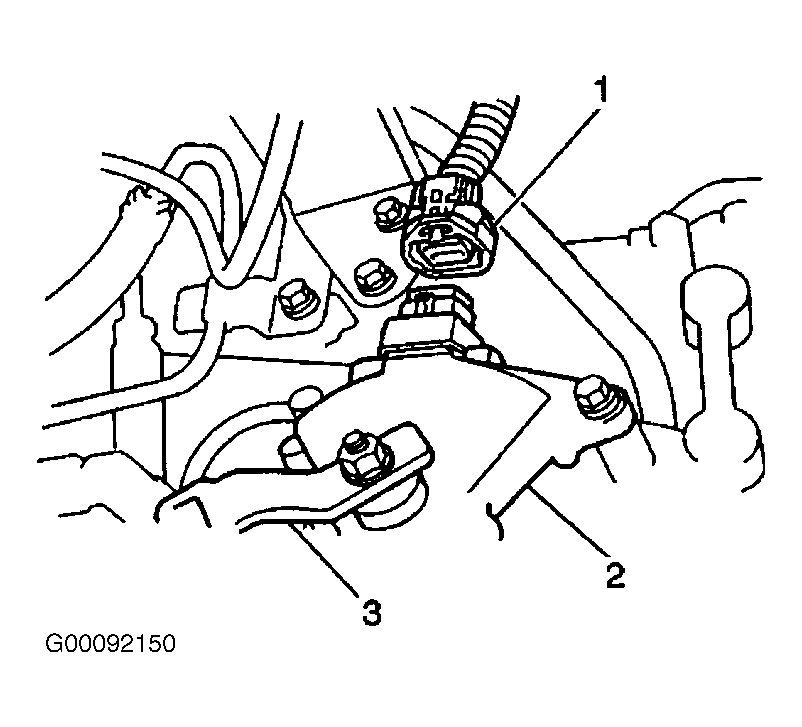 Courtesy of GENERAL MOTORS CORP.
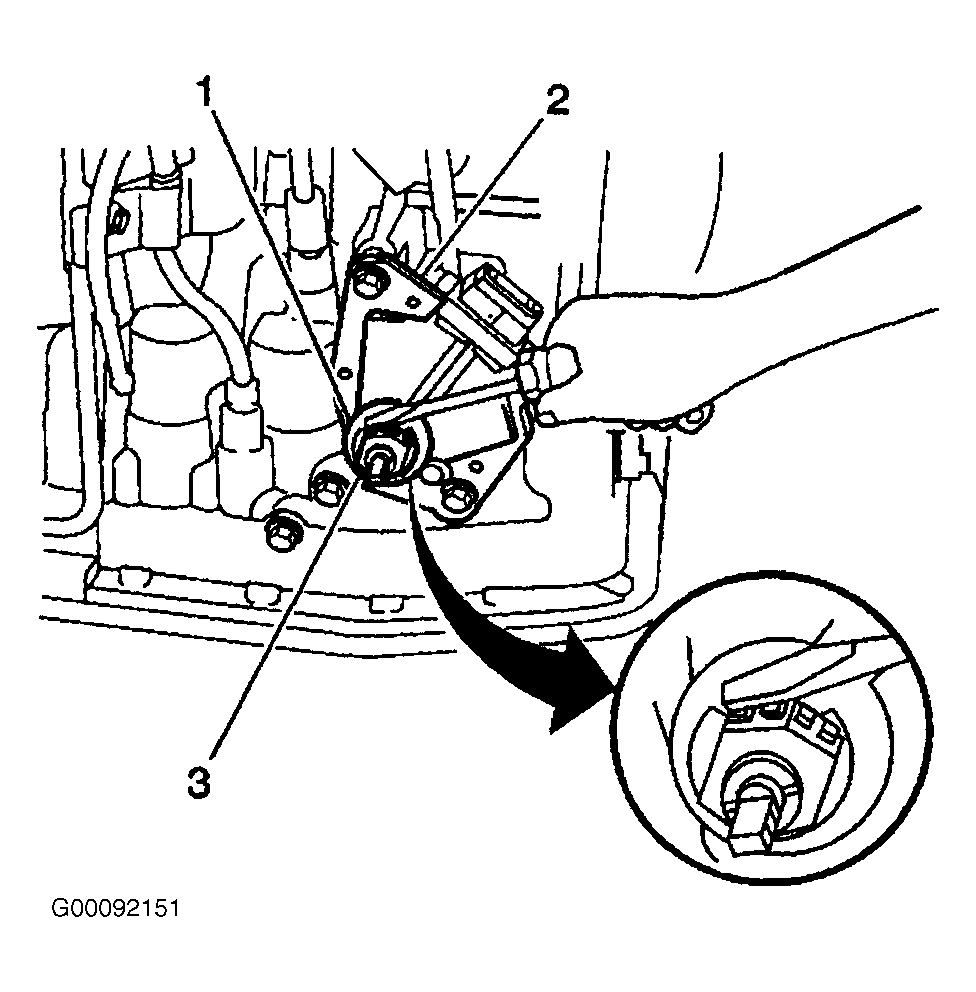 Courtesy of GENERAL MOTORS CORP.