Park/Neutral Position Switch: Installation
- Position the adjustment tool onto the PNP switch. See Fig 2
. Ensure the 2 slots on the switch where the manual shaft is inserted are lined up with the lower 2 tabs on the tool.
- Rotate the tool until the upper locator pin on the tool is lined up with the slot on the top of the switch. See Fig 2
. If the PNP switch did not slide off the manual shaft, file the outer edge of the manual shaft in order to remove any burrs.
- Install the switch to the transmission manual shaft by aligning the switch hub flats with the manual shaft flats. Slide the switch onto the transmission manual shaft until the switch mounting bracket contacts the mounting bosses on the transmission.
- Install the switch onto the transmission. Install the bolts and tighten to specification. See TORQUE SPECIFICATIONS
.
- Remove the adjustment tool. Install the wiring harness connector to the switch. Install the transmission control lever to the manual shaft with the nut and tighten to specification. See TORQUE SPECIFICATIONS
.
- Lower the vehicle. Connect the negative battery cable. Check the switch for proper operation. The engine must start in the PARK and NEUTRAL positions only.
- If vehicle does not operate as specified, readjust the PNP switch.
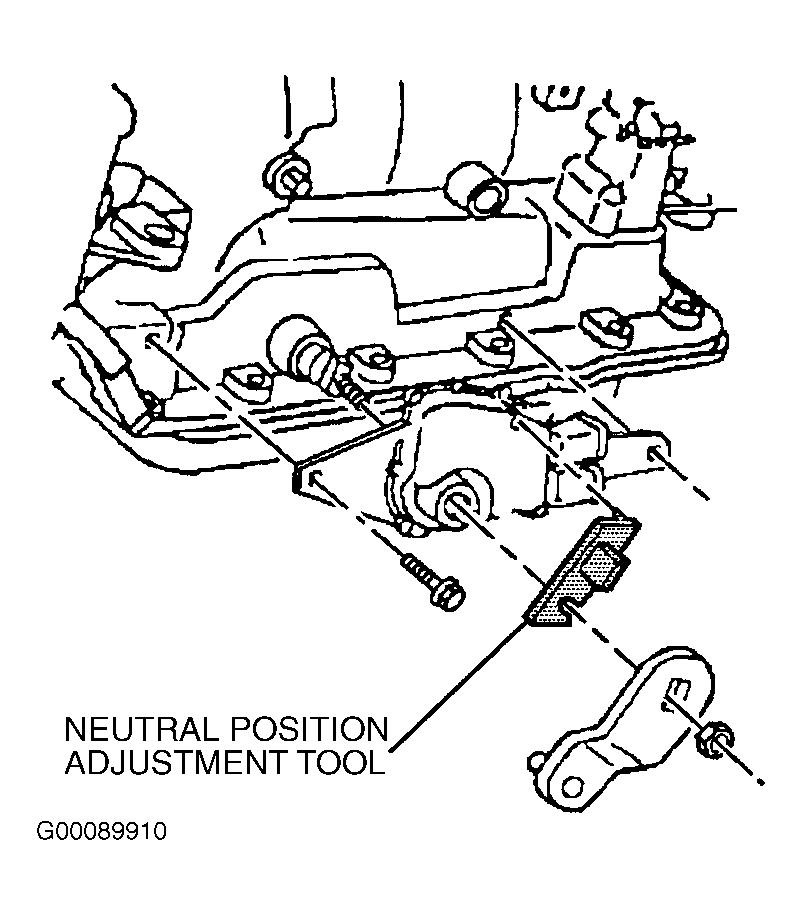 Courtesy of GENERAL MOTORS CORP.
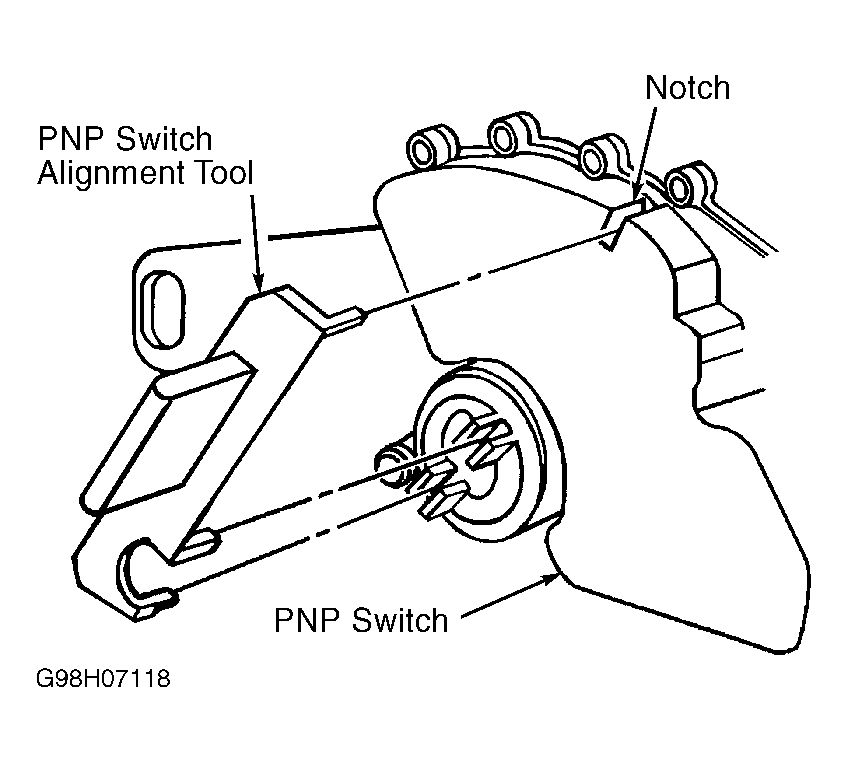 Courtesy of GENERAL MOTORS CORP.