Chime Inoperative
- Perform INSTRUMENT CLUSTER DIAGNOSTIC SYSTEM CHECK
under SYSTEM TESTS. Go to next step.
- Disconnect Multifunction Alarm Module (MAM) connectors. Connect a test light between MAM connector C2 terminals "D" (Orange wire) and "E" (Black wire). See WIRING DIAGRAMS
. See Fig 1
. If test light illuminates, go to next step. If test light does not illuminate, go to step 4
.
- Replace MAM. See MULTIFUNCTION ALARM MODULE (MAM)
under REMOVAL & INSTALLATION. After repairs, go to INSTRUMENT CLUSTER DIAGNOSTIC SYSTEM CHECK
under SYSTEM TESTS.
- Connect test light between ground and MAM connector C2 terminal "D" (Orange wire). If test light illuminates, go to next step. If test light does not illuminate, go to step 9
.
- Check for faulty connection at MAM connector C2 terminal "D" (Orange wire). If connection is faulty, go to next step. If connection is okay, go to step 7
.
- Repair faulty connection. After repairs, go to INSTRUMENT CLUSTER DIAGNOSTIC SYSTEM CHECK
under SYSTEM TESTS.
- Using DVOM, check resistance between ground and MAM connector C2 terminal "E" (Black wire). If resistance is 0-2 ohms, system is okay. Go to INSTRUMENT CLUSTER DIAGNOSTIC SYSTEM CHECK
under SYSTEM TESTS. If resistance is not 0-2 ohms, go to next step.
- Repair open in Black wire between ground and MAM connector C2 terminal "E". After repairs, go to INSTRUMENT CLUSTER DIAGNOSTIC SYSTEM CHECK
under SYSTEM TESTS.
- Repair open in Orange wire between fuse block and MAM connector C2 terminal "D". After repairs, go to INSTRUMENT CLUSTER DIAGNOSTIC SYSTEM CHECK
under SYSTEM TESTS.
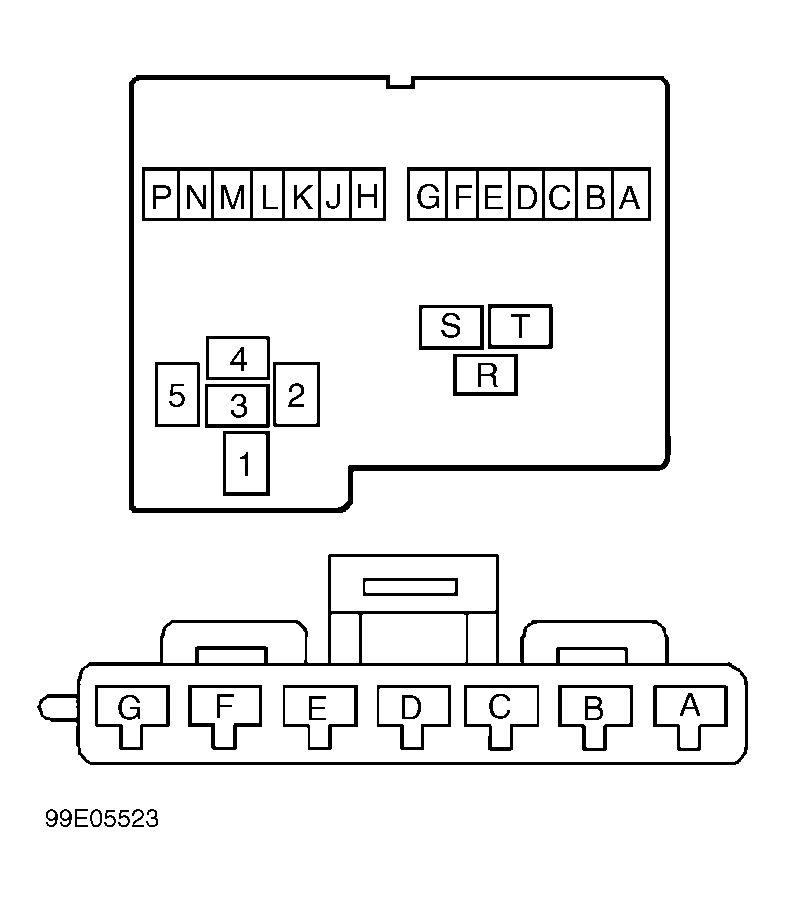 Courtesy of GENERAL MOTORS CORP.