Installation Procedure
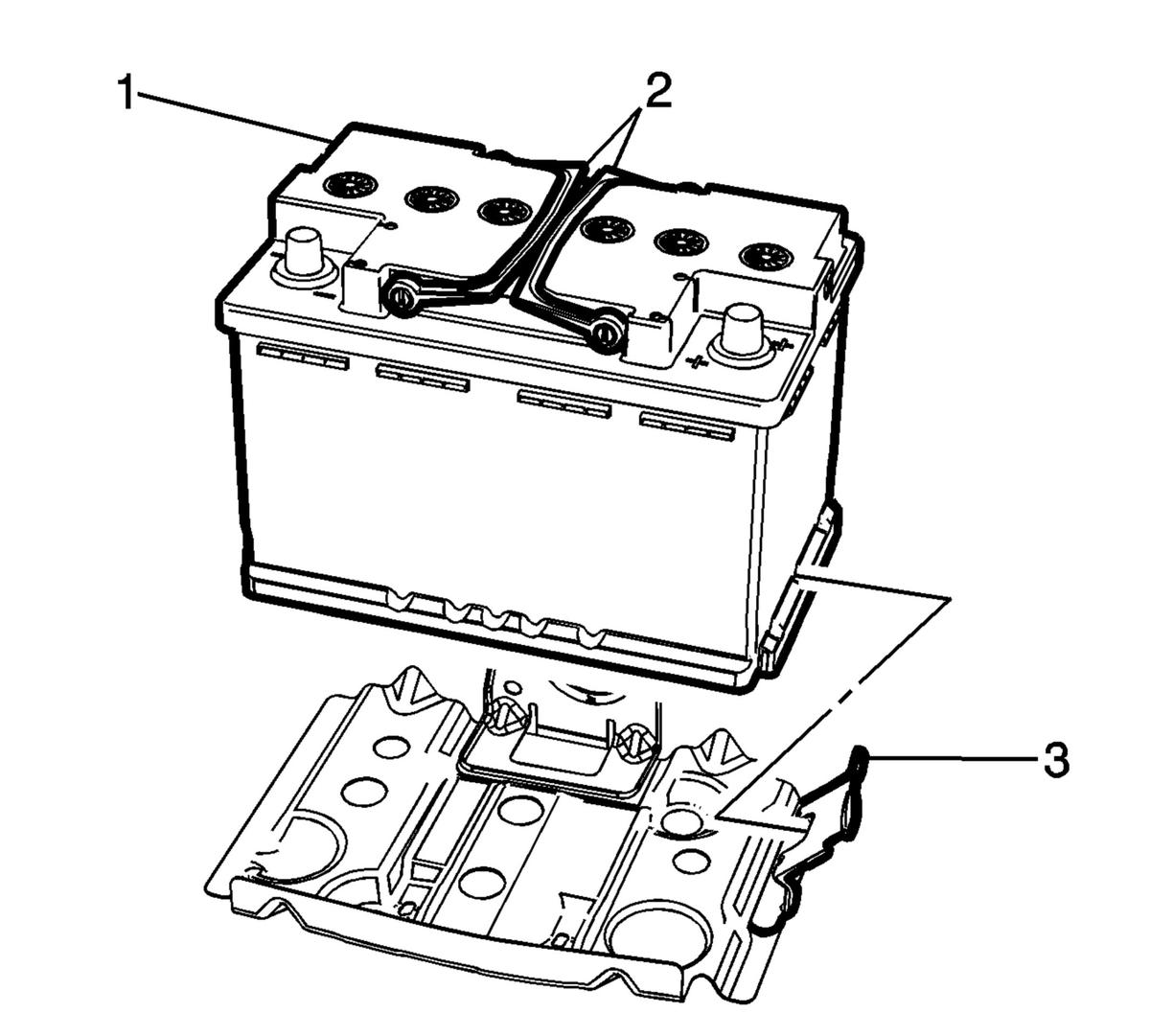
- Push forward the front battery tray bracket (3) and install the battery (1) into position using the battery assist handles (2).
 Courtesy of GENERAL MOTORS COMPANY
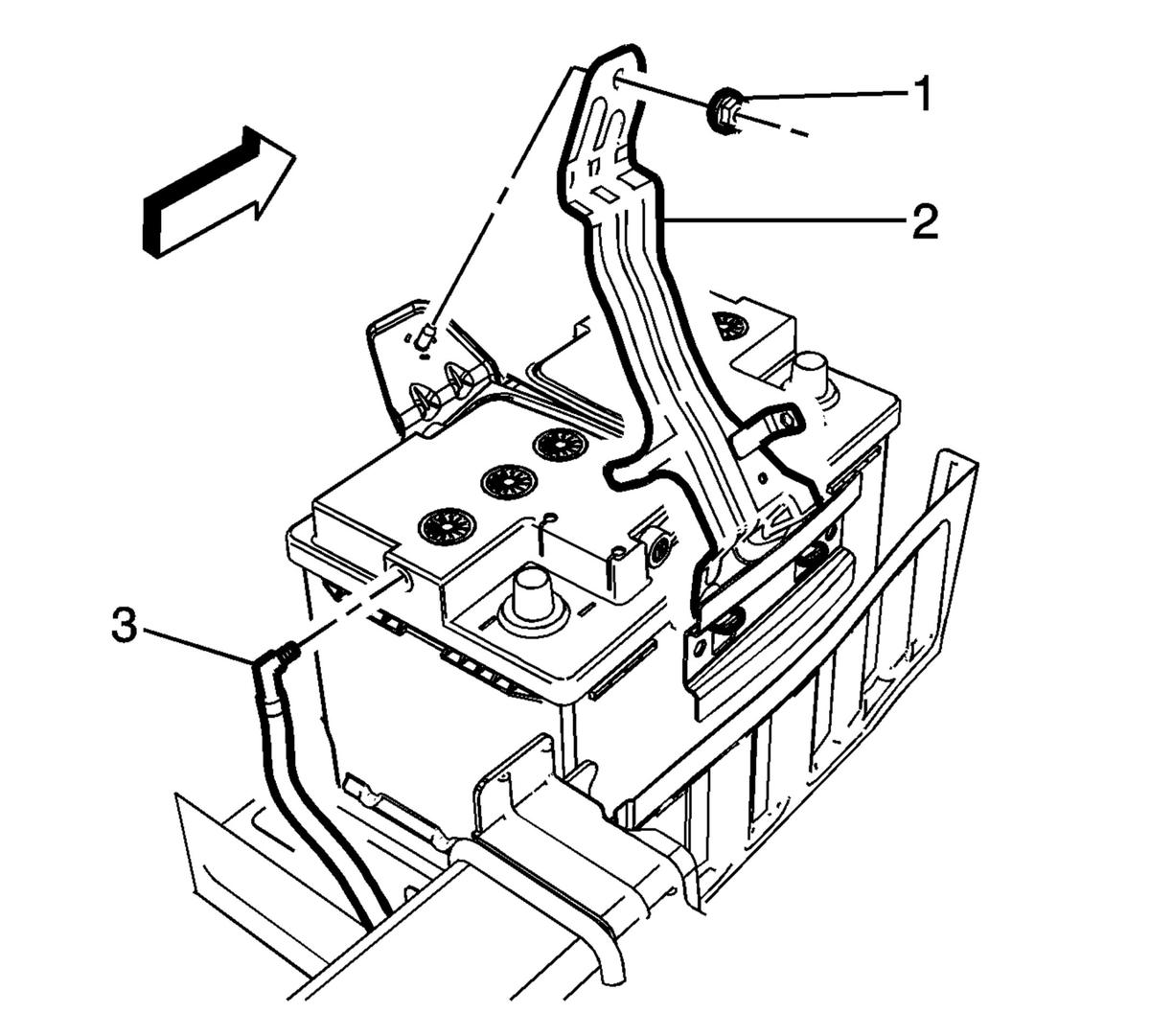
- Install the battery hold down bracket (2) and tighten the fastener (1) to 9 N.m (80 lb in).
 Courtesy of GENERAL MOTORS COMPANY
- Install the battery vent hose (3) to the side of the battery.
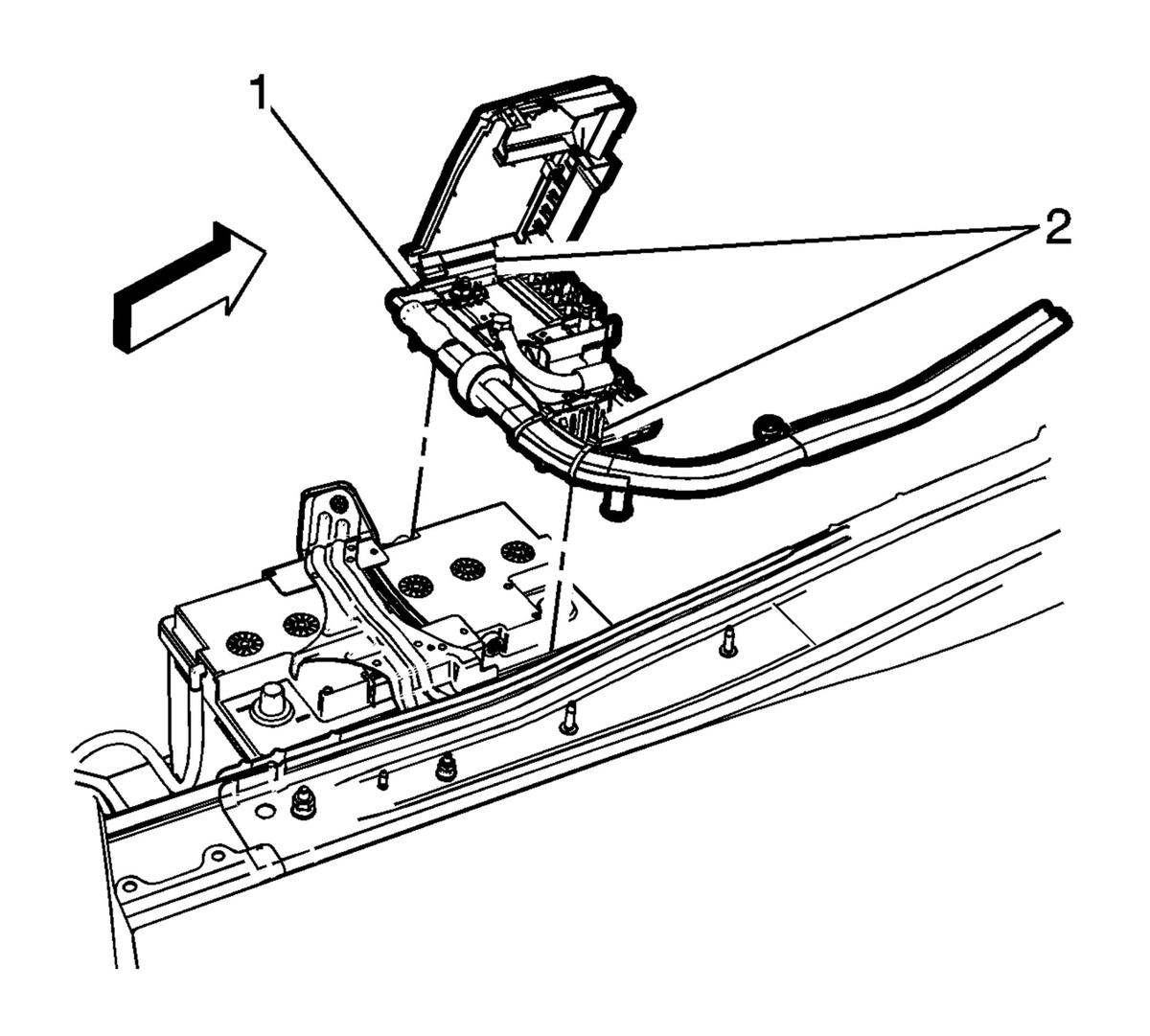
- Install the battery fuse block (1) to the battery with the retaining clips (2).
 Courtesy of GENERAL MOTORS COMPANY
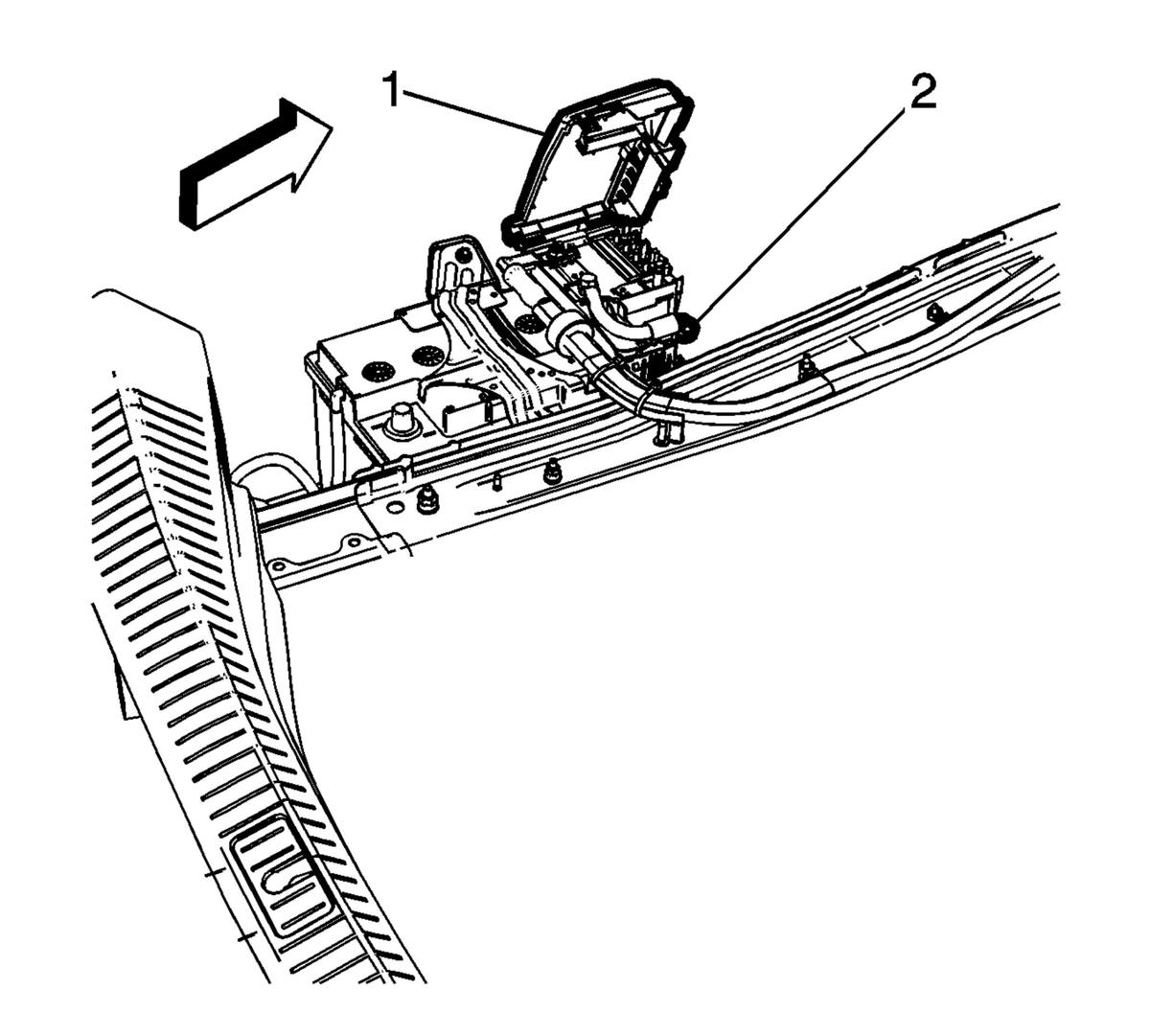
- Tighten the battery post clamp fastener (2) to 7 N.m (62 lb in).
 Courtesy of GENERAL MOTORS COMPANY
- Close the fuse block cover (1).
- Connect the negative battery cable. Refer to Battery Negative Cable Disconnection and Connection .
- Position the left side rear compartment trim panel. Refer to Rear Compartment Side Trim Replacement - Left Side
.