Removal Procedure
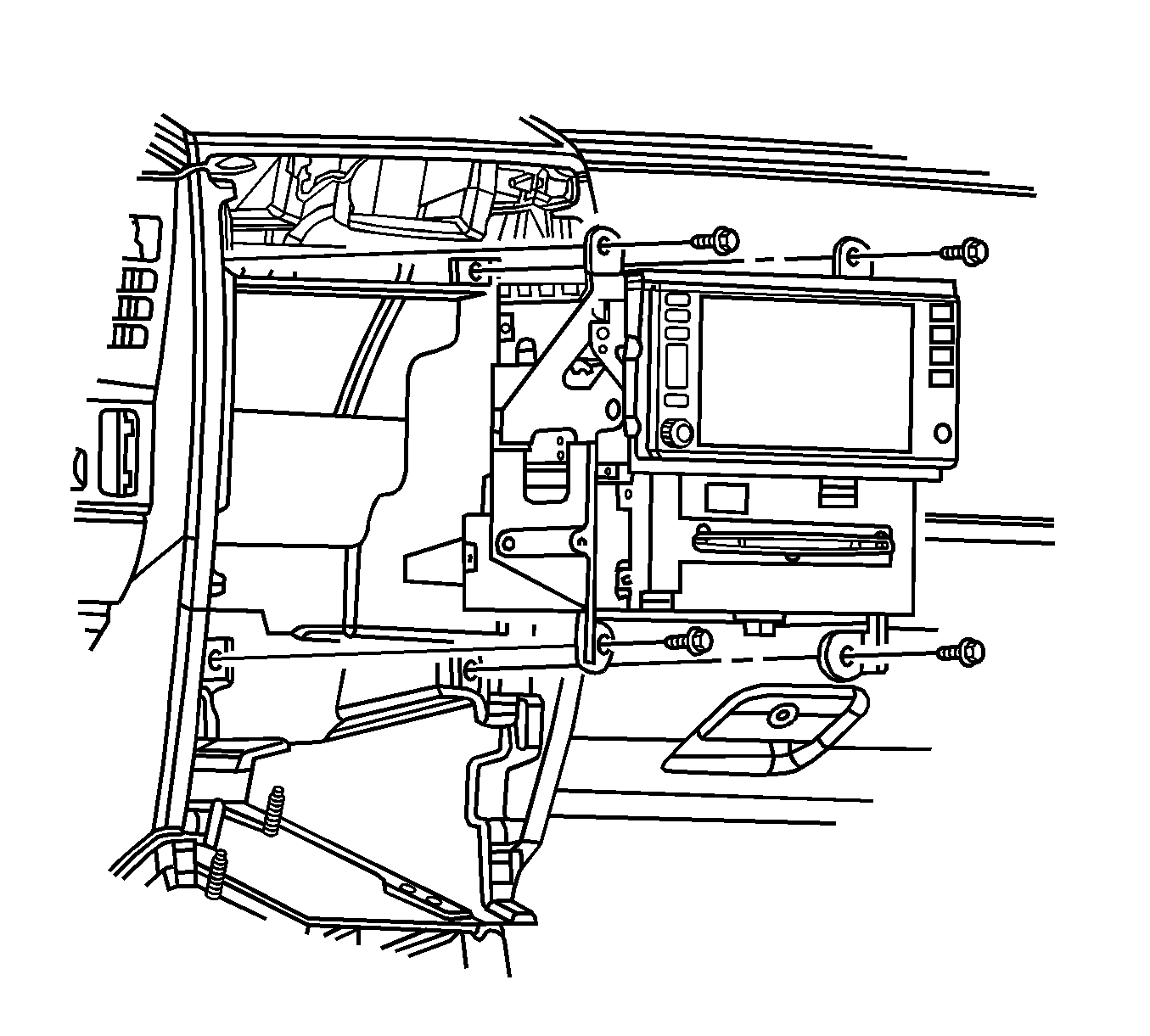 Courtesy of GENERAL MOTORS CORP.
- Remove the cover from the I/P electrical center.
- Remove the RDO/CD MiniFuse® #5 from the I/P electrical center.
- Remove the I/P accessory trim plate. Refer to Instrument Panel Accessory Trim Plate Replacement
.
- Remove the screws retaining the radio control to the I/P center support bracket.
- Begin to remove the radio control from the center support bracket enough to access the connectors at rear of the radio control.
- Disconnect the electrical/audio and coaxial cable connectors from the radio control.
- Remove the radio control.
- Remove the screws that retain the remote CD changer to the radio.
- Disconnect the electrical lead from the radio to the CD changer and remove the changer from the vehicle.