Installation Procedure
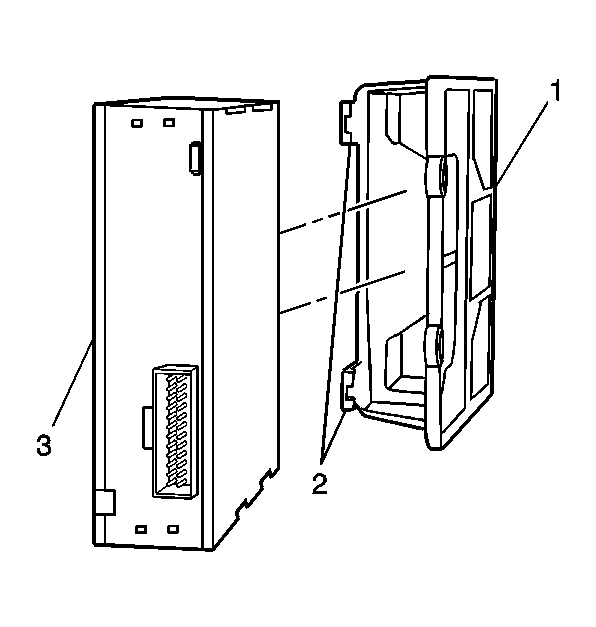 Courtesy of GENERAL MOTORS CORP.
- Slide the Cellular telephone module (3) into the mounting bracket (1), until an audible click is heard, indicating the Cellular telephone module (3) is secured in the mounting bracket (2).
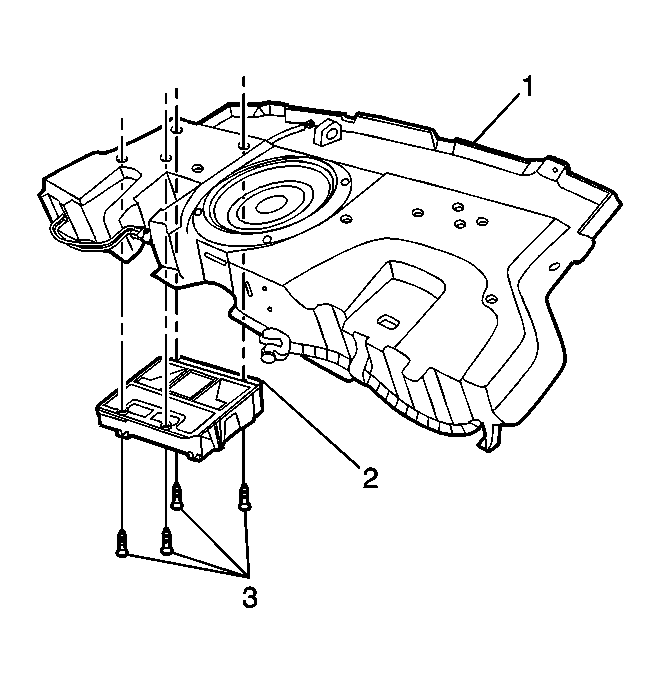 Courtesy of GENERAL MOTORS CORP.
- Install the Cellular telephone module and mounting bracket assembly (2) to the rear shelf carrier (1).
- Install the Cellular telephone module mounting bracket fasteners (3).
- Connect the electrical connector.
- Install the rear compartment trim. Refer to Compartment Front Trim Panel Replacement - Rear
in Body Rear End.