Installation Procedure
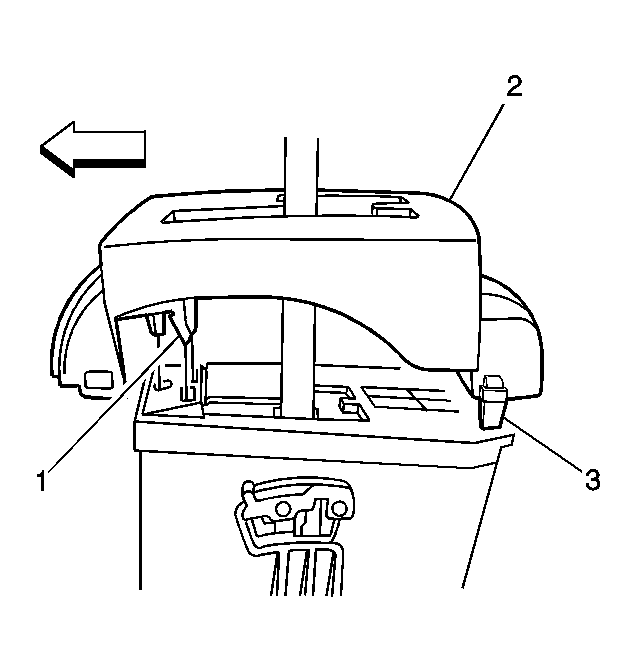 Courtesy of GENERAL MOTORS CORP.
- Lower the shift indicator (2) over the shift control shaft.
- Align the front retaining tabs (1) with the holes in the shift control assembly.
- Press down on the front of the shift indicator to engage the retaining tabs (1).
- Align the rear retaining tabs (3) with the sides of the shift control assembly.
- Press down on the rear of the shift indicator to engage the retaining tabs (3).
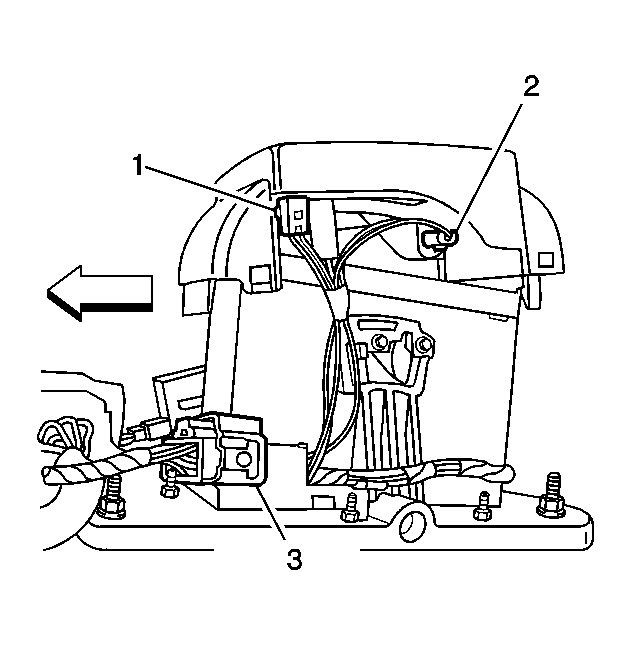 Courtesy of GENERAL MOTORS CORP.
- Install the shift indicator lamp sockets (1 and 2) to the shift indicator. Rotate each lamp socket one quarter turn to lock in place.
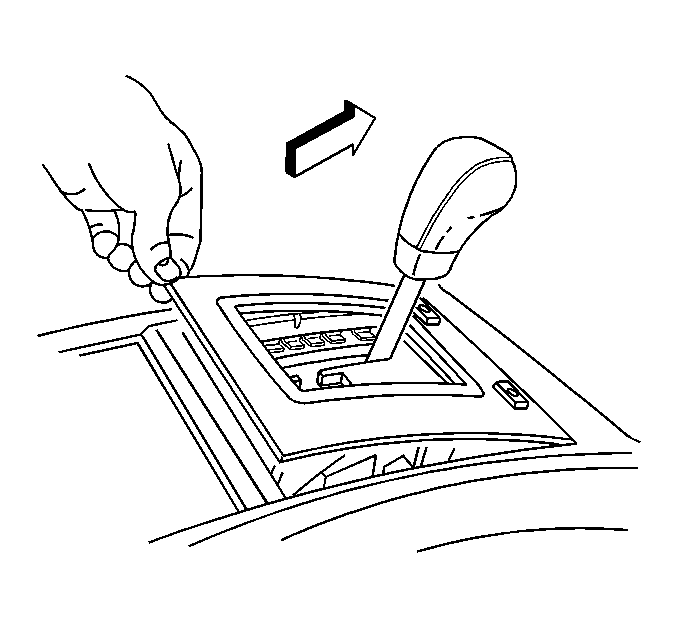 Courtesy of GENERAL MOTORS CORP.
- Install the center console assembly. Refer to Console Replacement - Front Floor
in Instrument Panel, Gages, and Console
- Install the shift control trim plate by inserting the front retaining tabs to the console. Then press down on the rear of the trim plate to engage the rear retaining tabs.
- Install the shift control knob. Refer to Shift Control Knob Replacement .