Removal & Installation (W/O UE1)
- Open rear compartment lid. Remove push in retainers from top edge and center of rear compartment front trim panel. See Fig 1
. Remove rear compartment front trim panel from rear compartment.
- Remove bay board fasteners. See Fig 2
. Pull bay board away from body and place module side up in rear compartment.
- Disconnect cellular telephone module connector. Release tab and pull cellular telephone module from lower mounting on bay board. To install, revere removal procedure.
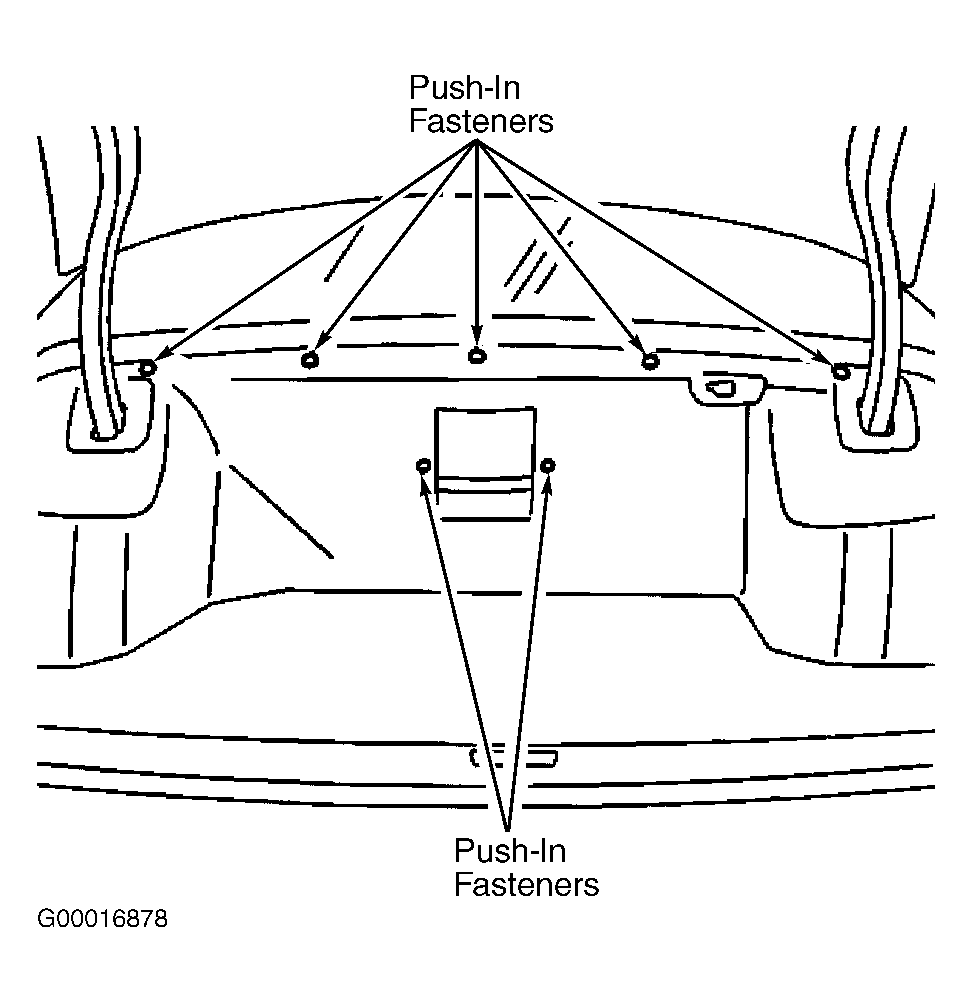 Courtesy of GENERAL MOTORS CORP.
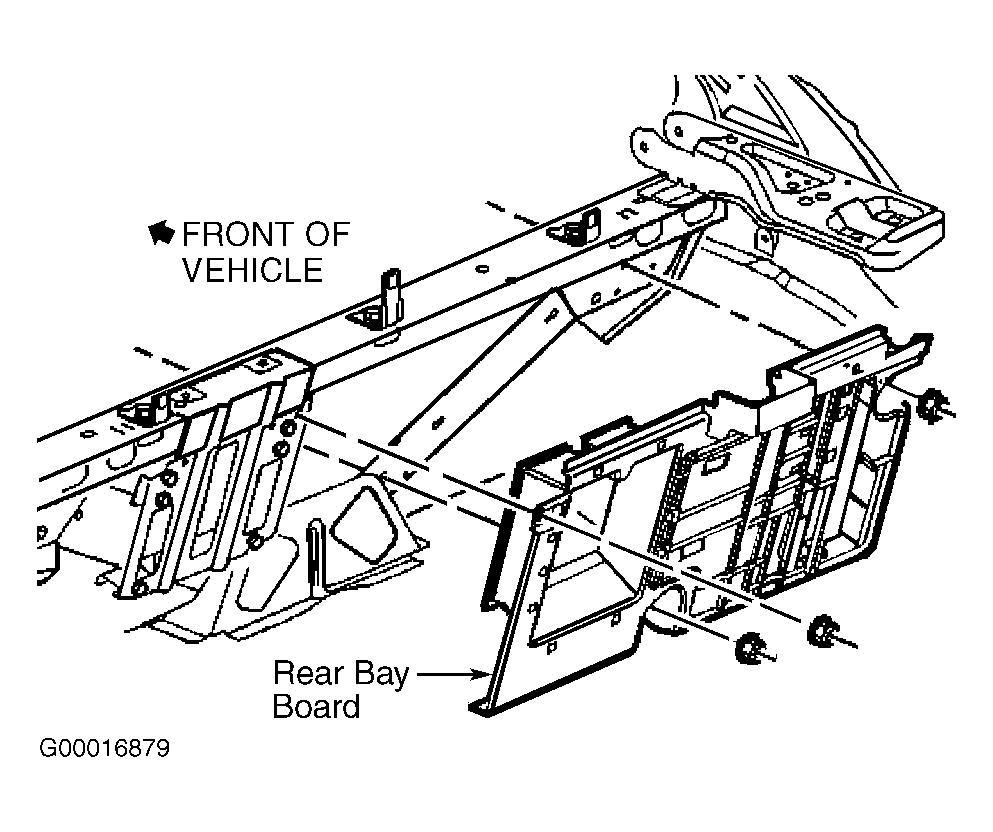 Courtesy of GENERAL MOTORS CORP.