Installation Procedure
 Courtesy of GENERAL MOTORS CORP.
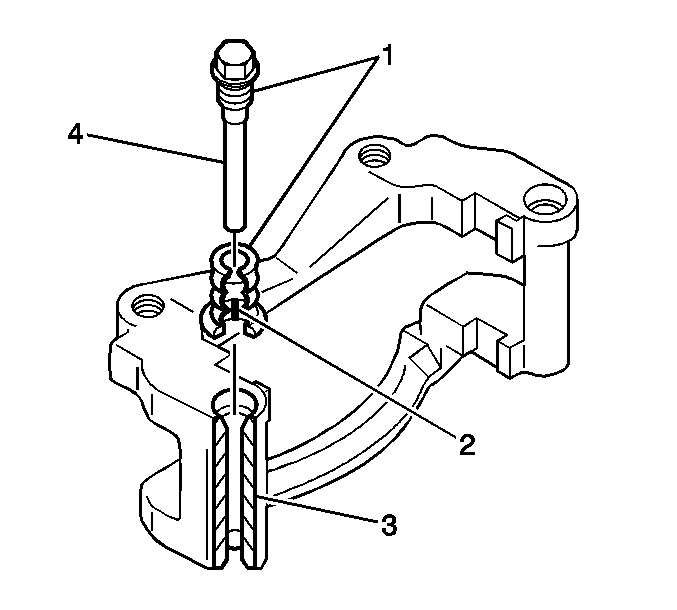
- Lubricate the bores (3), the inside part of the bolt boot (2) and the caliper pin bolts (4) with GM P/N 18047666, or equivalent.
- Press the new caliper pin bolt boots into the caliper pin bores.
- Install the brake caliper bracket. Refer to Brake Caliper Bracket Replacement - Front .
 Courtesy of GENERAL MOTORS CORP.
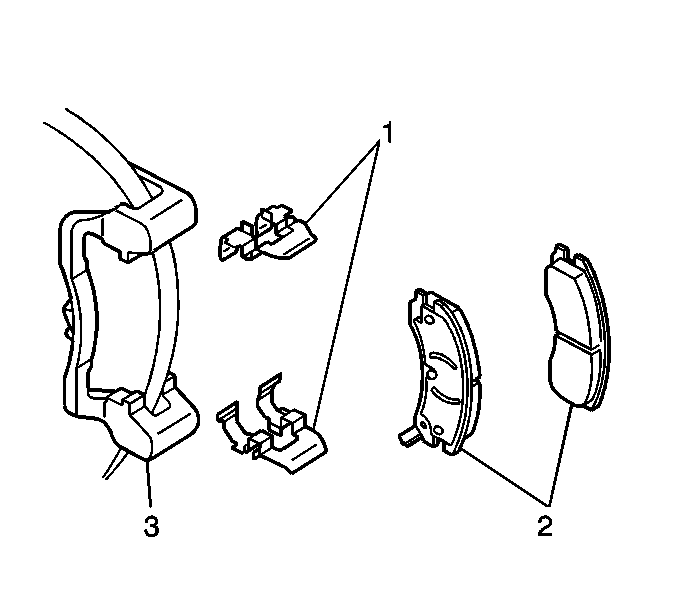
- Install the brake pad retainers (1) to the caliper bracket.
- Install the brake pads (2) to the caliper bracket.
 Courtesy of GENERAL MOTORS CORP.
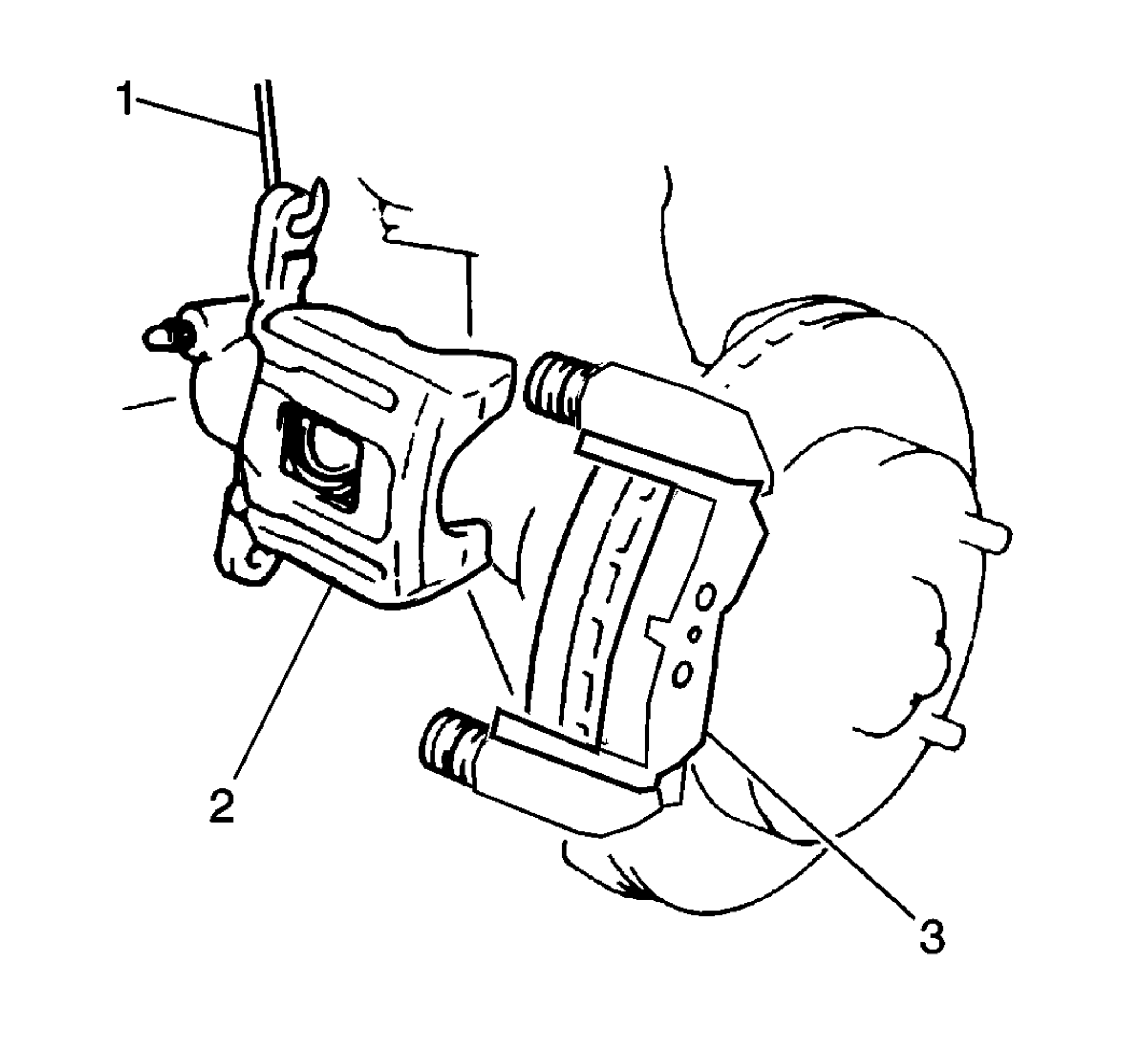
- Remove the heavy mechanics wire (1) and install the brake caliper. Refer to Brake Caliper Replacement - Front .