Installation Procedure
 Courtesy of GENERAL MOTORS CORP.
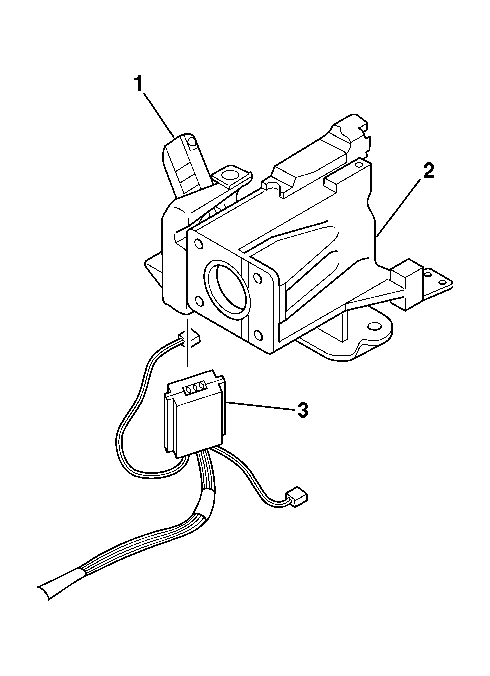
- Slide the ignition switch assembly (3) into the ignition lock cylinder case assembly (1).
 Courtesy of GENERAL MOTORS CORP.
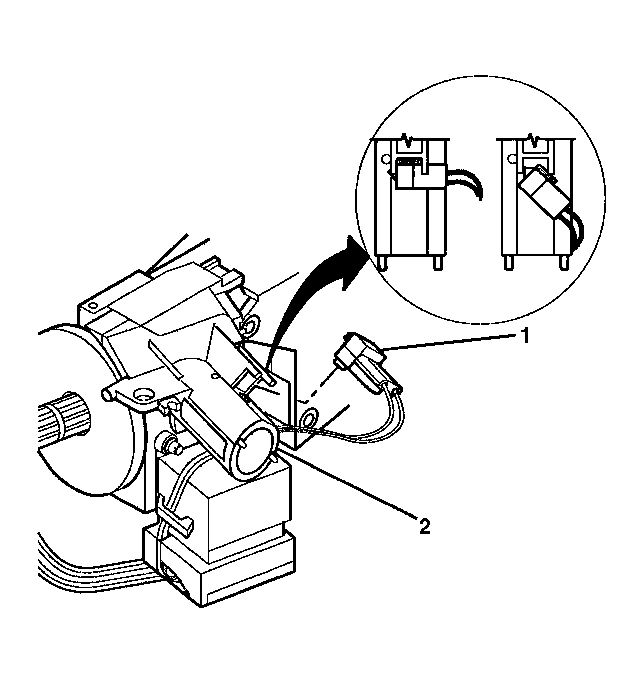
- Install the key alarm connector (1) into the ignition lock cylinder case assembly (2).
- Push the key alarm connector (1) into the ignition lock cylinder case assembly (2).
- Rotate the key alarm connector (1) 90 degrees so that the key alarm connector (1) locks into place.
- Install the passkey connector into the ignition lock cylinder case assembly (2).
 Courtesy of GENERAL MOTORS CORP.
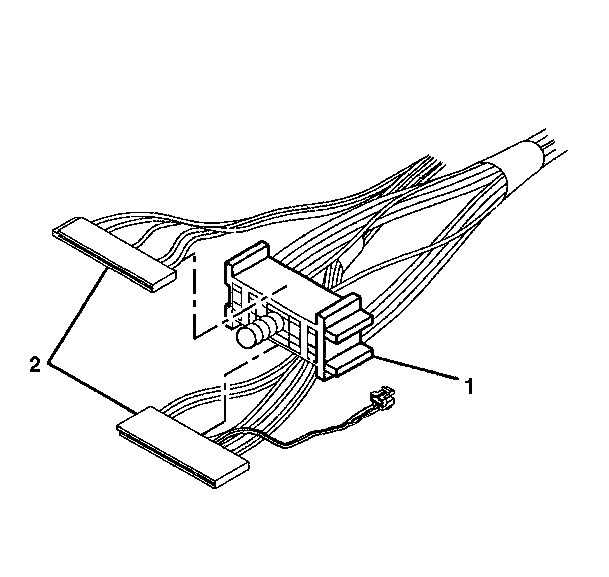
- Connect the multifunction switch electrical connectors to the bulkhead connector (1).
 Courtesy of GENERAL MOTORS CORP.
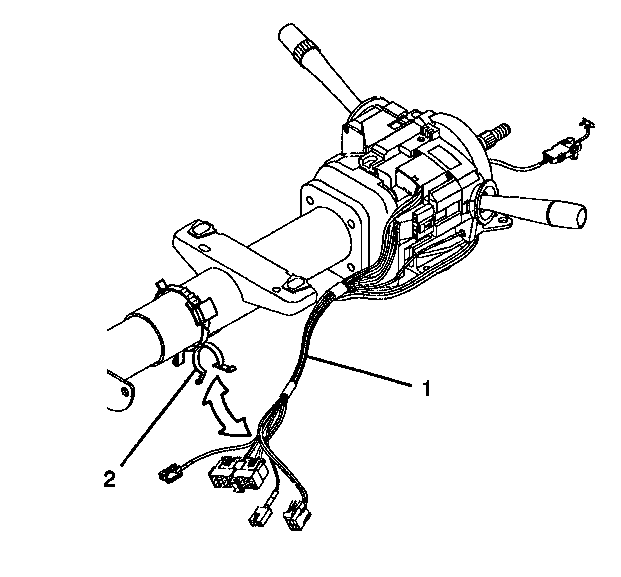
- Install the wire harness assembly (1) to the wire harness strap (2).
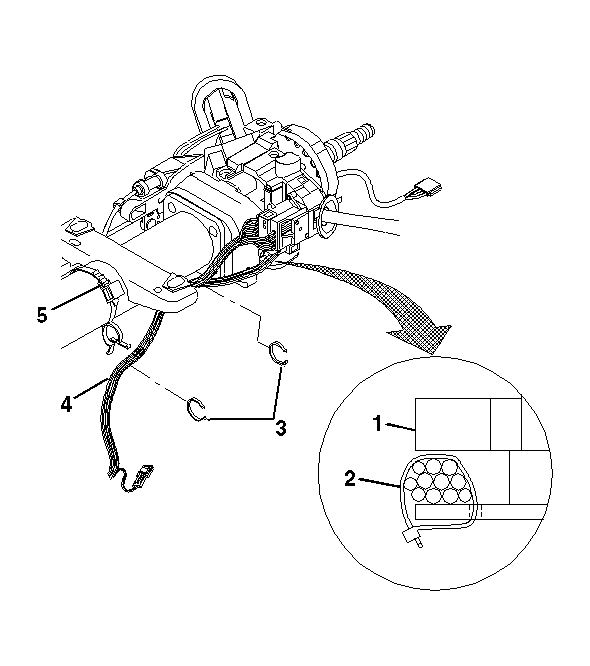 Courtesy of GENERAL MOTORS CORP.
- Attach new wire harness straps (3) to the wire harness assembly (4).
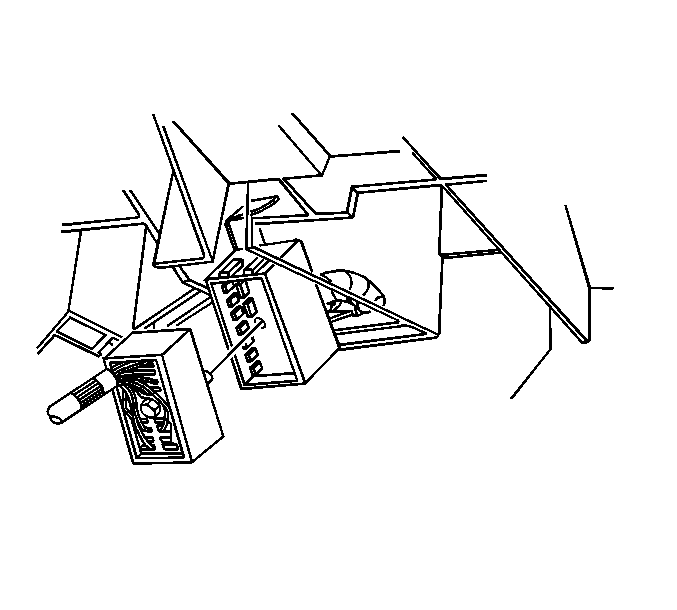 Courtesy of GENERAL MOTORS CORP.
- Connect the steering column electrical connectors to the vehicle.
- Install the trim covers to the column. Refer to Steering Column Trim Covers Replacement .
- Enable the SIR system. Refer to SIR Disabling and Enabling Zone 3
in SIR.