Code Verification
- Note location of Auto-Check button between coolant temperature gauge and tachometer. This button also controls the instrument panel illumination lights.
- With ignition off, push and hold Auto-Check button. Turn ignition on. Release button. Note 2-digit code in display window. First digit indicates number of cylinders; second digit indicates country variant and type of engine (gas or diesel). For an interpretation of the second digit, refer to the AUTO-CHECK SYSTEM CODE IDENTIFICATION
.
- If code in display window does not match vehicle, turn ignition off. Remove instrument cluster, leaving connectors attached. Slide code switch on back of instrument cluster to appropriate code setting. See Fig 1
. See AUTO-CHECK SYSTEM CODE IDENTIFICATION table. Recheck displayed code as in step 1) to verify correct code.
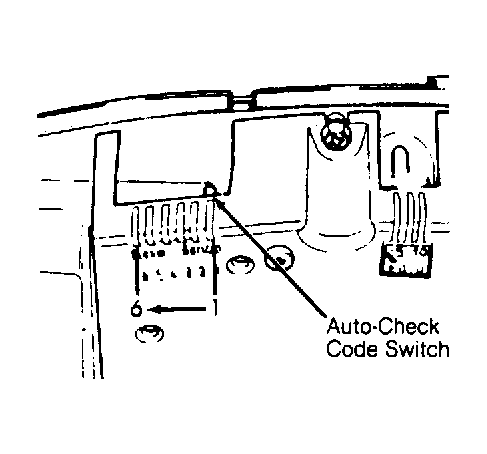 Courtesy of AUDI OF AMERICA, INC.