With the HDS
- Make sure you have the anti-theft codes for the radio and the navigation system (if equipped) then write down the audio presets.
- Remove the fuel fill cap, and relieve the pressure in the fuel tank.
- Turn the ignition switch ON (II).
- From the INSPECTION MENU of the HDS, select Fuel Pump OFF, then start the engine, and let it idle until it stalls.
- Turn the ignition switch OFF.
NOTE:
- Do not allow the engine to idle above 1,000 rpm or the ECM/PCM will continue to operate the fuel pump.
- A DTC or a Temporary DTC may be set during this procedure. Check for DTCs, and clear them as needed (see HDS CLEAR COMMAND
).
- Turn the ignition switch OFF.
- Disconnect the negative cable from the battery.
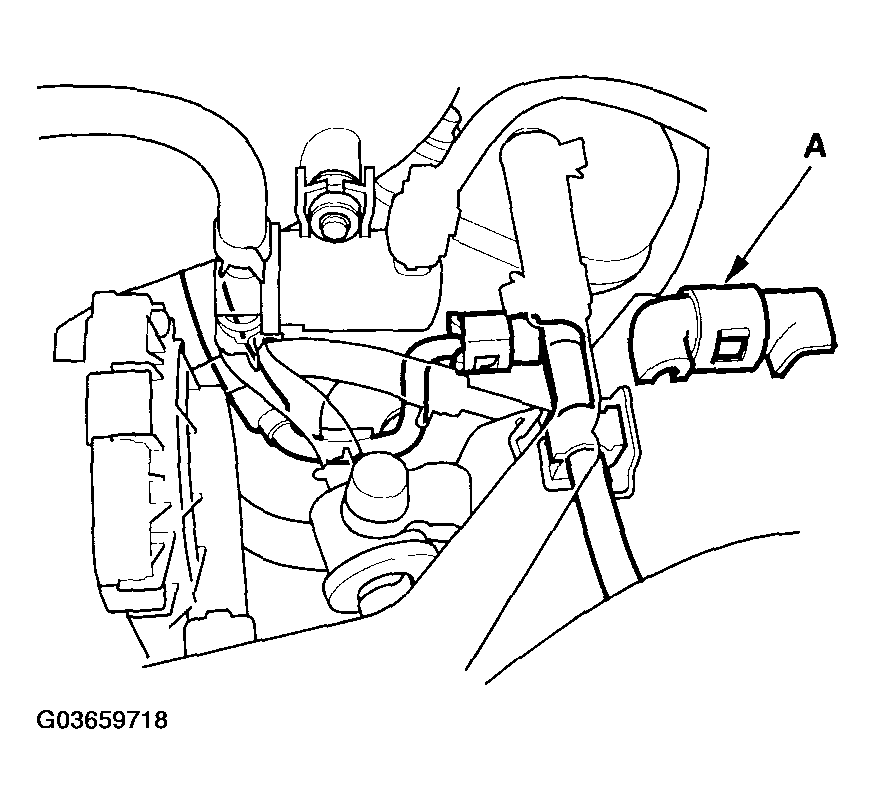
- Remove the quick-connect fitting cover (A).
 Courtesy of AMERICAN HONDA MOTOR CO., INC.
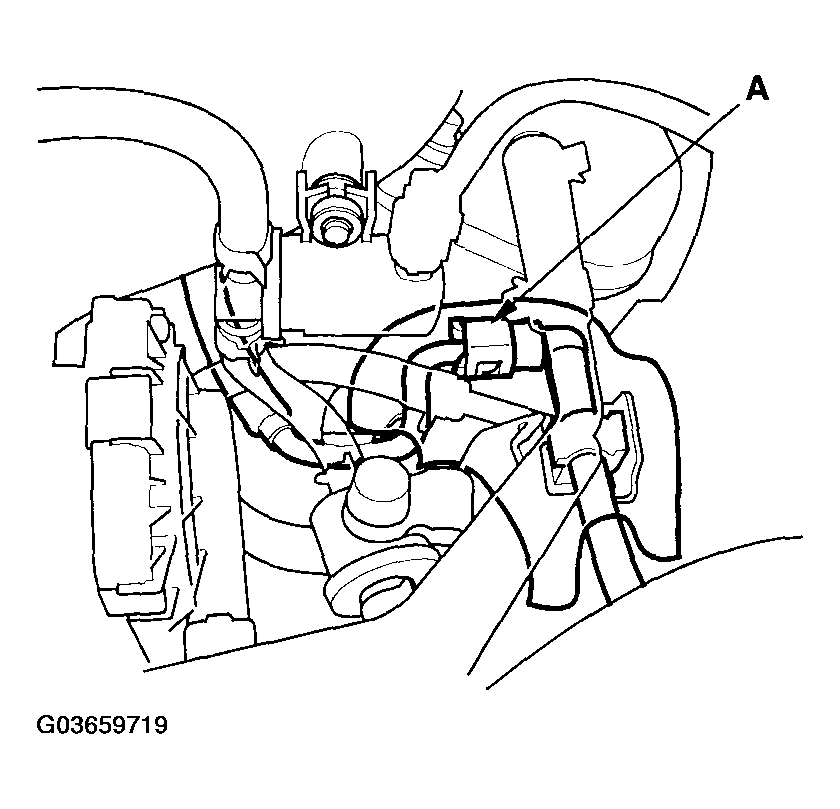
- Check the fuel quick-connect fitting for dirt, and clean it if needed.
- Place a rag or shop towel over the quick-connect fitting (A).
 Courtesy of AMERICAN HONDA MOTOR CO., INC.
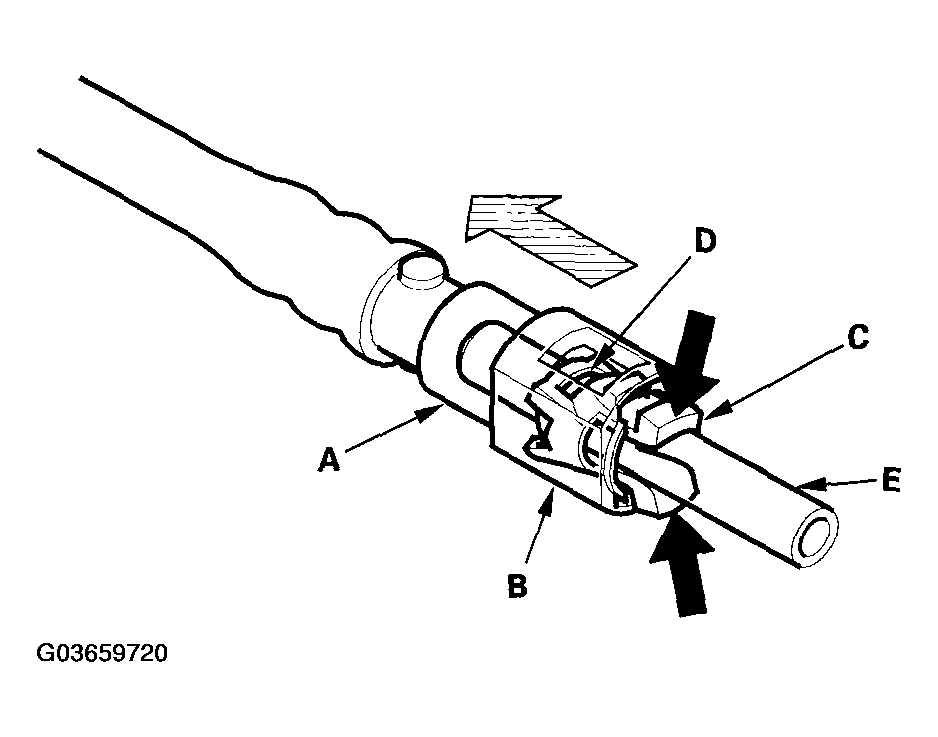
- Disconnect the quick-connect fitting (A): Hold the connector (B) with one hand, and squeeze the retainer tabs (C) with the other hand to release them from the locking tabs (D). Pull the connector off.
NOTE:
- To prevent the remaining fuel in the fuel feed line or hose from flowing out, use a rag or shop towel.
- Be careful not to damage the line (E) or other parts.
- Do not use tools.
- If the connector does not move, keep the retainer tabs pressed down, and alternately pull and push the connector until it comes off easily.
- Do not remove the retainer from the line; once removed, the retainer must be replaced with a new one.
 Courtesy of AMERICAN HONDA MOTOR CO., INC.
- After disconnecting the quick-connect fitting, check it for dirt or damage (see step 4
).
- Reconnect the negative cable to the battery, then do this:
- Do the power window control unit reset procedure (see RESETTING THE POWER WINDOW CONTROL UNIT
).
- Enter the anti-theft codes for the radio and the navigation system, then enter the customer's radio station and XM radio channel presets.
- Set the clock.