Steering Column Removal and Installation: Installation
- Install the steering column in the reverse order of removal, and note these items:
- Make sure the wires are not caught or pinched by any parts.
- Take care not to let the sliding capsules fall out of position during column installation.
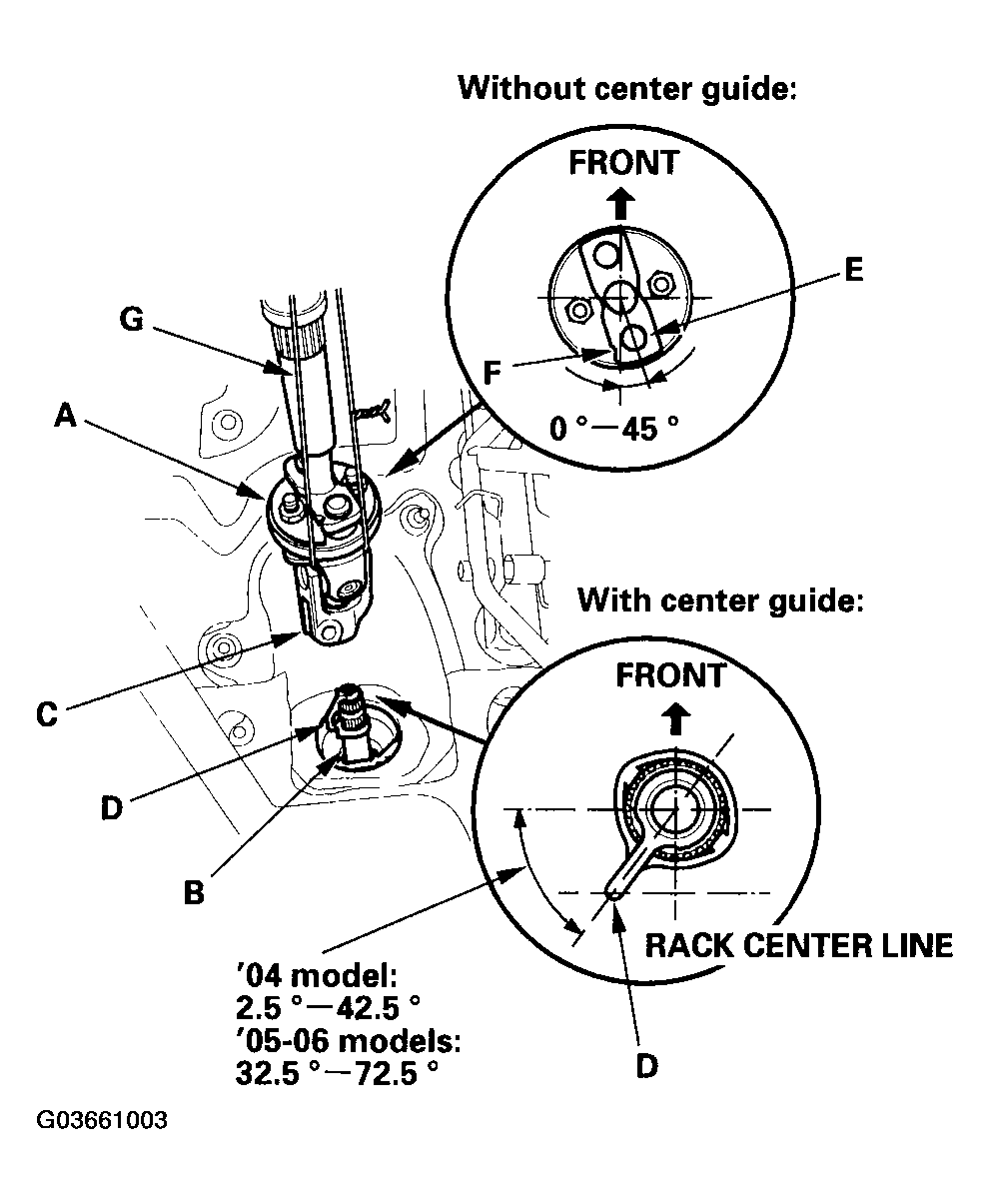
- Steering joint connection; center the steering rack within its stroke.
- Install the steering column joint (A) on to the pinion shaft (B).
NOTE:
- Pinion shaft with center guide; install the steering joint by aligning the slit (C) of the steering joint with the tab (D) of the center guide. Position the angle of the center guide as shown in Fig 1 if necessary.
- Pinion shaft without center guide; position the steering column joint so the bolt (E) near to the notch (F) is within the range shown.
 Courtesy of AMERICAN HONDA MOTOR CO., INC.
- With the rack in the straight ahead driving position, cut the wire (G) and slip the lower end of the steering joint on to the pinion shaft.
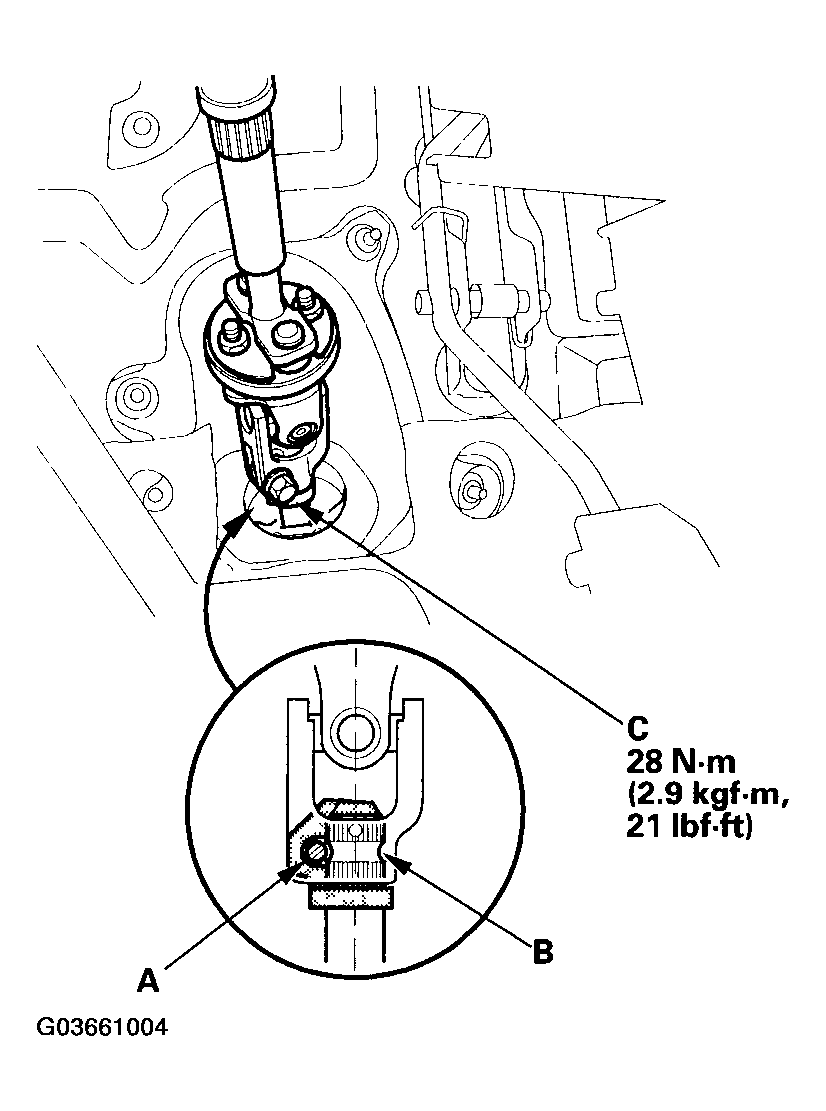
- Align the bolt hole (A) on the steering joint with the groove (B) around the pinion shaft, and loosely install the joint bolt (C). Be sure that the joint bolt is securely in the groove in the pinion shaft. Pull on the steering joint to make sure that the steering joint is fully seated. Tighten the steering joint bolt to the specified torque.
 Courtesy of AMERICAN HONDA MOTOR CO., INC.
- Finish the installation, and note these items:
- Make sure the connectors are properly connected.
- Reinstall the steering wheel (see
STEERING WHEEL INSTALLATION ).
- Reconnect the battery.
- Enter the anti-theft codes for the radio and the navigation system, then the customer's audio presets.
- Set the clock (without navigation).
- Verify cruise control, radio remote, navigation system, voice control, HFL (HandFreeLink) system, and turn signal canceling for proper operation.
- Make sure the steering wheel is centered.