Alternator Removal and Installation: Removal
- Make sure you have the anti-theft code for the radio and the navigation system, then write down the audio presets.
- Disconnect the negative cable from the battery first, then disconnect the positive cable.
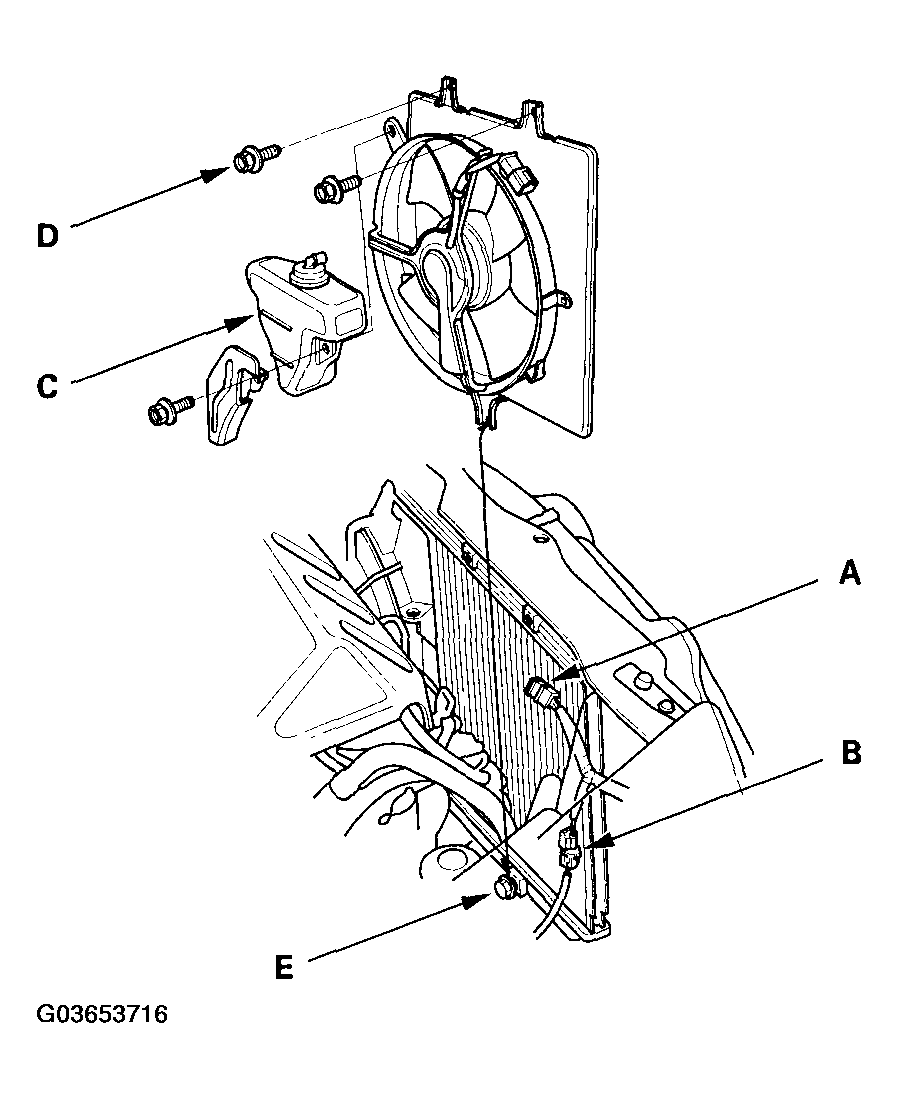
- Disconnect the A/C condenser fan motor connector (A) and the A/C compressor clutch connector (B), then remove the coolant reservoir (C).
 Courtesy of AMERICAN HONDA MOTOR CO., INC.
- Remove the two bolts (D), loosen bolt (E), then remove the A/C condenser fan shroud assembly.
- Remove the drive belt (see
DRIVE BELT INSPECTION ).
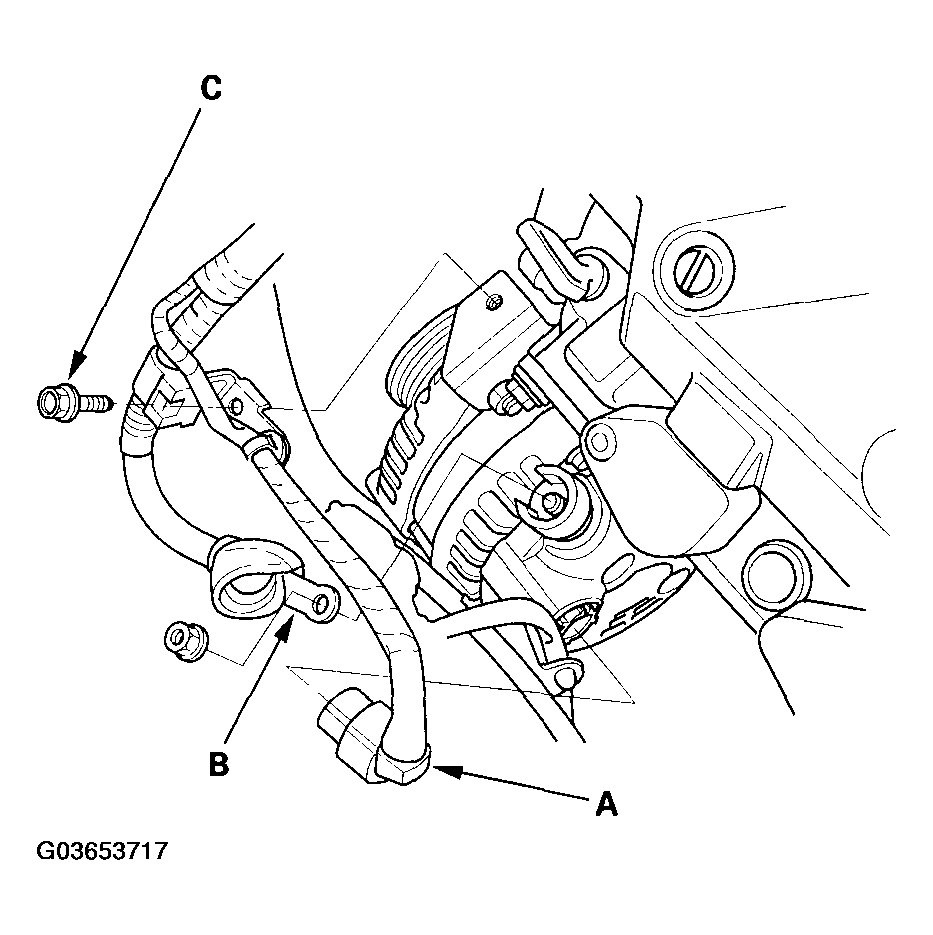
- Disconnect the alternator connector (A) and the BLK wire (B) from the alternator.
 Courtesy of AMERICAN HONDA MOTOR CO., INC.
- Remove the bolt (C) securing the harness bracket.
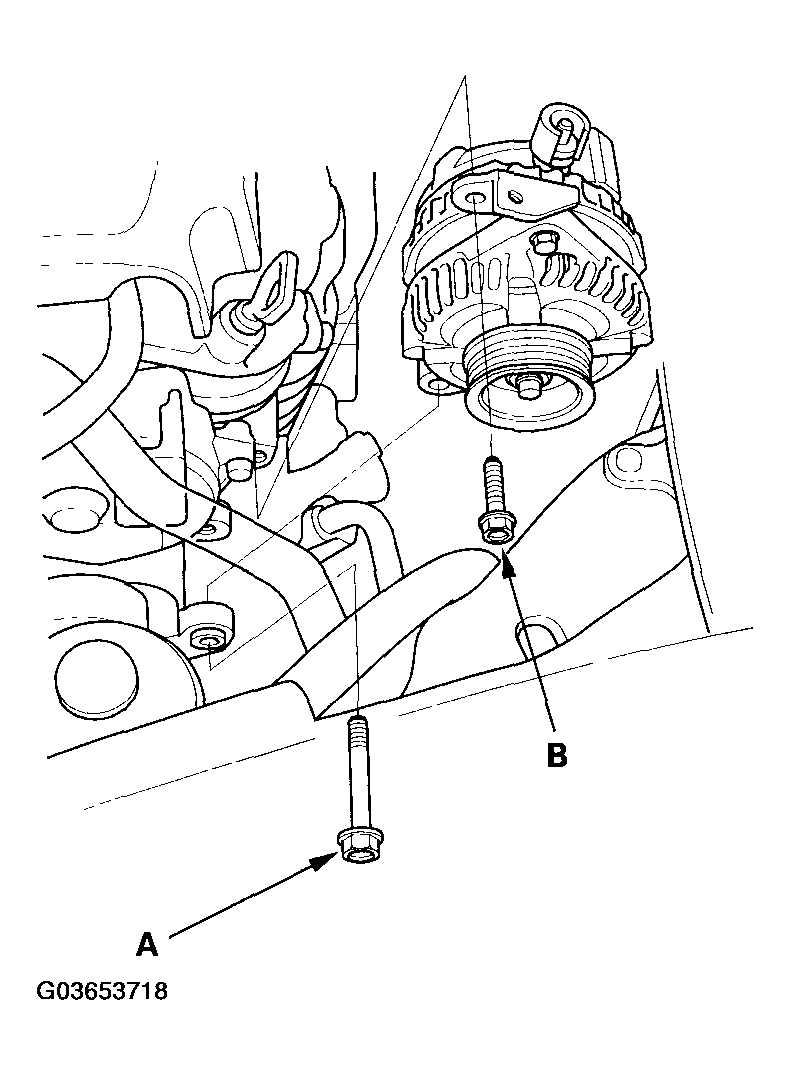
- Remove the mounting bolt (A) and alternator bracket mounting bolt (B), then remove the alternator.
 Courtesy of AMERICAN HONDA MOTOR CO., INC.