Gearbox Mount Cushion Replacement
- Remove the steering gearbox (see STEERING GEARBOX REMOVAL
).
- Position the 34 mm socket wrench (A) on the flange part of the gearbox housing with a washer (B), 10 x 105 mm flange bolt (C) and the 10 mm nut (D) as shown.
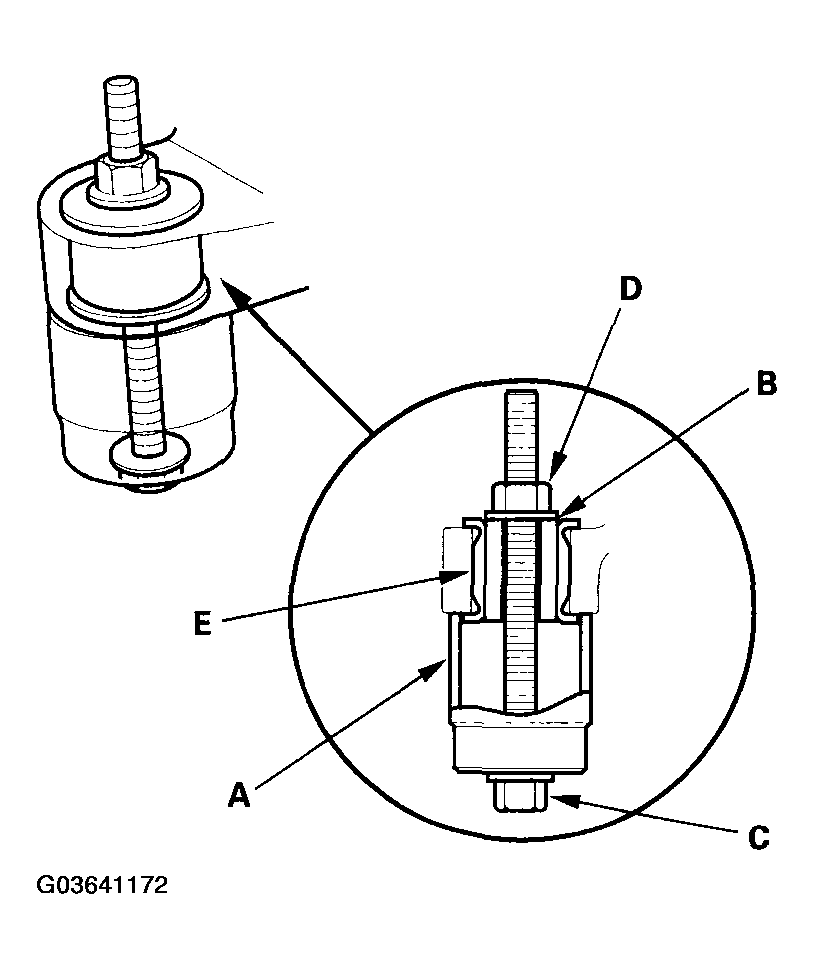 Courtesy of AMERICAN HONDA MOTOR CO., INC.
- Hold the nut with a wrench, and tighten the flange bolt with another wrench. Remove the gearbox mount cushion (E).
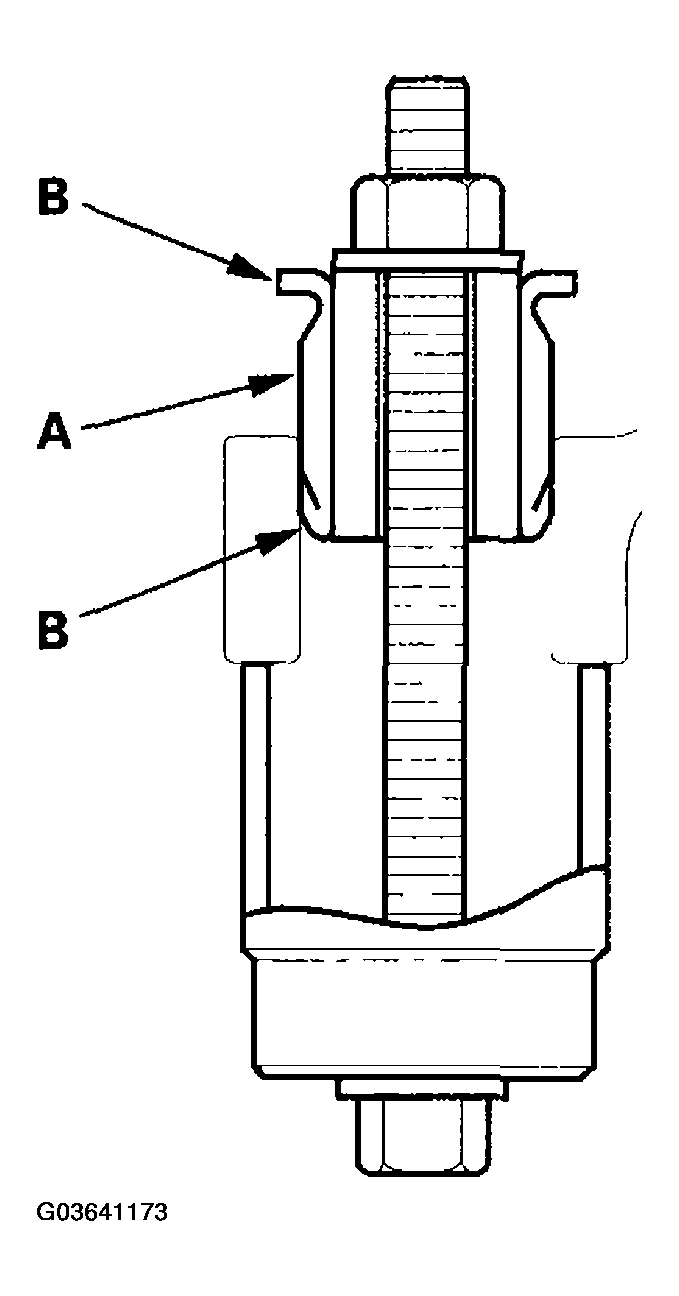
- Apply a mild soap and water solution to the new gearbox mount cushion surface (A), then place it on the gearbox mounting cushion hole.
 Courtesy of AMERICAN HONDA MOTOR CO., INC.
- Position the 34 mm socket wrench on the flange part of the gearbox housing with a washer, flange bolt, and the nut as shown.
- Install the gearbox mount cushion by tightening the nut until the mount cushion edges (B) properly fit on the gearbox flange surface.