Actuator Cable Adjustment
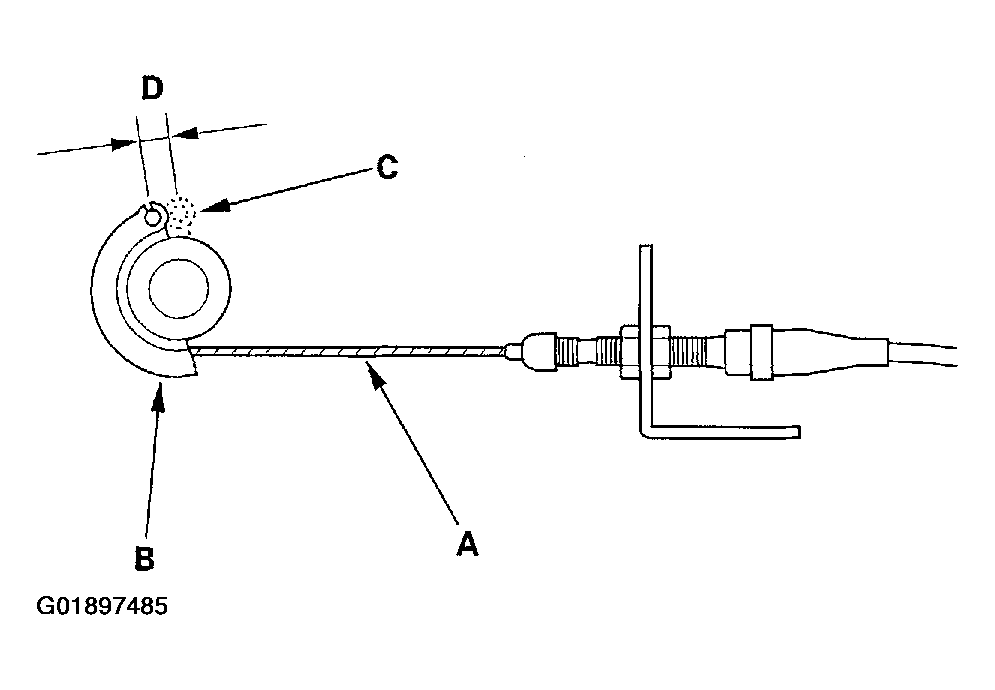
- Check that the actuator cable (A) moves smoothly with no binding or sticking.
 Courtesy of AMERICAN HONDA MOTOR CO., INC.
- Start the engine. Hold the engine at 3,000 rpm with no load (in Park or Neutral) until the radiator fan comes on, then let it idle.
- Measure the amount of movement of the output linkage (B) until the engine speed starts to increase. At first, the output linkage should be located at the fully closed position (C). The free play (D) should be 3.75+/-0.5 mm (0.15+/-0.02 in.).
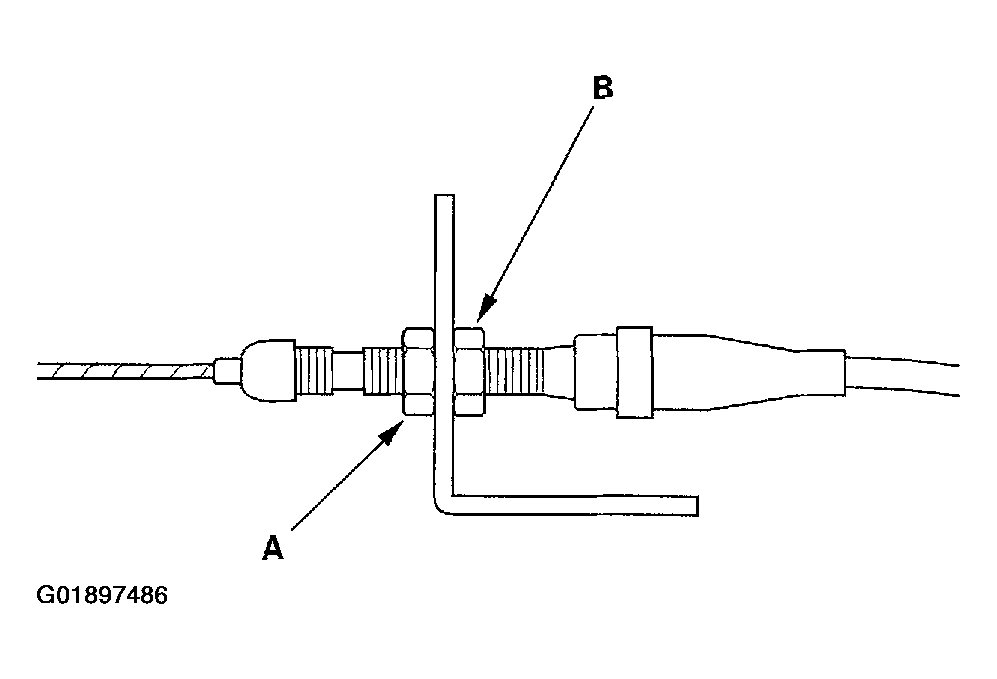
- If the free play is not within specs, move the cable to the point where the engine speed starts to increase, then tighten the locknut (A) and adjusting nut (B).
 Courtesy of AMERICAN HONDA MOTOR CO., INC.
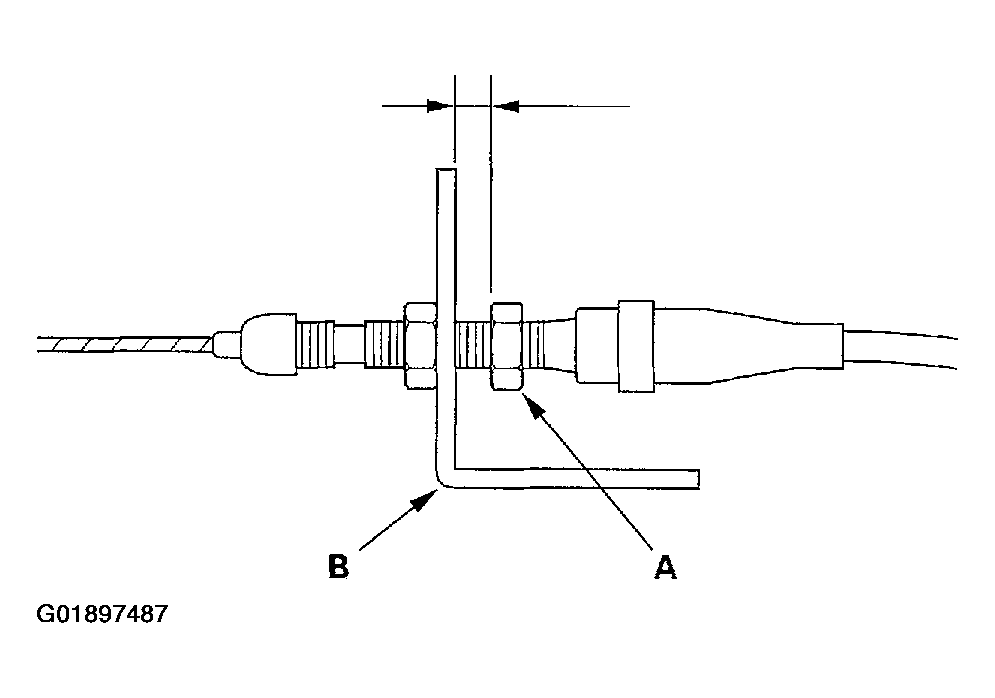
- Turn the adjusting nut (A) until it is 3.75+/-0.5 mm (0.15+/-0.02 in.) away from the bracket (B).
 Courtesy of AMERICAN HONDA MOTOR CO., INC.
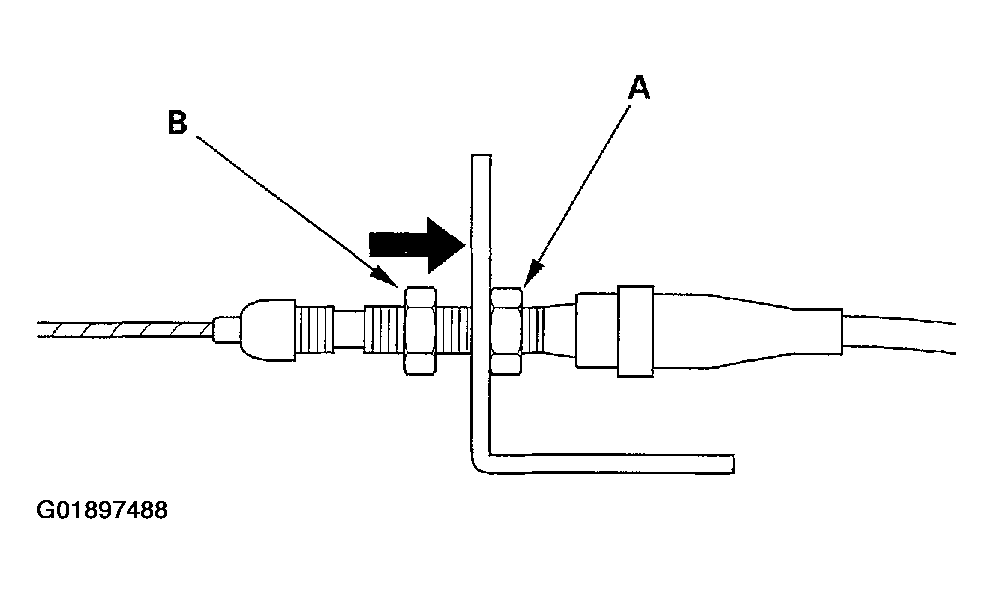
- Pull the cable so that the adjusting nut (A) touches the bracket, then tighten the locknut (B).
 Courtesy of AMERICAN HONDA MOTOR CO., INC.