Test A: Scan Tool Does Not Power Up: Testing
- Check for open or short to ground in Orange wire between instrument panel fuse block and Data Link Connector (DLC) terminal No. 16. See Fig 1
. If Orange wire is okay, go to next step. If Orange wire is not okay, repair as necessary. After repair, perform appropriate diagnostic system check.
- Check for open in Black wire between ground and DLC terminal No. 4. If Black wire is okay, go to next step. If Black wire is not okay, repair circuit as necessary. Perform appropriate diagnostic system check. See appropriate article for malfunctioning system.
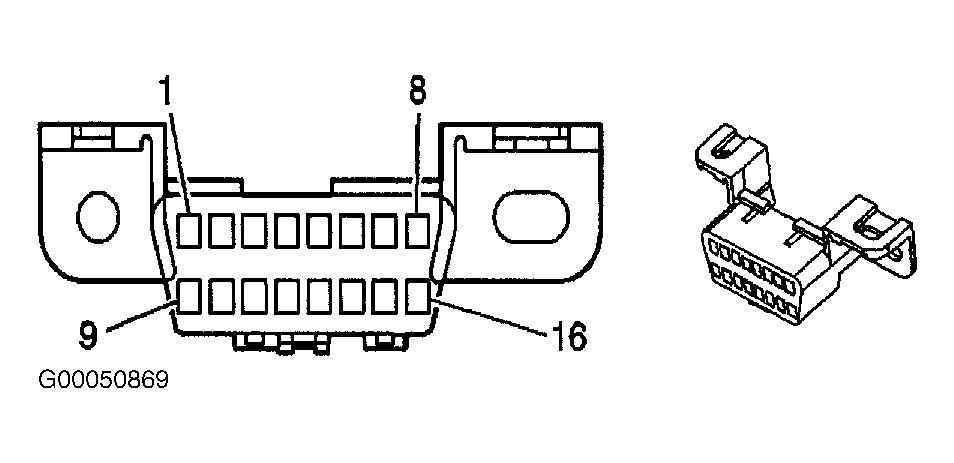 Courtesy of GENERAL MOTORS CORP.
- Check for poor terminal contact between scan tool and DLC terminals No. 4 and 16. If terminal contact is okay, go to next step. If terminal contact is not okay, repair as necessary. Perform appropriate diagnostic system check. See appropriate article for malfunctioning system.
- Scan tool may be malfunctioning. Check scan tool manual for diagnostic procedures. After repair, perform appropriate diagnostic system check with known good scan tool. See appropriate article for malfunctioning system.